





Hadda
Members
-
Joined
-
Last visited
-
Thanks for the advice. Is it perhaps also possible and sensible to replace the fan? Are there any suitable fans from Noctua? These fans are actually always very quiet.
-
Thank you for your answer. Since I'm not an expert, can you perhaps explain a little about the benefits of connecting the fan directly to the mainboard? And what should be done then?
-
Hello everyone, I've had the Sparkle Arc A310 Eco for a while now and I have to say, the fan is killing me. Even at idle it is always speeding up and down. For space reasons, the server is in my office and I can hardly stand it without headphones. I have already read something about driver updates and that you can somehow set the fan curve via VM, but these were not Unraid environments and I am unsure how and whether this works. Does anyone have experience under Unraid how to fix the problem? I am currently on 7.0.1 because I had problems with 7.1.3.
-
Hi did you ever find a solution? How did you get your working again? I am facing the same problem since today. Everything worked until yesterday and after restarting the system, communication is no longer possible
-
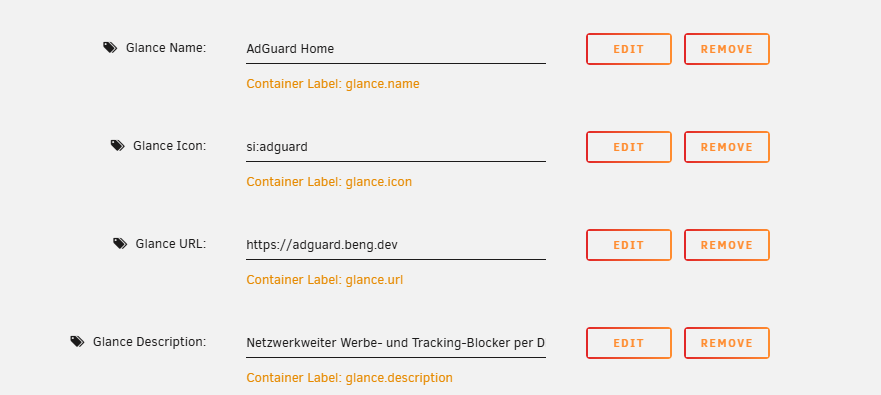
Has anyone gotten the docker-containers widget to work? I included the docker.sock in the configuration and gave a container the labels as an example. Nevertheless, Glance shows “No containers available to show” My glance config: My adguard home config:

-
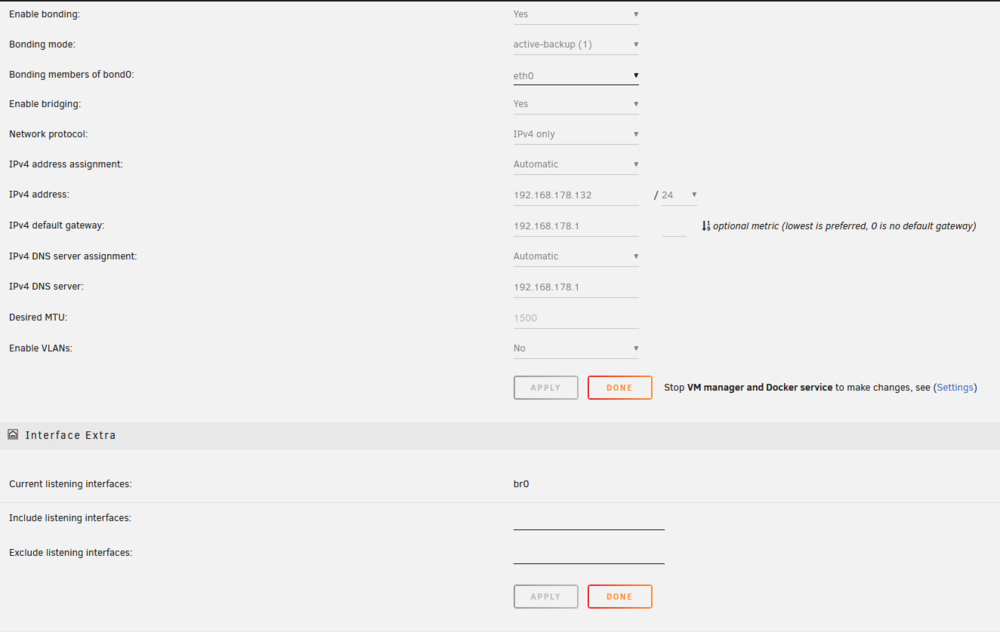
Did you mean these settings? Host access is activated and i have already tried to restarting Docker, but no effect. I've changed the settings but also no effect. I will try the lxc container
-
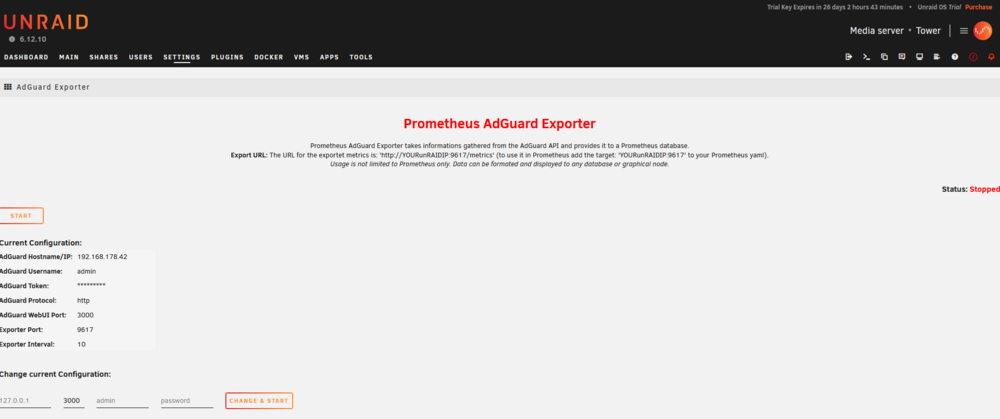
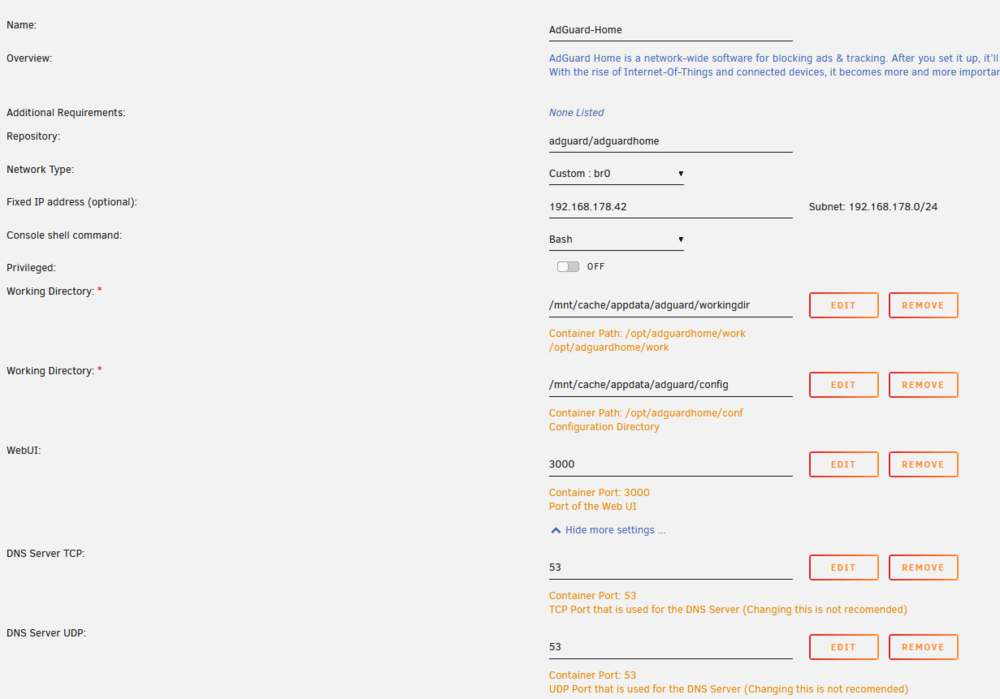
Firefox says it's unable to connect and prometheus says Get "http://192.168.178.42:9617/metrics": dial tcp 192.168.178.42:9617: connect: no route to host This is the Exporter configuration. The container config And the prometheus.yml
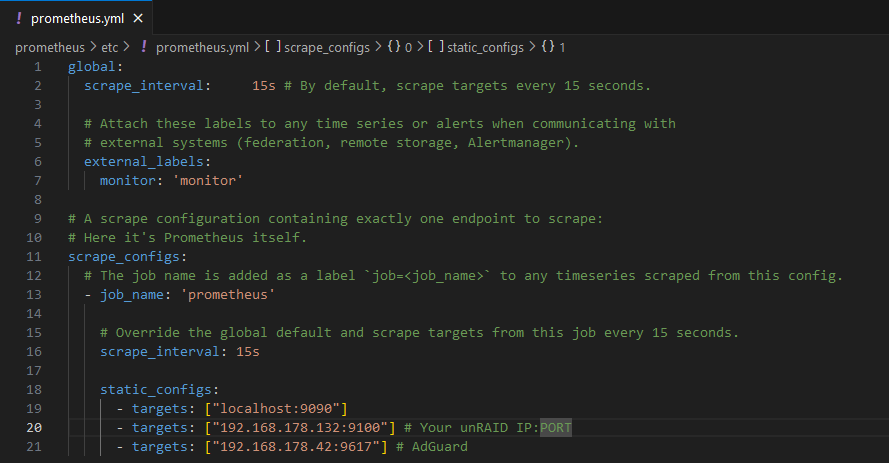
-
Hi @ich777 I have tried to get the AdGuard Exporter to run, but it does not start. AdGuard runs on br0 and has its own IP. I have activated Host access to custom networks in the Docker settings. In the configuration of the exporter I have entered the fixed IP and all other data but the status is always stopped. Unfortunately there is also nothing in the Unraid logs. Do you have any ideas as to why this could be? I am still very new to the game 😅 Edit: In the prometheus.yml I added a target with the fixed IP from the AdGuard Container with :9617


