





Fortesque
Members
-
Joined
-
Last visited
Everything posted by Fortesque
-
That's what I thought! Is there a way (raid configuration, ...) to use the 4TB device as a redundancy/parity disk, then remove the 1TB devices and then just use the redundant data as the actual data? Seems to me that migrating data (even inside a pool) from 2 smaller devices to a bigger one should be a common case.
-
Hi JorgeB, Thank you for your reply. Since it's a lot of data, I just want to be safe about this. Therefore, forgive me if my questions/assumptions are somewhat stupid: wouldn't raid1 mirror all data to all disks? How would that work if the data total is 1.4TB but both of the older SSDs are just 1TB in size? Also I'm not sure about the "remove one of the devices at a time" part. After successful conversion to raid1, do I physically remove one of the SSDs or do I remove one from the pool by unassigning the disk?
-
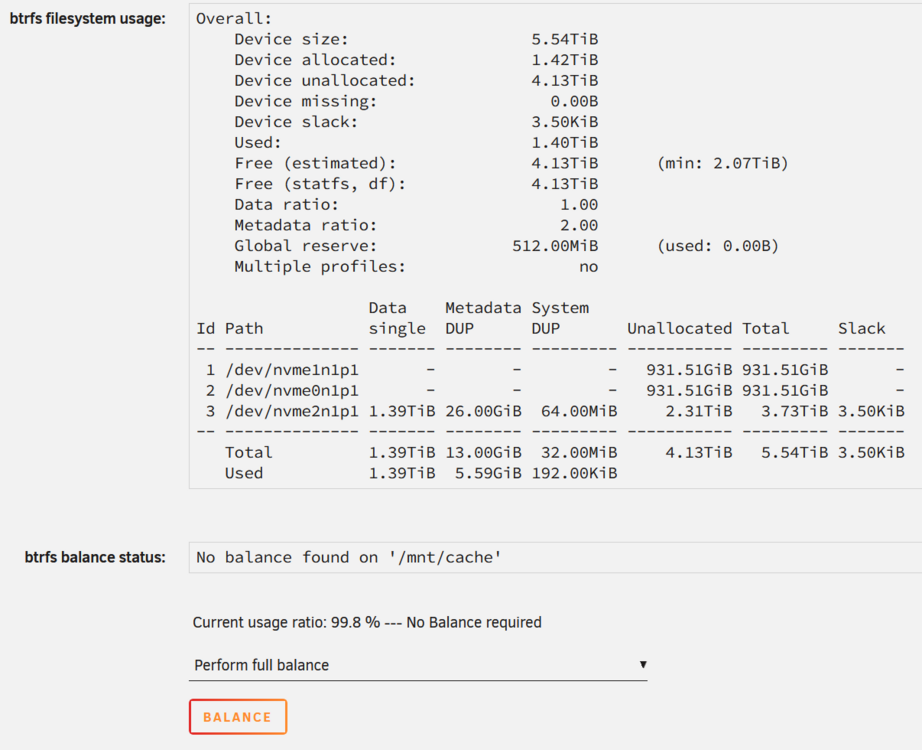
Hello community, I recently purchased a 4TB SSD to be used for my cache pool. I already had a cache pool set up (btrfs), consisting of 2 1TB SSDs using the balancing mode so both drives appear as one device so to speak. I'm on Unraid 7.2. My question: how do I replace the 2 1TB SSDs (which have about 1.4TB of data on them; appdata, system, lancache and some eBooks) with the 4TB SSD, data transfer and all? I just want the 4TB to be used for the pool now, as I'm going to retire the 2 1TB SSDs to my personal system. So far, I've added the 4TB SSD to the current pool and rebalanced the content. Here is a screenshot of the balance status: If I read the btrfs info correctly, all data in the pool is currently on disk 3, aka the 4TB one? I tried stopping the array, unassigning the other 2 disks and starting with just disk 3 in the cache pool, but Unraid wouldn't let me, since the cache pool was missing disks (even with ticking "Yes, I want this"). If at all possible I would want to avoid moving all contents to my array, removing the pool, creating a new one, and then moving the stuff back, as we are talking about 1.4TB x 2 amount of read and write, which not only takes a long time but it also introduces a lot of unnecessary writing operations. Thank you in advance.
-
Ok, I'm confident your changes will help. Thank you for everything so far, as well as all your free support, you are a gentleman and a scholar.
-
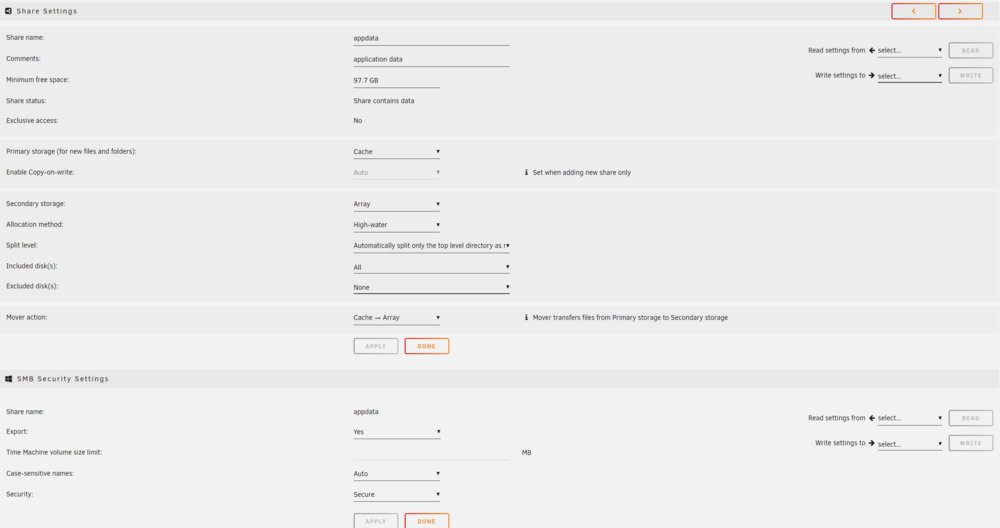
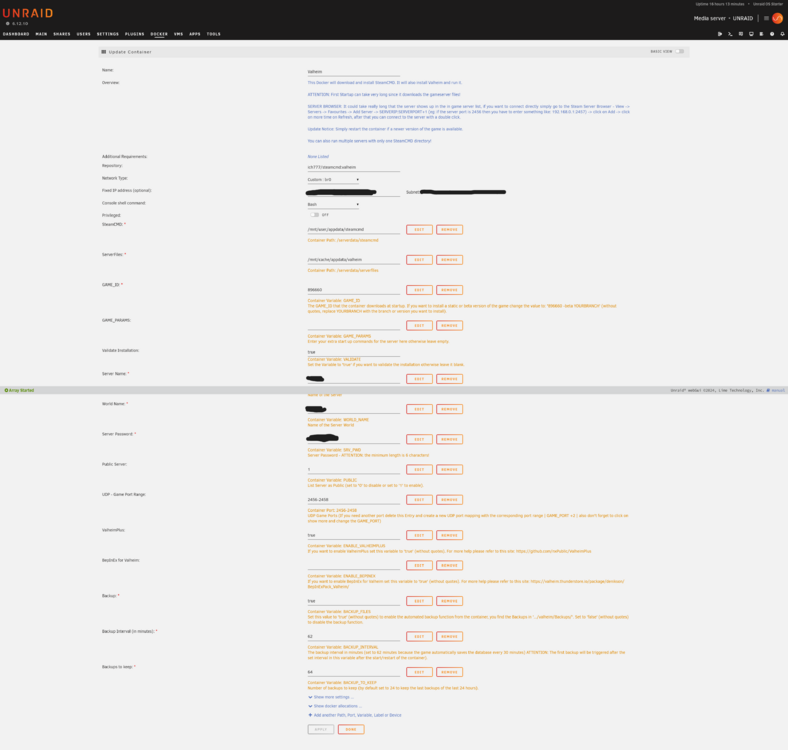
Well, that makes a lot of sense. I thought Unraid (and its containers) would just know that the mover was invoked and correctly look for data in the right place. That should help with the new world generation every time the docker is restarted AFTER mover was invoked. But what about no back ups after Monday (I had the Mover scheduled on Monday)? Is my theory correct, that this is due to the moving of the files, since the back up only looks for data in cache/appdata? After moving, on Tuesday there would be no data in cache/appdata, but with the docker still running, we would still be able to play. Docker restart would then regenerate a new world and back ups of all days past Tuesday wouldn't exist, right?
-
Will do.
-
Hello ich777, I'm using your awesome Valheim docker. It is possible my problem is not related to your docker, but currently I'm facing back up issues. Specifically whenever I stop & start my array or when your Valheim docker has an update and I update it through the Unraid WebUI. How does the automatic back up work, really? I changed the back up settings to 45 minute interval and allowed for 64 back ups total. Unfortunately the docker (as well as the internal valheim autobackup) only sporadically creates back ups. Me and my friends meet up weekly on Tuesday to play, but all the .tar archives are never from the date when we actually played. The last Tuesdays were 28.05, 04.06, 11.06 and 18.06, but all my back up archives are dated to all other days BUT these Tuesdays. Why does this happen? Typically this wouldn't be too big a problem, but in our case it is, because I had to restart my array yesterday which stopped all dockers. When restarting the valheim docker, the world was replaced with an empty one and my last back up was dated on 17.06, just right before we started playing, losing all of our progress. How can this be? There should've been back ups from 18.06, 19.06 and 20.06 atleast. Hopefully you can make some sense of this, thank you Edit: Looking at the dates more closely, I found a pattern: back ups work fine from Saturday through Monday but at Tuesday the back ups suddenly stop, only to start again at Saturday, effectively always missing our Tuesday dates.



