





shelfactor
Members
-
Joined
-
Last visited
-
ANOTHER SMALL UPDATE: Just to show more ongoing iostat results. No read/write to the resilver drives, is kinda odd. 18.txt19.txt
-
SMALL UPDATE: After doing a few tasks, adding media and moving some backups. I noticed that the output of your zpool iostat was giving some interesting info. Looks like the resilver-ing drives were not being called upon, but other drives were. Attached are two outputs from when the tasks where touching data on the pool, the last is now when the pool is idle again + PDF output from MAIN tab that matches 17.txt. 15.txt16.txt17.txtserver_Main-19.pdf
-
Ok, I'll pack up my rack and head your way! We can have a LAN Party and test all sorts of things on 1PB+ pool !!! haha Quite honestly, I have let the pool grow so that my main share can all be within the same pool (for hardlinking). However, I have started to plan out a new layout, that will separate 'active' media from archived (which should not require hardlinking). 1) Once this resilver completes, I'll try the above command to remove a single mirror pair, as a good test for a large pool. I assume it's better to leave both drives in for the removal? Or does it not matter? Thinking about reducing the read/writes off one of the drives if possible. 2) If I remember correctly, the 'new config' is only for the array/pool layout, not other settings/apps/plugins etc. correct?
-
Resilver completion time % has been increasing much faster since running your command changes. Last night, I had to work on a couple tasks (adding media etc), so I took a few snapshots while performing those tasks > 12.txt Then just now, I checked it again, and it's back to much calmer performance, and has gained a decent % upgrade > 13.txt Still chugging along, I still find it quite odd how long this reilver process is; and am trying to decide the best way to perform the next step (replacing the remaining 16TB drives to 18TB). 1) Remove Mirror Pairs and re-add with 2x18TB -- Wondering if this will also help with spreading data across more drives. 2) Perform yet another ~1 month resilver just like this one 3) Replace only 4 or 6 at a time, to remove such a high resilver call on the pool I am wondering, if after this resilver completes, if performing any of the above options will run faster. Thinking back to an earlier thread of you and I discussing this very topic, after a scrub/resilver > well a subsequent scrub/resilver finish faster? 12.txt13.txt
-
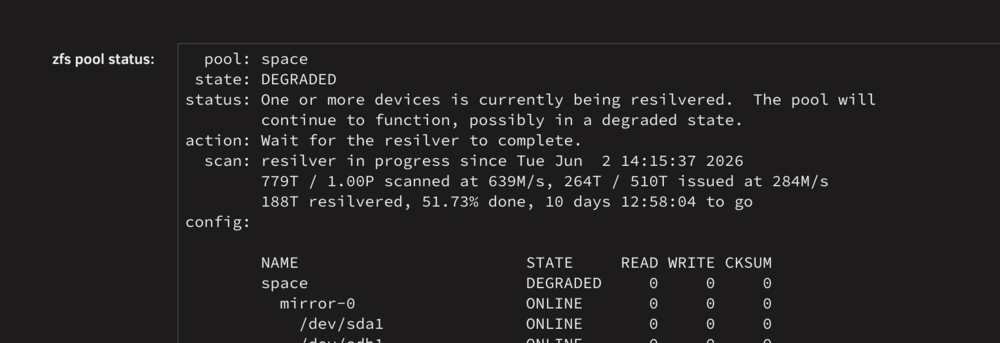
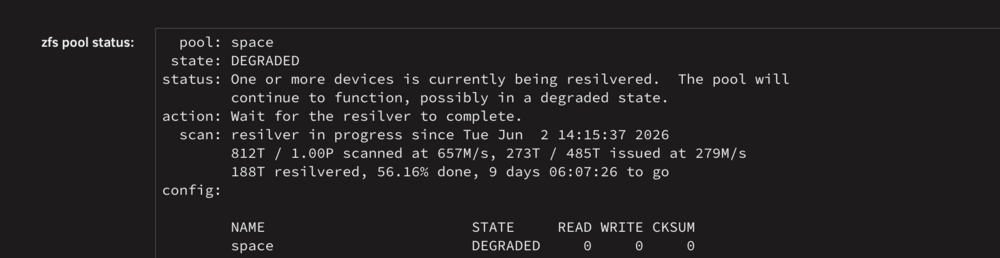
For reference, these are the numbers before and after your command changes: Here are some example outputs. Note, There was some pool activity popping up, but was brief. Edit: One more as the pool calmed a little 10.txt 7.txt8.txt9.txt
-
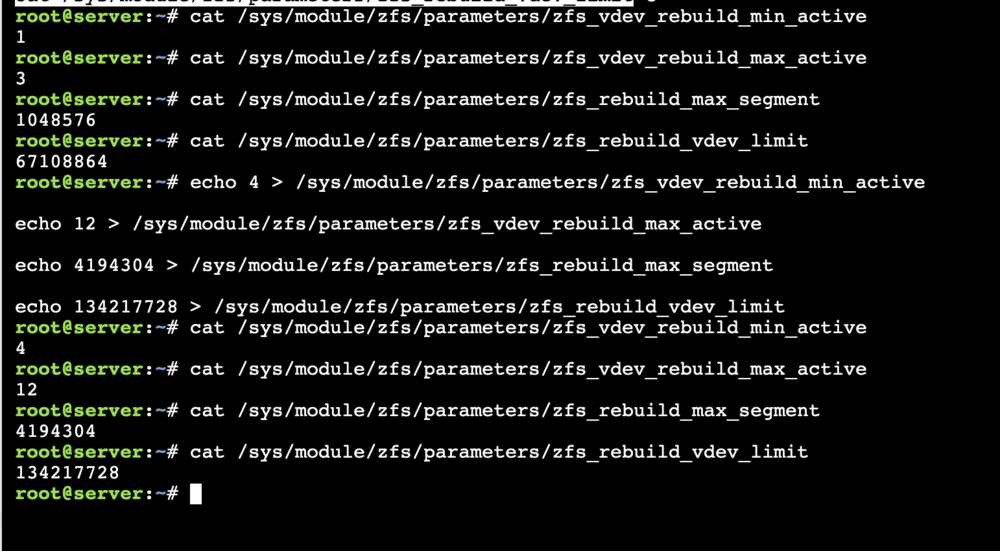
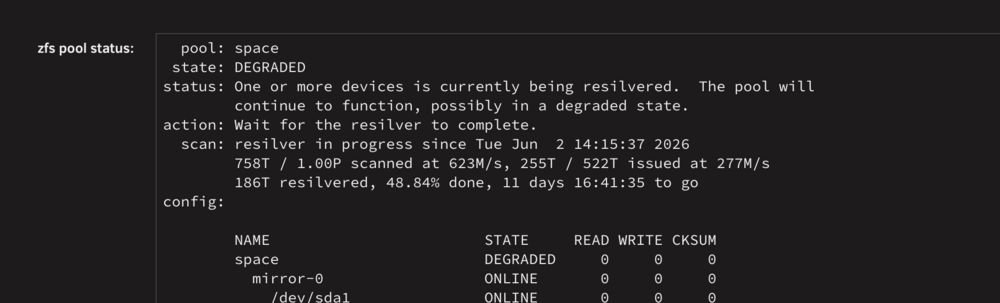
Got it, I think some of this is what I have learned from that linked article from earlier.. But definitely do not have a strong enough knowledge on how it works. But I'm reading up on it. I have updated with your commands, will wait a short bit of time and capture some outputs Thank you so much @JorgeB !! Current Progress prior to commands:
-
I decided to let a major download task occur, and ran the command during that data download. The drives near the bottom are the most empty of the drives, and not part of the resilver.. But this was just to get another look, with high speed download. EDIT Adding a few more examples, so really interesting wait times. I'm not sure how to read into it. 4.txt 5.txt 6.txt
-
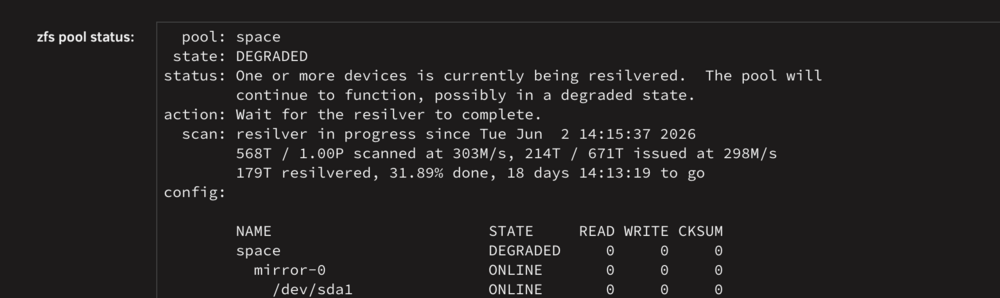
Just getting to this. Current state and attached PDF; as well as a few outputs from the above command. Only 1 or 2 or the mirror pairs are moving data... The expected finish time is now climbing. See page 2 of this thread to see another result 3.txt 2.txt 1.txt
-
Very odd and sporadic read/writes now, see attached server_Main-14.pdf
-
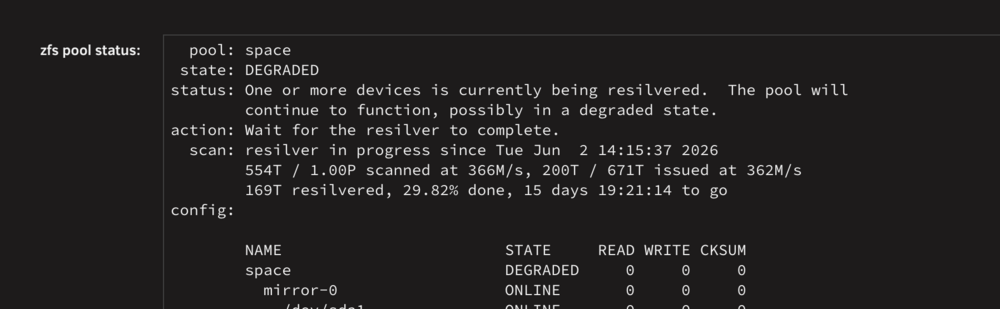
@JorgeB Maybe at this point I should create a new topic to discuss this further, but I am still a bit confused on the tasks to rebuild mirrored sets. My 'resilver' has now slowed down tremendously. You can see the speeds of scanned and issued are much slower. I am getting much more random reads compared to writes. ** I read this article about why rebuilds could be slow (I didn't attempt anything from it, just read it). And I'm somewhat perplexed by how my pool reacts during this resilver. Note, this server is mainly a media server, so not a lot of 'hard-hitting' applications, in fact none really at all. -- However, right now, if I start downloading new content, the resilver will slow even further. I would expect that if a file wanting to be accessed (such as a movie that is located on one of the degraded drives) would become slow due to the drive being access. I am wondering if some of the tactics shown in that article can be used to identify why this process is taking soo much time. I understand that ZFS has the 'catalog' or whatever it's called that it refers to which files are where. But my pool is made up of Mirrored pairs.. With very static content, that are fairly large files. I can't conceive why a resilver takes 2-3 weeks, to replace 12 pairs. 12 x 18TB drives = 216 TB of data to be restored (theoretically on 16TB as that was the source size). I am confused on the issued amount during this process. Article: https://cr0x.net/en/zfs-resilver-rebuild-speedup/ server_Main-13.pdf
-
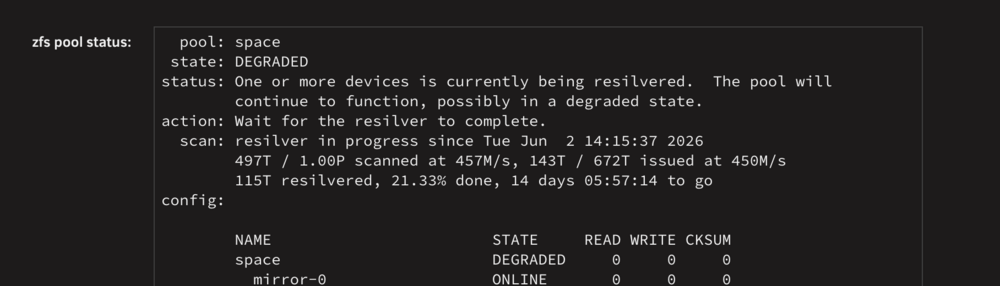
@JorgeB for records-sake. I was able to stop the array/pool move a bunch of drives around to isolate the resilvering pairs (I may not have done it to the best isolation, but decent enough)... I can confirm: 1) The resilver picked right back up 2) The resilver copy speed has increased by almost double 3) I got caught up in why the drives appeared in the same place on the MAIN tab, but realized that's just how unraid sees the slots, it has no care where they are plugged into as long as the system can see the drives as they were before. 4) Google Fiber is amazing (this is just a fun extra note, as I got 8g/8g fiber installed today!) Will be continuing to wait the resilver for now. REPEAT QUESTION for future clarification: -- When upgrading mirror pairs with larger drives, is it better to manually remove the pairs from the pool OR perform the two-stage process that I am doing, which will call for 2x scan/scrub of the pool. server_Main-9.pdf
-
@JorgeB Found cause for this issue and has created a bug report. Link to thread comment about what is causing it for me: https://forums.unraid.net/topic/199210-resilver-vs-remove-mirrors-time-to-scrubreplaceresilver-1month/#findComment-1626731 Marking Solved.
-
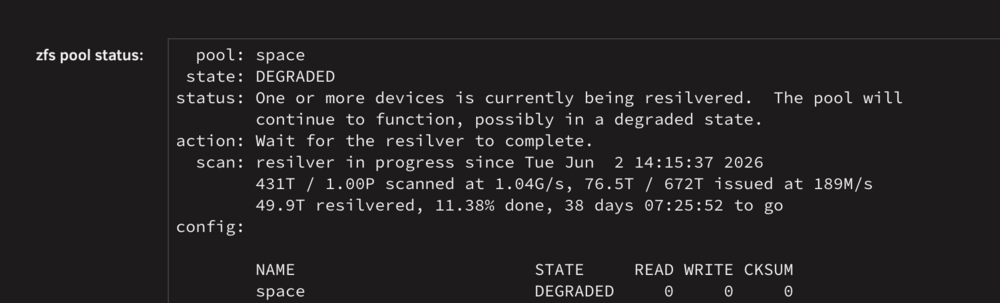
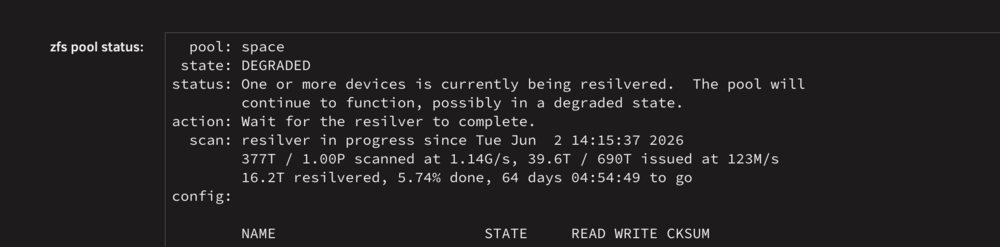
I assume your test pool is also set to mirrored pairs? As you have probably seen my pool has 72 mirrored pairs, but I did run into this 'full-scrub'-resilver prior with around half of the number of vdevs. These drives are installed on DS4246 Disk shelves, most of the pool is made up of Exos 18TB drives, in both x18 and x20 series. The drives that I am replacing are Exos x18 16TB drives, being replaced with x18 18TB drives. These drives are rated for read/write ~250mbps.. however I think that the lower speed for the resilver is related to the backplane in the DiskShelves. Earlier I updated firmware across all of the shelves, but I believe that since the drives are resilvering on the same backplane .... They are maxing out the backplane speed, not the drive speeds... This has me wondering, if I turn off my server... Then swap the target drives with drives from another diskshelf, (effectively moving the 12 pairs across the 6 disk shelves, so that only 2 pairs are resilvering per shelf).. I wonder if I could get some faster speeds. Question 1: Can I stop the server, and when it comes back online and the array starts... the resilvering resumes correct? NOT a restart? Question 2: When reading the status of the pool, it appears to me that only 431T of the full 1PB pool has been 'read/scanned/scrubbed' ... is that correct, or is the 'issued' number? I ask, as I am looking at the MAIN tab (updated attachment), the resilver/copy numbers we are talking about above, and ONLY that data transfer is occurring. Meaning Drive<>Drive copy to replace the mirrrors. I don't see any other activity (of decent speed) for any other drive. Note, I have basically all my services turned off, so there should be no data movement other than the resilver. BUT If the full pool 1PB of data hasnt been scanned yet, at what point does it start processing the rest of the data? server_Main-8.pdf
-
@JorgeB Small update today when checking.. Attached you can see the parallel symmetrical read/writes. edit: Adding second PDF, showing excellent speeds on the read/writes. This is similar to past experiences, once long ago when you and I discussed how ZFS will "scrub" the whole pool during a resilver. And once just before the recent command run... Meaning I think the resilver will start progressing faster as more of the pool as been read. ***** This does remind me, that long ago when we discussed the full pool scrub, We had the question: "If ZFS scrubs the whole pool during this resilver, and it completes... Then If I were to swap in another drive (starting a new resilver) would it then require scrubbing the whool pool again, or would it retain the recent scan information. server_Main-6.pdf
-
That is definitely very curious. I would be interested, if you do find out something later on (and if you still think back to this thread). But as always, thank you for all the help! Just sent you some well deserved beer money!




