





eastcoastninja
Members
-
Joined
-
Last visited
Everything posted by eastcoastninja
-
If there is a way to clear the drive I will do that just to boot this thing back up
-
No worries I did do a reinstall of the flash with 6.12.10 and 6.12.9 also recovering the key in both instances. But oddly it just wont' start I may try to remove the drive and put in a different one to see if it goes through. But not why the drive would be halting things.
-
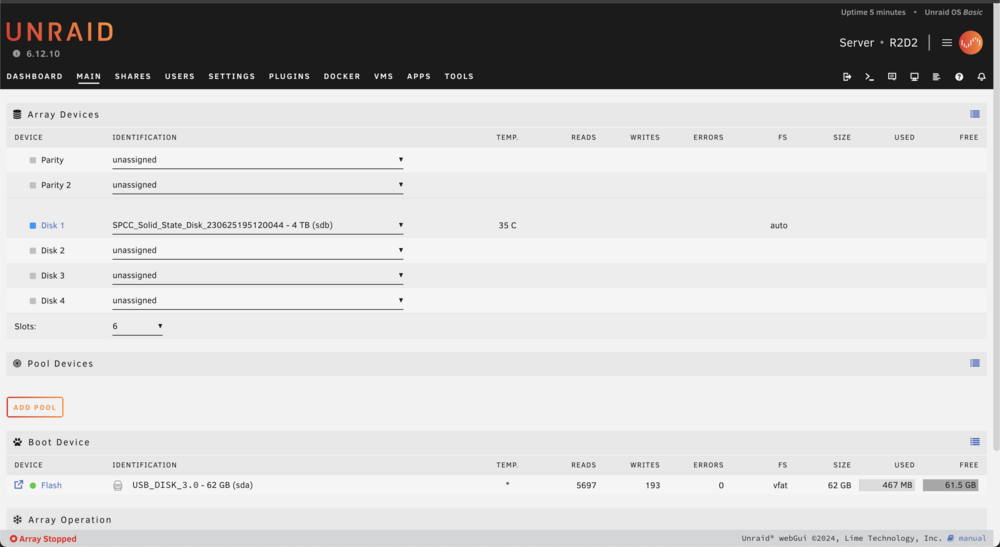
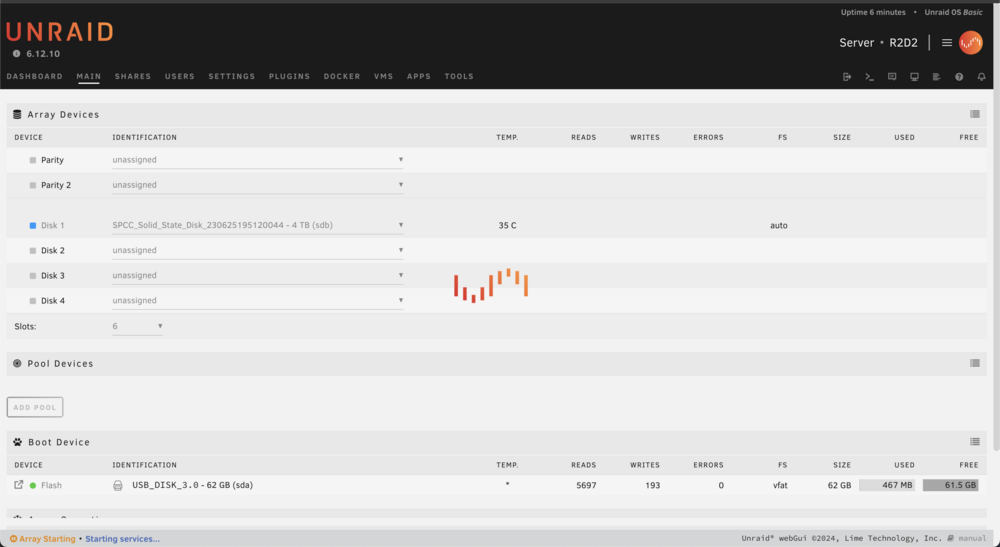
I can access the ip its when I start the unraid server that it just hangs:
-
r2d2-diagnostics-20240729-1526.zip Attaching the diagnostic file if the syslog.txt is needed to I can get that as well. I just need to reboot since it leave my page froze when I start the array.
-
Hi everyone, I’m facing an issue with my server after recently changing my WiFi. I attempted to reboot the server, but now it’s stuck on “starting services.” Here’s a breakdown of what I’ve done so far: 1. Changed my WiFi network. 2. Rebooted the server, which led to the “starting services” issue. 3. Tried installing a fresh OS on the USB drive with versions 6.12.10 and 6.12.9. 4. Encountered the same problem with both versions: the server gets stuck loading when I add my drive to the array and try to start it up. Has anyone experienced this before, or does anyone have any suggestions on how to resolve this issue? Thanks in advance for your help!
-
I can only get this Wake On LAN dmacias72 plugin to work for a short time. If more than 30 minutes pass, the Wake on LAN function seems to stop working. Is anyone else facing this issue? Oddly, I use another setup on my Steam Deck, and it always works. Here is the link: https://github.com/scawp/Steam-Deck.Wake-Up-Rig I’m not sure where the disconnect is, as both my Unraid server and Steam Deck are on the same Tailscale network, and both are connected. The only difference might be that the Tailscale setup on my Unraid server uses a plugin from EDACerton’s Repository (Tailscale (Plugin) - Preview), while my Deck uses https://github.com/tailscale-dev/deck-tailscale Current Unraid OS: 6.12.10 Feel free to let me know if you need any more adjustments!
-
I can only get this to work for a short time. If more than 30 minutes pass, the Wake on LAN function seems to stop working. Is anyone else facing this issue? Oddly, I use another setup on my Steam Deck, and it always works. Here is the link: https://github.com/scawp/Steam-Deck.Wake-Up-Rig I’m not sure where the disconnect is, as both my Unraid server and Steam Deck are on the same Tailscale network, and both are connected. The only difference might be that the Tailscale setup on my Unraid server uses a plugin from EDACerton’s Repository (Tailscale (Plugin) - Preview), while my Deck uses https://github.com/tailscale-dev/deck-tailscale Current Unraid OS 6.12.10 I’d appreciate any tips or insights into this. Feel free to let me know if you need any more adjustments!

