ctny
Members
-
Joined
-
Last visited
-
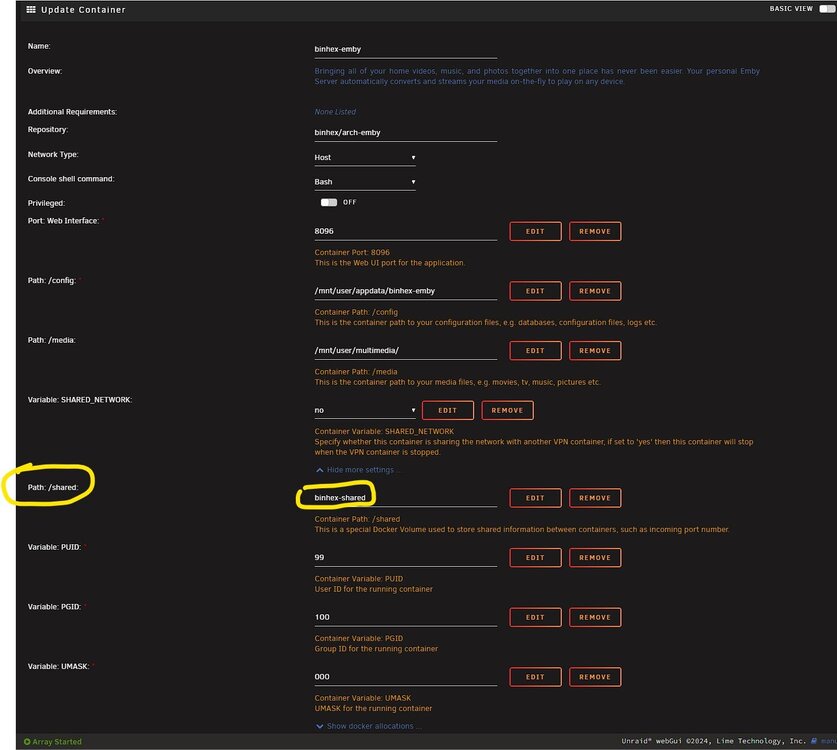
I am new to unraid. Setting up binhex-emby has been quite straight forward. However, can someone explain what is "Path: /shared:" for? I can see the explanation is "Container Path: /shared... This is a special Docker Volume used to store shared information between containers, such as incoming port number." First, I don't see this path in other docker images, so I don't understand how other docker images will be able to share information with binhex-emby? Second, how does this technically work? Different containers will look into this directory on what ports are already claimed then pick new ports accordingly? Third, if this is for all docker images to share info, I am assuming there is a default directory on unraid to facilitate this sharing already, so what is the default path? The reason this is bothering me is that the "Appdata Backup" plugin keeps complaining the default value for the path does exist, but I don't want to set a wrong value.