




Skip to content
View in the app

A better way to browse. Learn more.

Unraid

A full-screen app on your home screen with push notifications, badges and more.

To install this app on iOS and iPadOS
  1. Tap the Share icon in Safari
  2. Scroll the menu and tap Add to Home Screen.
  3. Tap Add in the top-right corner.
To install this app on Android
  1. Tap the 3-dot menu (⋮) in the top-right corner of the browser.
  2. Tap Add to Home screen or Install app.
  3. Confirm by tapping Install.

matthewdavis

Members
  • Joined

  • Last visited

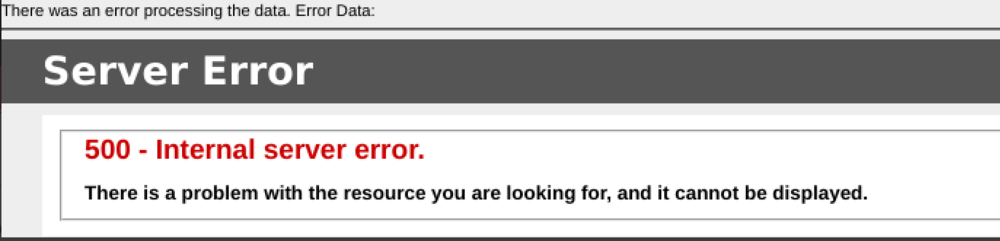
  1. Running unraid 6.12.11 Container version: 2.10.9.3 When I click on the "upload drive & benchmark data" I get a 500 error. An error showed up in the container log, unsure if its directly related. WARNING: An illegal reflective access operation has occurred WARNING: Illegal reflective access by lucee.commons.lang.ClassUtil (jar:/opt/lucee/server/lucee-server/patches/6.0.3.1.lco) to constructor com.sun.org.apache.xerces.internal.jaxp.DocumentBuilderFactoryImpl() WARNING: Please consider reporting this to the maintainers of lucee.commons.lang.ClassUtil WARNING: Use --illegal-access=warn to enable warnings of further illegal reflective access operations WARNING: All illegal access operations will be denied in a future release
Account

Navigation

Search

Search

Configure browser push notifications

Chrome (Android)
  1. Tap the lock icon next to the address bar.
  2. Tap Permissions → Notifications.
  3. Adjust your preference.
Chrome (Desktop)
  1. Click the padlock icon in the address bar.
  2. Select Site settings.
  3. Find Notifications and adjust your preference.