





Caaarrrlll
Members
-
Joined
-
Last visited
Everything posted by Caaarrrlll
-
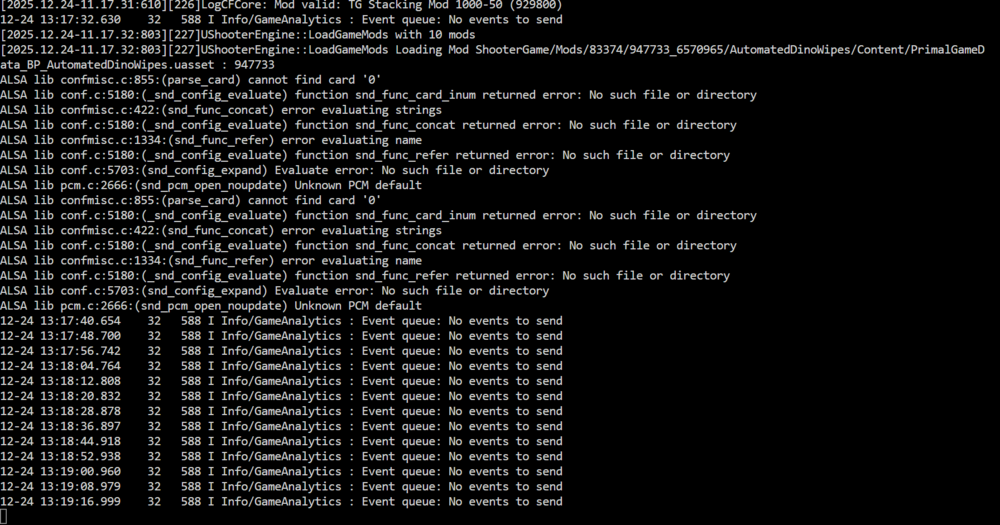
Mine is still doing this as well, people have gotten it to work by copying a file for the audio driver into the server files but it doesnt work for everyone here is a github discussion if you look for Deciphersoul's comment it might help you Also for anyone that is potentially reading this and could offer some assistance, the actual game error is
-
The issue seems to be an ark specific one with versions after 77.27 ... not sure if there is a way to bypass it or a quick fix ... I am just going to hold out for a patch while I look for some workaround
-
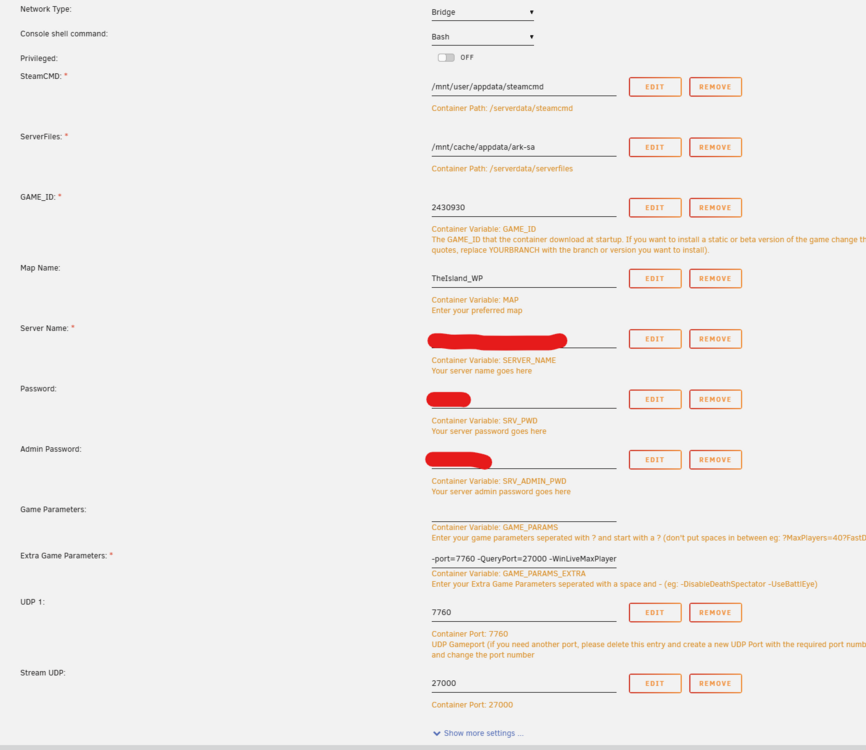
Hi, I recently replaced my cache drive and followed the steps from the unraid moderators etc, most of the game servers from you are working 100% fine after I setup everything however my Ark Ascended servers are not working, I backup up my saves, then removed them completely deleted the cache and user app data and then tried to reinstall them but they never start up properly and then start "boot looping" I can attempt to get logs etc I just dont have any idea where to even start looking for the issue at this point I managed to get this, the ark server gets to here, it spamms that message and then prints "Terminated" and the docker restarts Here is a copy of my config, its exactly the same for all of the maps just the ports and names differ
-
Hi sorry for the late response, work was killing me this week, if you still need help -> as @ich777 also said, it has to be in the serverfiles, the reason being the containers share that folder since all of your servers you want on the cluster need to read that data they all need to share it try it with -clusterid=<yourClusterId> -clusterDirOverride=/serverdata/serverfiles/clusterfiles and if you really wanted to change the directory -clusterDirOverride=/serverdata/serverfiles/<thisCanBeChanged> if I understand it correctly myself.

-
Said it straight like it is, I overthought it, I deleted the steamapps folder in my cache and had it redownload
-
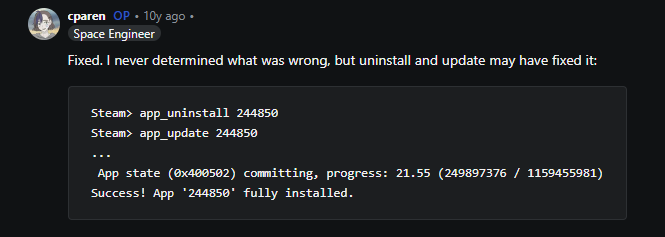
I did do some research and most people don't really know what it is, the only thread I could find that someone managed to fix it was they used steamcmd to remove the game and re-add it Would this be possible in your containers ? i know its very old but most threads just die
-
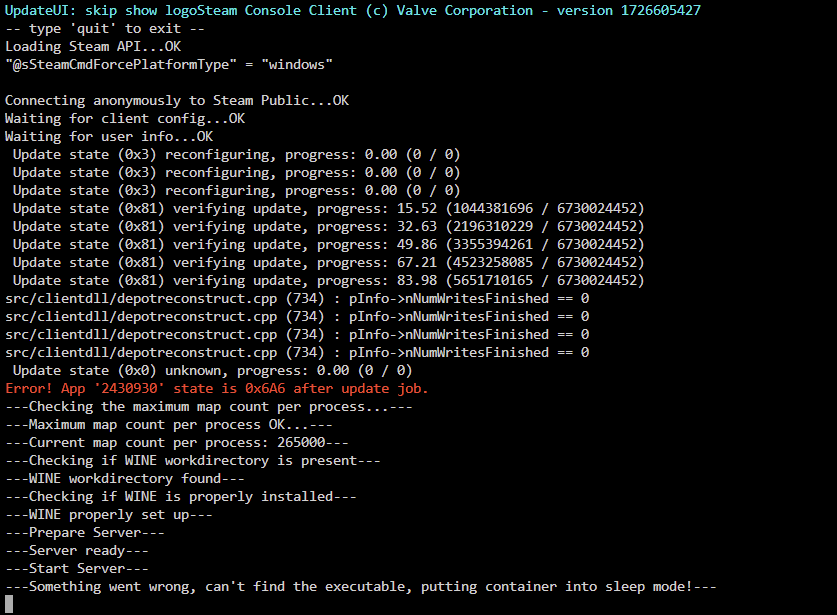
Hi, How can I validate a container when something breaks, there was an Ark Ascended update and all of my containers broke after I restarted them I have turned on validate in the docker settings but I am a little stuck.
-
Hi in the Extra Game Params you add -clusterid=<yourClusterId> -clusterDirOverride=/serverdata/serverfiles/clusterfiles You can change the clusterDirOverride as well
-
It looks like Ascended doesn't need both, I managed to connect with just the query port and UDP 1, I am waiting for one of my friends to validate (but I don't think ascended works over local) If one of my friends has an issue ill forward the next.
-
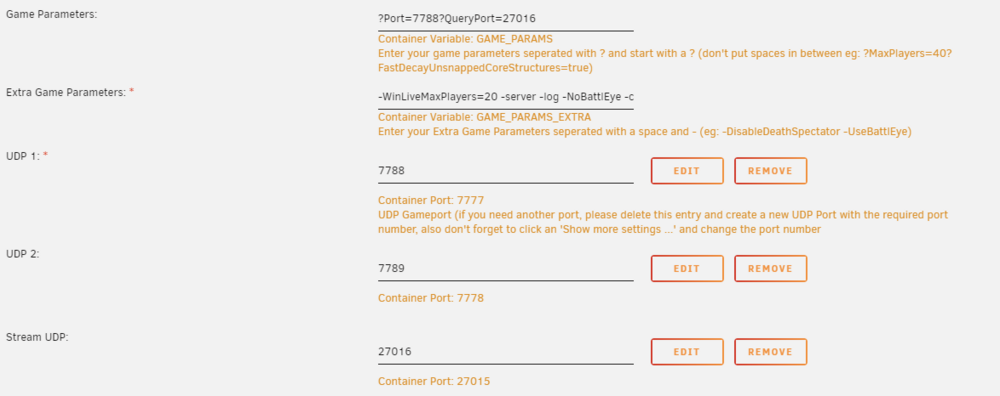
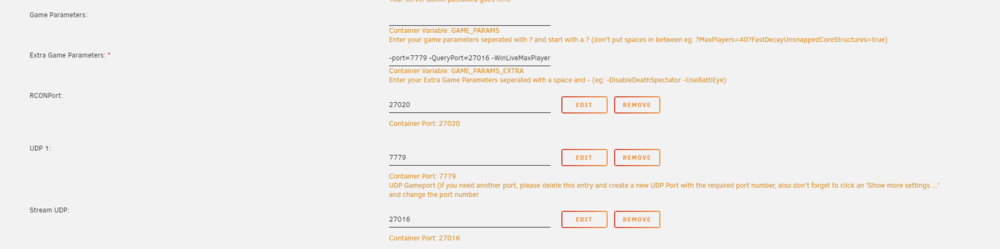
@ich777 Managed to do it through the docker config and it is working now, To clarify for anyone reading this, if you don't do it in the GameUserSettings.ini it has to go into Extra Game Parameters -port=xxxx -QueryPort=xxxxx when not using defaults Ill see if I can clean up some of the things this weekend and maybe make a guide for future plebs like me 🤣 Here is the config part now after the changes and I almost think the RCON port can also be removed as I am not using a 3rd party manager that needs to communicate with the servers
-
Thank you so much for the quick response, Wouldn't the Game Params accomplish the same thing as what you said ? (I might also be misunderstanding 🤣) Ill go look at that post quick I wasn't sure, I am very new to running this server 🤣
-
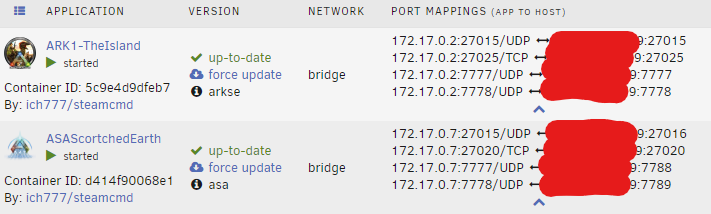
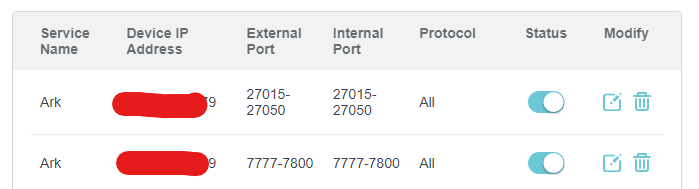
Hi Guys I need some advice or brainstorming help, I currently have an Ark Survival Evolved Server that me and a friend are playing on AND I am trying to setup an Ark Ascended Server for the next map (we are doing the story playthrough). I manged to get the server to show up in the ASA server browser (see image) but I get a connection timeout everytime I try to join could it be because of port mappings ? (screenshot shows ASE (Working) ASA (Not able to connect)) I also have these ports setup on the router (I know the ranges are wide you can bash me if you help me 🤣) The container is basically vanilla from the tools section in unraid except things like server name and map, passwords. I have not changed any of the GameUserSettings.ini lines either (because I cannot connect to the server). any ideas ??

-
Hi, sorry to add more activity on such an old thread, I managed to get 2 servers running using your explanation here, but I cannot get my cluster to work as expected, I have the cluser id and cluster dir override as you explained. Could you please explain what should be in place ? I was considering making a video about all of this as I am really struggling to find decent resources and yours is by far the best so far. I have A3C The Island and Scortched setup to basically exactly how your cluster was running for reference





