





Synthesthesia
Members
-
Joined
-
Last visited
-
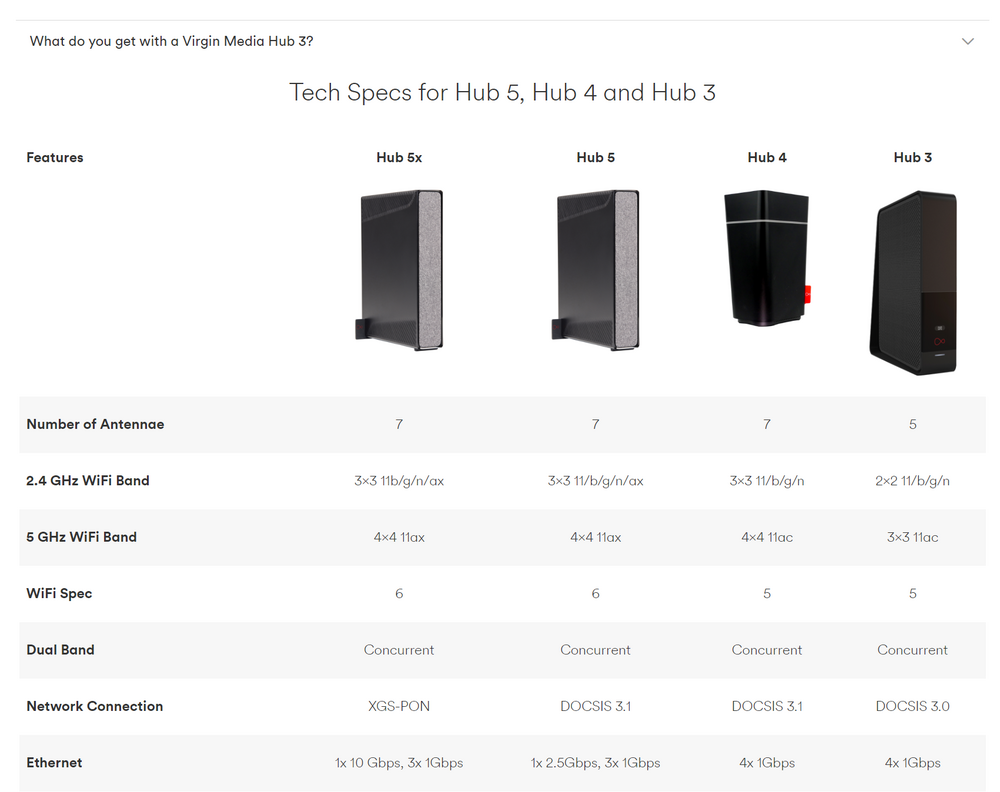
My internet is faster than 1gb, it's like 1170mb, so with 2.5gb I get that full speed, without I get 990mb or something. Not a huge difference but I'd like to get what I'm paying for from my devices
-
I know, it's just what it's called.
-
Tell that to my ISP then:
-
I'm not sure either - just trying to provide whatever I could think of. I'm a noob when it comes to linux. I was mainly showing that because I tried the 2.5gb and it didn't work and thought maybe that might have some info as to why. I think bonding is on because I had a 1gb network card installed before and removed it because I thought the port on this mobo was dead, but it a different mobo I have so I removed the card and it must have created the bond? I dunno. Like I said though, I think this is an issue with my hub and not unraid. Thanks again for taking the time to reply
-
I've connected the hub to a normal 1gb port on my router (virgin hub 5) and it works, it says 2500mb on unraid too. So it seems like for some reason the hub doesn't want to accept the switch over the 2.5gb port even though it works fine connected to my PC. Hm. Not an unraid problem though so I'll mark it as solved. Thanks for the replies trying to help guys.
-
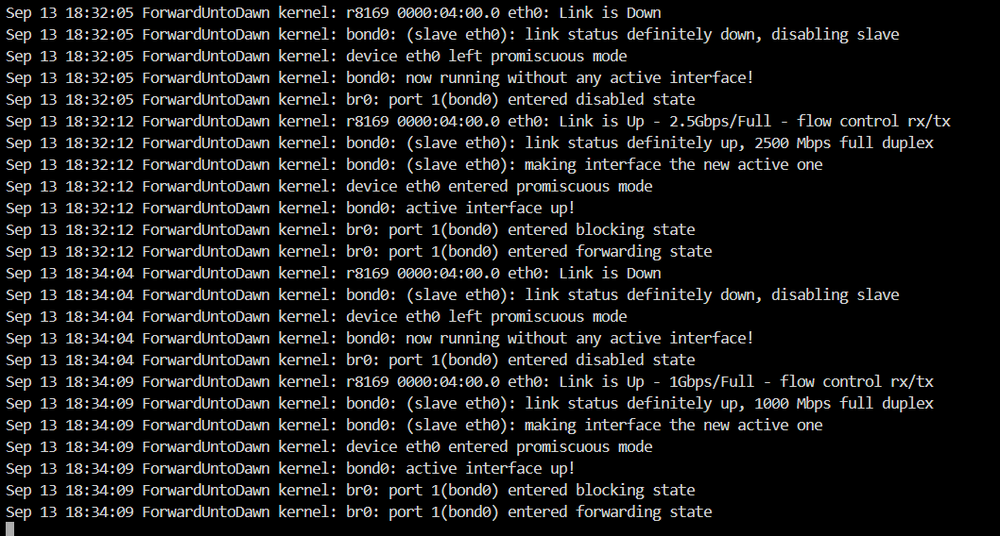
I'm not sure if this helps at all? This is what is shown when I swap from my 1gb connection on my old 1gb switch to the 2.5gb connection on my new 2.5gb switch. I can attach a graphics card to it and do what you asked earlier if it's not possible to help without it, I just have to wait for my parity check to complete in an hour or so. I appreciate the help
-
I meant I can ping the IP for unraid sorry. Also I tried this before but for some reason my onboard HDMI port isn't outputting a video signal (it was when I setup unraid), so I can't grab the diags unless I first change the network file back.

-
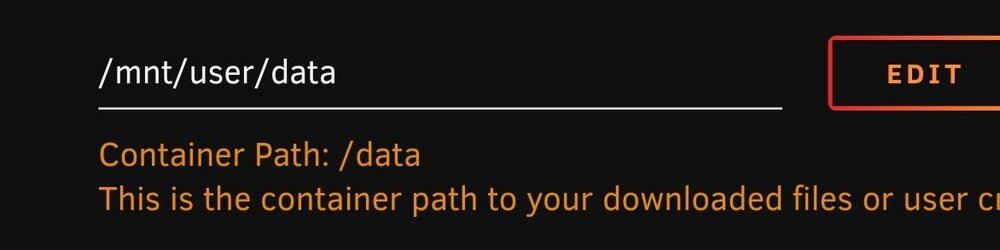
All of your paths should be in data so that you can do hardlinking with atomic moves. I'm not an expert I only just set this up in the past week or so, but I think you want your paths to look like this (it works for me anyway). Your paths should be: data/media/{movies/tv} /torrents/{movies/tv} And mount from the base path in your apps so /mnt/users/data from your share and /data as the mount point. If anyone has better advice then take that but that's what I used and it works. Also you need to add trackers to Prowlarr and it doesn't look like you did. You search within sonarr/radarr or with overseerr if you set that up.
-
No idea what's causing this...I thought it could have been tailscale but I disabled it and the issue still persisted. Anyone got any idea based on these logs? Thanks. Forgot to mention it's an unmanaged switch and I can sometimes ping it from Windows but it fails most of the time. forwarduntodawn-diagnostics-20240913-0145.zip


