






Yannoviche
Members
-
Joined
-
Last visited
-
Yes the internet is working normally over WiFi. I have changed the server cable and checked again but the community app is still not working. I don't know what else to do.
-
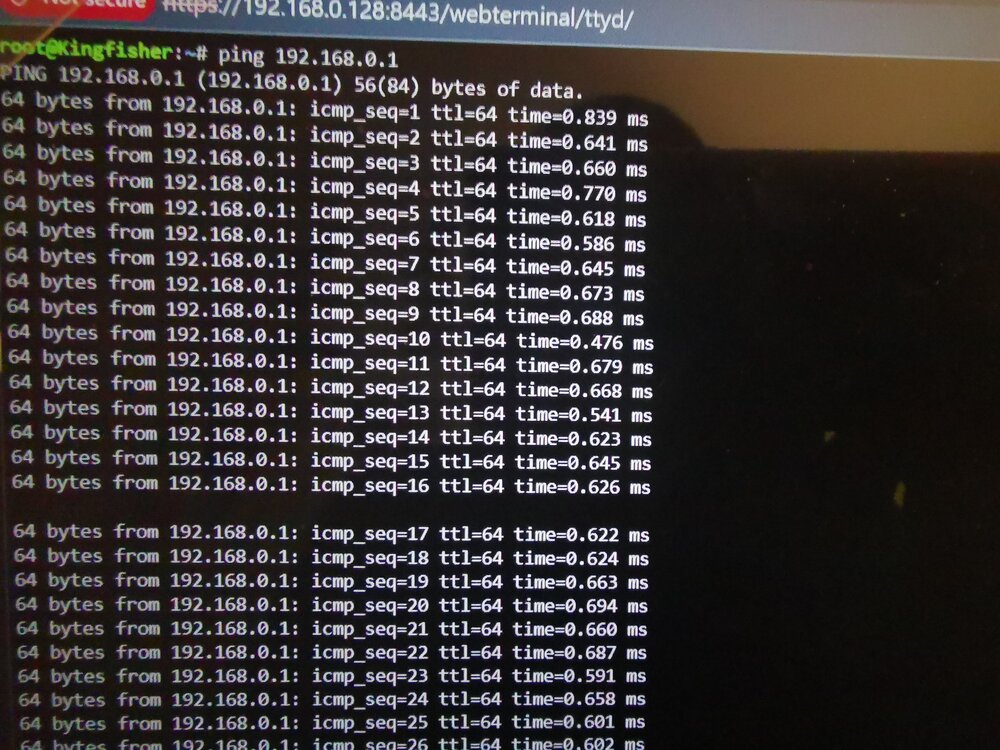
I get the following when I ping my router. So something is transmitted.
-
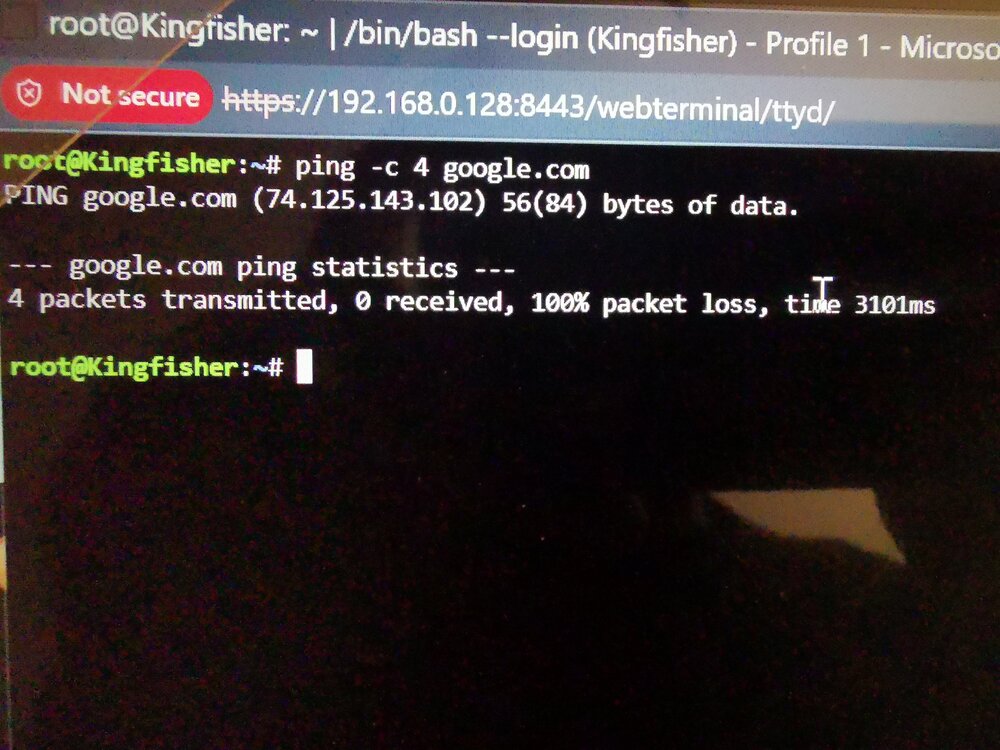
When I ping I get PING google.com (74.135.143.102) 56(84) bytes of data 4 packets transmitted, 0 received, 100% packets loss, time 3101ms. See picture. I must say that I have set up Adguard home on my network for protection. And I'm not sure I have set it up right as I'm having some issues with it. I did follow some instructions but I'm not 100% sure. It seems like it's not good at all after googling analysis results of ping. The latency is unbelievably very high. The packet loss is 100% which means nothing has been transmitted. And nothing has been received. This is not a good result, right?
-
By the way thank you @JorgeB for your help. I do appreciate it.
-
Hi @JorgeB I have done as you said. I have attached the diagnostic. It is still the same thing, the community app could not be installed. Is it a problem with my network then? It's it the conclusion? peafowl-diagnostics-20260207-2004.zip
-
Hi @JorgeB Do you mean using a free trial version of Unraid? Thanks
-
Hi everyone, I am having an issue with the community app connectivity. So have change the community folder plugin name to .bam and restarted the server to try to reinstall it. But it didn't work. I have tried changing the DNS in the server to 1.1.1.1, 8.8.8.8, 208.67.220.220, 208.67.222.222 and it still not working. I have the following error. plugin: installing: community.applications.plg Executing hook script: pre_plugin_checks plugin: downloading: community.applications.plg ... plugin: community.applications.plg download failure: Network failure Executing hook script: post_plugin_checks Can someone help me please? The diagnostic file is attached. Thank you kingfisher-diagnostics-20260128-0544.zip
-
There is really nobody to help with this issue .....?
-
Hi Binhex, No I have not tried it yet. How do you actually do that as I have never done this before? Thank you.
-
Anybody can help me please?
-
There are tutorials on YouTube about these subjects. Search for Spaceinvader One's video on these subjects.
-
Hi there, I have a problem with Prowlarr indexes. I get this message. " Unable to connect to indexer, please check your DNS settings and ensure IPv6 is working or disabled. An error occurred while sending the request " I have checked and my IPv6 is working fine. I'm using AdGuard and disabling it to check didn't resolve it. How can I resolve it please? Thanks.
-
Thank you Squid, I found the setting.
-
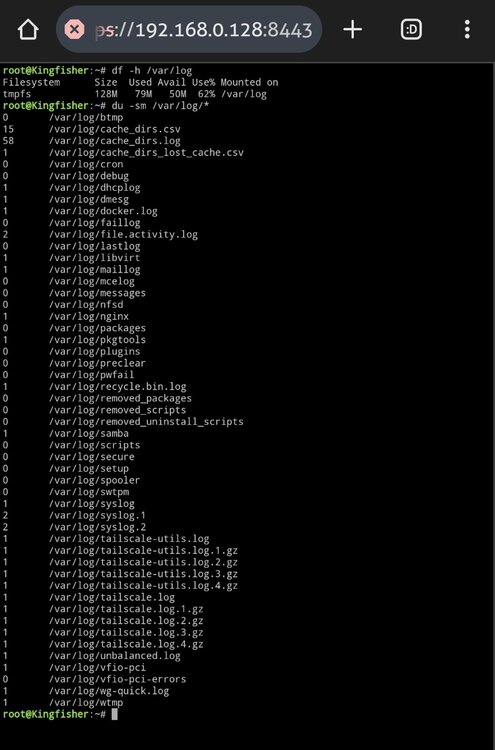
Hi guys, My /var/log is getting full. And the culprit is is the cache_dir plugin, I think as per the picture below. So how can I fix this issue so it doesn't occur anymore in the future? Thanks guys.
-
Any help on this will be appreciated guys...


