





DogEatWaffle
Members
-
Joined
-
Last visited
-
Not sure of any tutorials, but I believe you would just duplicate the .conf for your existing site (so you'd have site1.conf and site2.conf) and change the server_name and root in your server block, and set up your DNS records too, of course.
-
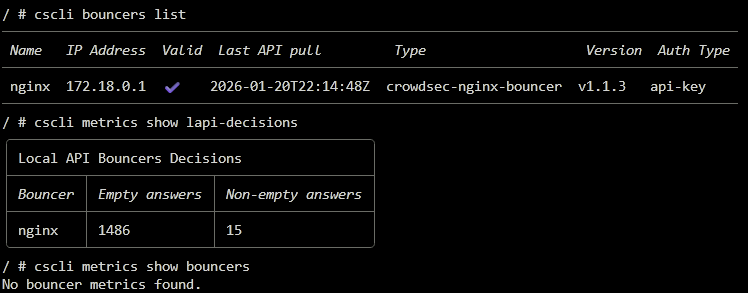
Hi all, I didn't get an answer at the SWAG thread, so I'm reposting here. I added the CrowdSec mod to swag, running alongside Ibracorp's CrowdSec container. Everything appears to be set up correctly and working - logs are being acquired & parsed, lines poured to buckets, buckets occasionally overflowing, decisions being made, and decisions being enforced by the nginx bouncer inside the swag container. The one issue I have is that the bouncer is not reporting remediation metrics. Maybe I haven't been running it long enough for them to show up. I'm not entirely sure what type of metrics should show up for bouncers, but I was assuming I would see the blocks in there. I can tell it is blocking via logs, and non-empty answers in the LAPI decisions metrics. I'm under the impression that the nginx bouncer supports reporting metrics, but when I use the command cscli metrics show bouncers I get no bouncer metrics found. Any help is appreciated.
-
Not sure if you've gotten it working in the last month & a half. I have not changed the plugin repository on mine since installing, and my url is https://repo.jellyfin.org/files/plugin/manifest.json - so, the same as yours, just without the -stable. Both urls seem to point at the same json file, but I know my configuration is working. Seems like a long-shot but hey, give it a go if it's still not working.
-
Hello again folks. I added the CrowdSec mod to swag, running alongside Ibracorp's CrowdSec container. Everything appears to be set up correctly and working - logs are being acquired & parsed, lines poured to buckets, buckets occasionally overflowing, decisions being made, and decisions being enforced by the nginx bouncer inside the swag container. The one issue I have is that the bouncer is not reporting remediation metrics. Maybe I haven't been running it long enough for them to show up. I'm not entirely sure what type of metrics should show up for bouncers, but I was assuming I would see the blocks in there. I can tell it is blocking via logs, and non-empty answers in the LAPI decisions metrics. I'm under the impression that the nginx bouncer supports reporting metrics, but when I use the command cscli metrics show bouncers I get no bouncer metrics found.
-
I tried searching this one, but all I found was people asking how to reset permissions or some such thing, and I didn't see any explanation in the documentation I simply don't understand why Unraid shares use 777 for directories and 666 for files, instead of, for instance, 755 and 644. No assistance needed in particular, just looking for an explanation. Thanks!
-
Hey folks, I'm using SWAG as a web server via the www directory and trying to run PHP scripts on my web pages. The pages are saved as .php files, however they don't appear to be getting passed off to the PHP engine. When I access the pages in a browser, it appears as though it's trying to parse the PHP as if it's html. The inspector in Firefox shows me, for instance... <!--? phpinfo(); ?--> ... instead of the results of the function. I've confirmed via the console that PHP 8.3.19 is installed in the container, as expected, and I haven't changed anything, so it should be configured per linuxserver defaults - is there some configuration option that I have to change to enable the PHP engine to execute files in the www directory? EDIT - I gather swag/nginx/site-confs/default.conf is what controls this. Here is how I have that configured... # main server block server { listen 443 ssl default_server; listen [::]:443 ssl default_server; server_name www.mydomain.name mydomain.name; include /config/nginx/ssl.conf; root /config/www; index index.html index.htm index.php; # enable subfolder method reverse proxy confs include /config/nginx/proxy-confs/*.subfolder.conf; # enable for ldap auth (requires ldap-location.conf in the location block) #include /config/nginx/ldap-server.conf; # enable for Authelia (requires authelia-location.conf in the location block) #include /config/nginx/authelia-server.conf; # enable for Authentik (requires authentik-location.conf in the location block) #include /config/nginx/authentik-server.conf; location / { # enable for basic auth #auth_basic "Restricted"; #auth_basic_user_file /config/nginx/.htpasswd; # enable for ldap auth (requires ldap-server.conf in the server block) #include /config/nginx/ldap-location.conf; # enable for Authelia (requires authelia-server.conf in the server block) #include /config/nginx/authelia-location.conf; # enable for Authentik (requires authentik-server.conf in the server block) #include /config/nginx/authentik-location.conf; try_files $uri $uri/ /index.html /index.htm /index.php$is_args$args; } location ~ ^(.+\.php)(.*)$ { # enable the next two lines for http auth #auth_basic "Restricted"; #auth_basic_user_file /config/nginx/.htpasswd; # enable for ldap auth (requires ldap-server.conf in the server block) #include /config/nginx/ldap-location.conf; # enable for Authelia (requires authelia-server.conf in the server block) #include /config/nginx/authelia-location.conf; # enable for Authentik (requires authentik-server.conf in the server block) #include /config/nginx/authentik-location.conf; fastcgi_split_path_info ^(.+\.php)(.*)$; if (!-f $document_root$fastcgi_script_name) { return 404; } fastcgi_pass 127.0.0.1:9000; fastcgi_index index.php; include /etc/nginx/fastcgi_params; } # deny access to .htaccess/.htpasswd files location ~ /\.ht { deny all; } } EDIT #2 many months later because I was embarrassed - Turns out I was configuring short_open_tag=On in a place that was getting overwritten every time I restarted the container. Set the variable in the php-local.ini stored in /mnt/user/appdata/swag/php/ instead and it persists. Updating so someone as dumb as me will have an answer if they're trying to google it.
-
Nice, thanks I will have to check it out. A lot of my library is actually flac, so I assume there will have to be some transcoding going on. Any idea if Mopidy handles that? I didn't see any obvious place to look for answers with a quick skim of their documentation. With the weekend coming I'll have some time to sink into it.
-
Hey folks, this is very tough to search for because I keep getting streaming platforms like plex, navidrome, etc. but that's not what I'm looking for. What I want is to take one of my m3u playlists, and serve it up via a live mp3 stream so that folks can just grab the stream url and listen to it in a browser, VLC... wherever... live. Are there any community apps with this capability?
-
Well, I changed nothing but the local IP address to a static one outside of my router's DHCP range, and it works now. Doesn't seem like it should make a difference, but there it is...
-
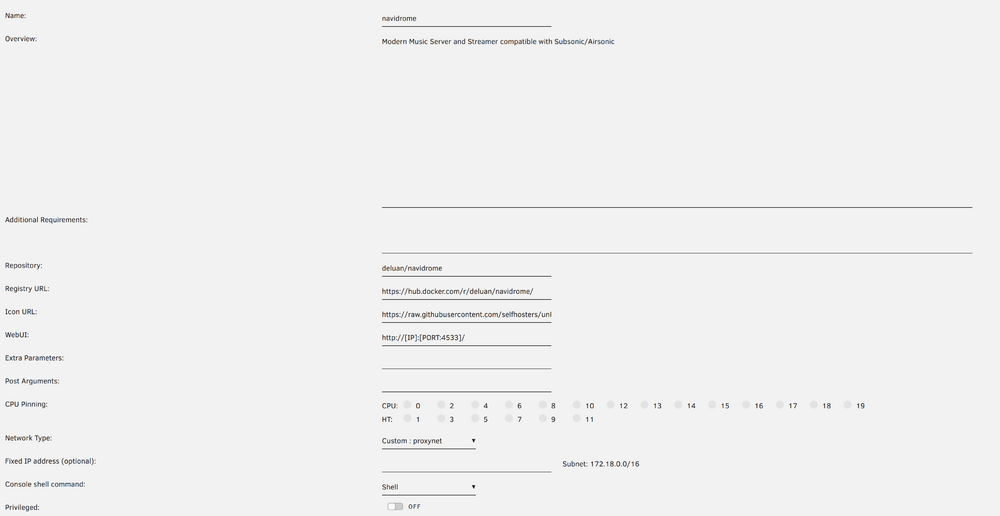
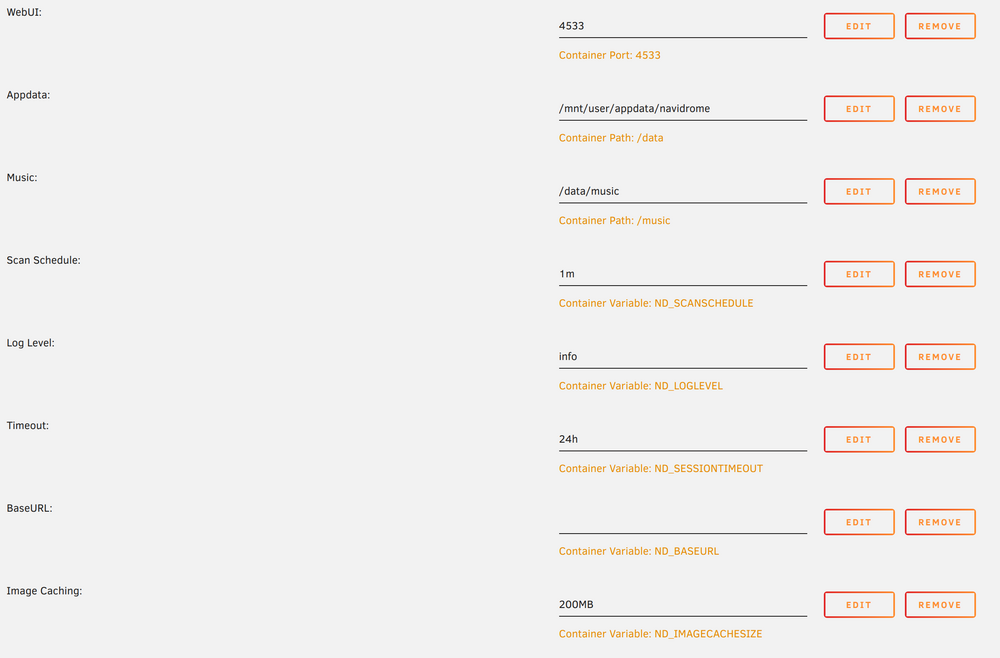
Also, container config for good measure... ...
-
Hi all, it's my second day of Unraid tinkering and I figured setting up external access would be a good first project. Anyway, I set up a domain name and Tailscale account, with DNS routing via Cloudflare, all according to this Spaceinvader One video. He does it for Emby, I'm using Jellyfin, but everything on that front is working. So, I did some research on music streaming apps and landed on Navidrome. Good news, Swag has a sample proxy config file, so I set up an A record in Cloudflare, again per the Spaceinvader video, copy in the Tailscale IP of my Swag Docker container, remove the ".sample" from navidrome.subdomain.conf.sample, change the server_name to match the subdomain I want (music.*), and set $upstream_app to the local IP of my Unraid server. Left everything the same. I ended up with the "Welcome to your SWAG instance" landing page shown in the video. Tried changing the $upstream_app and server_name back to navidrome (along with the DNS routing in Cloudflare) and various combinations. Same result every time. navidrome.subdomain.conf is attached and here's a screenshot of the DNS routing... Am I missing something obvious guys? navidrome.subdomain.conf



