





evilgenius
Members
-
Joined
-
Last visited
-
Because they changed the way it works. I guess you gotta spend so much to be able to use the API for this.
-
You can use the updater if you have 10 domains. I had 9 and it wouldn't work so I got a 10th. a 99cent one and the next day it started to work for anyone curious
-
Yea I think I'll just get another. Sad cause it works great on windows lol. I was looking around linuxtv.org and nothing on that specific one there either. Thanks for your time and help
-
Here ya go. https://www.maxlinear.com/pb/mxl692_pb.pdf
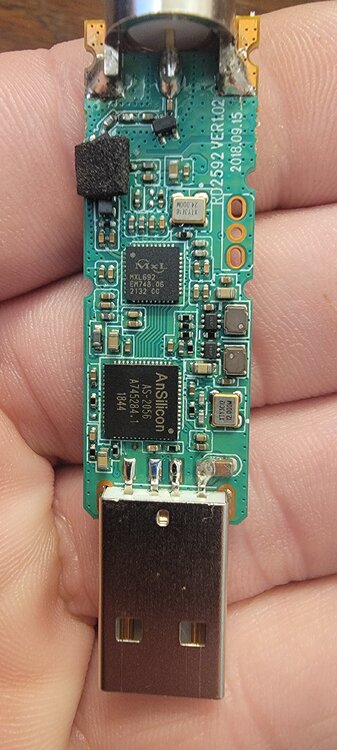
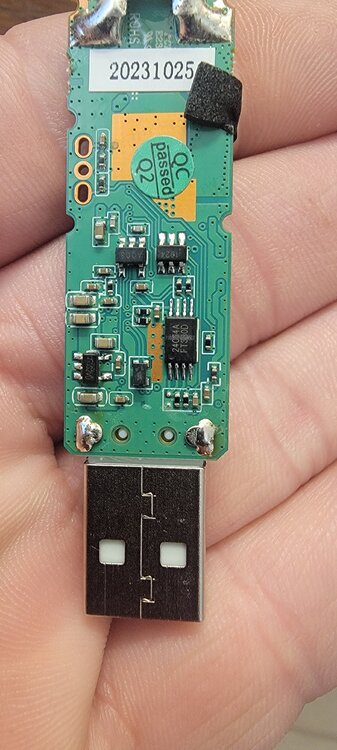
-
I can take it apart for science lol
-
I mean it shows up in device list as gtek. So it is seen by unraid yeah? They do have linux drivers on their website. https://file.geniatech.com/mygica/Driver/win_pc_linux_driver_for_ubuntu_20.04.1(20210309).zip

-
Yes I have the card. I can post the info tomorrow if that's ok.Does this work with a mygica a618b? If it does not does anyone know how to get it working?



