





noobdev
Members
-
Joined
-
Last visited
-
After changing the Docker custom network type from macvlan to ipvlan, I was finally able to fix the problem. Thanks.
-
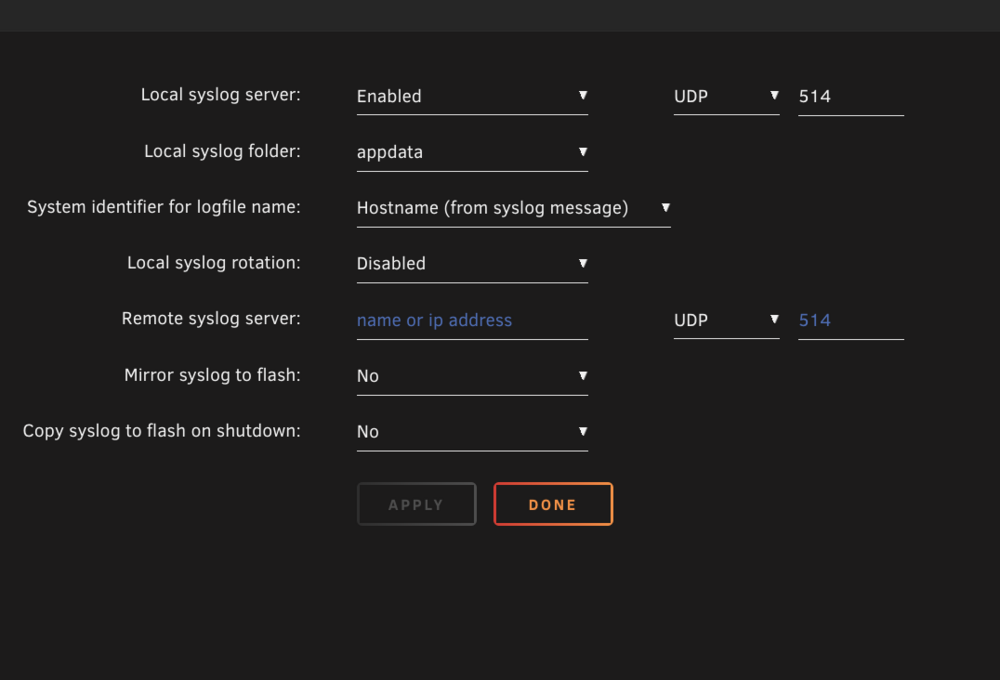
@JorgeB Sorry for the late reply. Yes, I have enabled Syslog server. I am attaching another theark-diagnostics-20250425-2140.zip. Please take another look. BTW I should have mentioned that even the ssh session freezes both from browser and terminal application. Again thanks alot.
-
@JorgeB I am uploading another diagnostics of after the freeze. I would appreciate if you could look at it again. theark-diagnostics-20250422-0307.zip
-
Hi all, I’ve been running into consistent issues with Unraid’s Web UI freezing under different versions, especially when VMs are involved. Here’s a full breakdown of what’s been happening: Chronology of Events: Started with Unraid 7.0.1 Set up a Windows 11 gaming VM (Q35 chipset) with GPU passthrough (NVIDIA RTX 5080). Everything booted fine, but shutting down Windows within the VM causes a BSOD. Unraid Web UI froze, had to force reboot the entire server with the physical restart button. Downgraded to Unraid 6.12.14 Same problem—Unraid Web UI freezes randomly with or without the VM running. Switched VM to i440fx chipset, which fixed the BSOD issue during shutdown, but the UI freezing persisted. Unable to access community apps says I am not connected to internet. Troubleshooting Steps Tried: Disabled both Docker and VM services — Web UI worked fine. Re-enabled only Docker, Web UI stayed responsive initially, but eventually froze again (especially while Plex is streaming). Tried repeating the above on both 7.0.1 and 6.12.14, but behavior remained the same. Please check the diagnostic in the attachments. Any help or guidance would be greatly appreciated! Thanks in advance. theark-diagnostics-20250419-2203.zip
-
Thanks @giganode. It's working now. Appreciate the work you are doing. 😄
-
Hi @giganode, Could you add support for the corsair HX1200i (usb-c)? I installed the plugin but its not working and there is no /dev/ttyUSB0. root@TheARK:~# ls /dev/ttyUSB* /bin/ls: cannot access '/dev/ttyUSB*': No such file or directory root@TheARK:~# corsairmi No compatible devices found. root@TheARK:~# lsusb Bus 003 Device 003: ID 1b1c:1c23 Corsair HX1200i Power Supply Attaching the diagnostics. Please let me know if anything else is needed. Thanks in advance. theark-diagnostics-20250105-0730.zip
