





Gorden
Members
-
Joined
-
Last visited
-
Got it!! so the way it worked was: user: 99:100 and in terminal chown -R nobody:users /path/to/appconfig Thanks!
-
Once again thank you very much for this beautiful and amazing compose plugin it made life so much easier! I have one question. how to use extra parameters --u 99:100 in the compose? or in general how to do extra parameters? I tried creating a nextcloud compose with mariadb but the permissions seems off I was pretty sure it was working last night but had to do chown -R method but i dont think that fixed it.
-
Dear god! ITS BEAUTIFUL! Definitely worth reinstalling unraid for this!!!
-
I just installed a trial on a flash usb I am almost done with my full backup
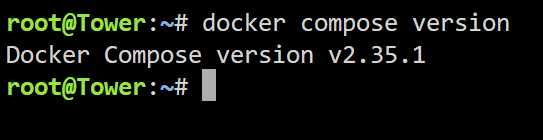
-
I just did and still ended up with the same results. I am doing a full back up of my data because I am definitely doing a full system reset. Don't really want to waste your time on me I really apologize for taking so much of your time just to find out that's its something from my end which I really don't know about. And thank you so much for your full focus support on me.
-
Yep I even removed it from the boot config file to confirm the uninstall
-
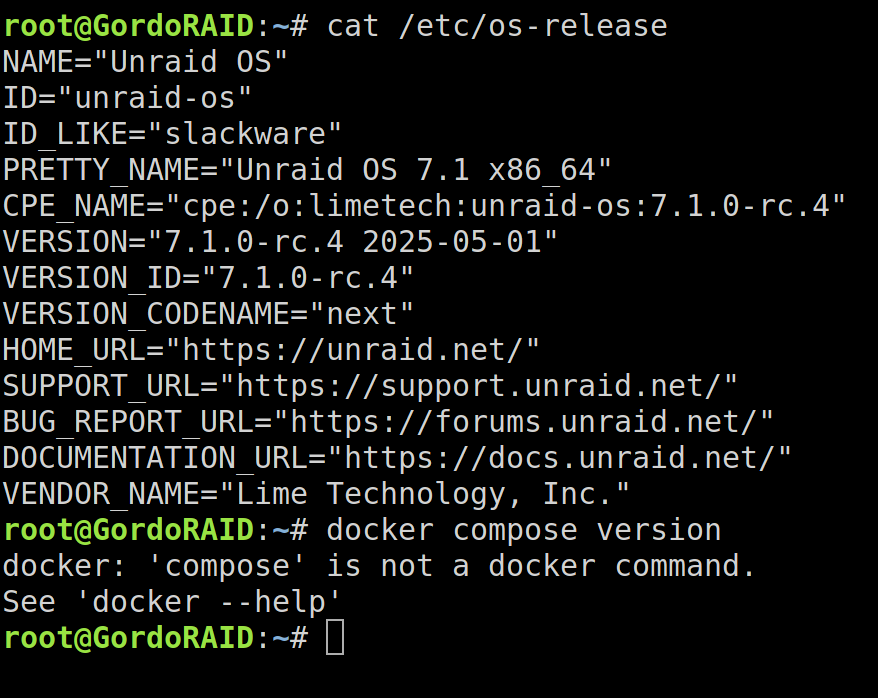
I have just updated my unraid to rc4. Still the facing the same issue! I think I am going to do a full reset on my usb because there has to be something that is messing up with my interface
-
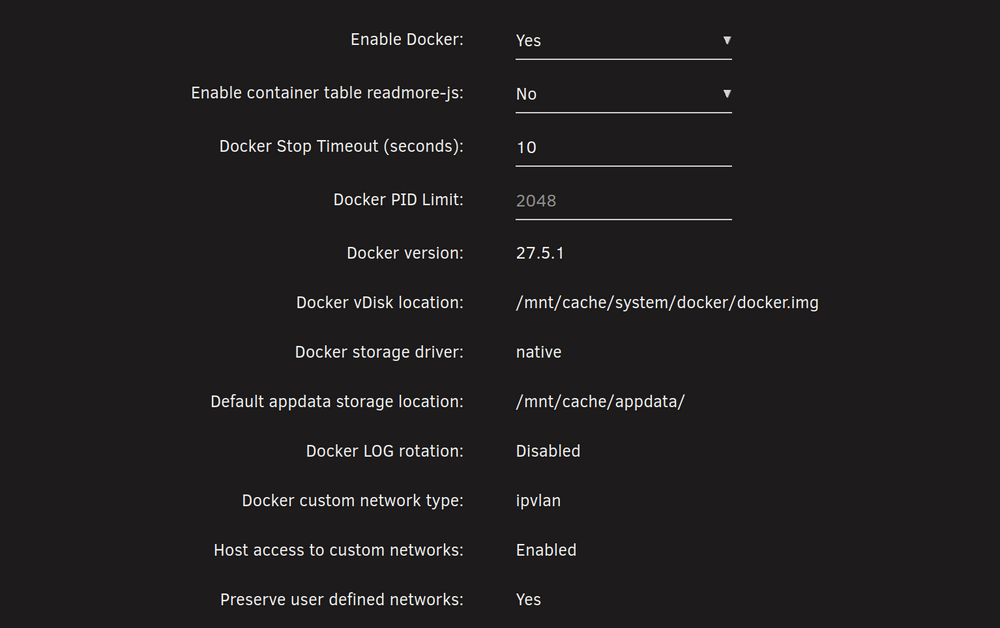
Not sure if docker settings is related but does these settings seems ok?
-
Thank you so much for your hard work. Unfortunately the issue is still there. Tried update stack, compose up... nothing. I even typed in docker compose version and still wont recognize it. docker: 'compose' is not a docker command.
-
root@host:~# docker compose version docker: 'compose' is not a docker command. See 'docker --help' root@host:~# still wont recognize it
-
I just did it still wont recognize compose command for some reason it might be an issue from my end? I am going to uninstall and restart the server and do a fresh install
-
Much appreciate it for your hard work!! and sorry for not mentioning my unraid version from the start!
-
root@:~# docker compose version docker: 'compose' is not a docker command. See 'docker --help' root@:~# docker-compose version docker: 'compose' is not a docker command. See 'docker --help' root@:~# docker.compose version bash: docker.compose: command not found root@:~# plugin Process plugin files. I am trying to figure out what's the right command for it but not sure if the picture will say what you requested

-
I cant find it anywhere in the terminal log but when I check the project folder I see a file called version and when I check what's inside it says 1
-
7.1.0-rc3


