





Gorden
Members
-
Joined
-
Last visited
Everything posted by Gorden
-
Got it!! so the way it worked was: user: 99:100 and in terminal chown -R nobody:users /path/to/appconfig Thanks!
-
Once again thank you very much for this beautiful and amazing compose plugin it made life so much easier! I have one question. how to use extra parameters --u 99:100 in the compose? or in general how to do extra parameters? I tried creating a nextcloud compose with mariadb but the permissions seems off I was pretty sure it was working last night but had to do chown -R method but i dont think that fixed it.
-
Dear god! ITS BEAUTIFUL! Definitely worth reinstalling unraid for this!!!
-
I just installed a trial on a flash usb I am almost done with my full backup
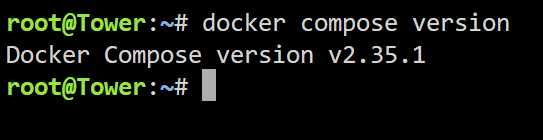
-
I just did and still ended up with the same results. I am doing a full back up of my data because I am definitely doing a full system reset. Don't really want to waste your time on me I really apologize for taking so much of your time just to find out that's its something from my end which I really don't know about. And thank you so much for your full focus support on me.
-
Yep I even removed it from the boot config file to confirm the uninstall
-
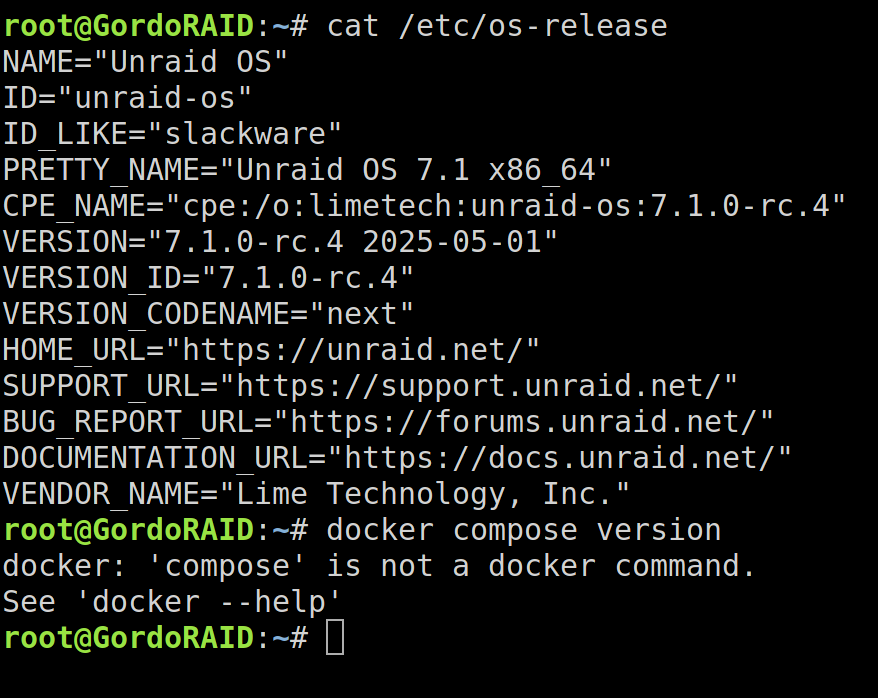
I have just updated my unraid to rc4. Still the facing the same issue! I think I am going to do a full reset on my usb because there has to be something that is messing up with my interface
-
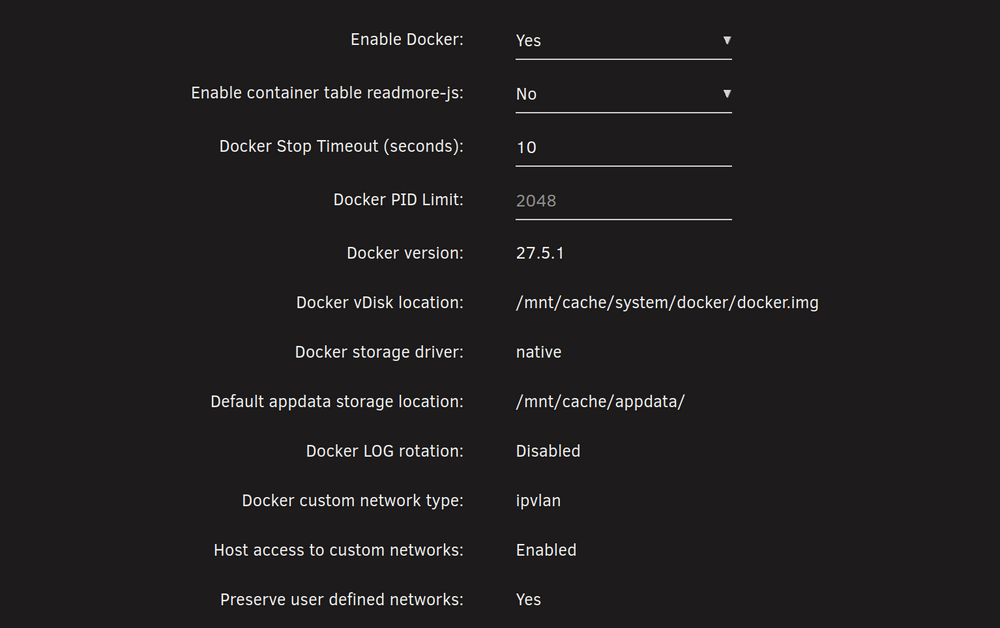
Not sure if docker settings is related but does these settings seems ok?
-
Thank you so much for your hard work. Unfortunately the issue is still there. Tried update stack, compose up... nothing. I even typed in docker compose version and still wont recognize it. docker: 'compose' is not a docker command.
-
root@host:~# docker compose version docker: 'compose' is not a docker command. See 'docker --help' root@host:~# still wont recognize it
-
I just did it still wont recognize compose command for some reason it might be an issue from my end? I am going to uninstall and restart the server and do a fresh install
-
Much appreciate it for your hard work!! and sorry for not mentioning my unraid version from the start!
-
root@:~# docker compose version docker: 'compose' is not a docker command. See 'docker --help' root@:~# docker-compose version docker: 'compose' is not a docker command. See 'docker --help' root@:~# docker.compose version bash: docker.compose: command not found root@:~# plugin Process plugin files. I am trying to figure out what's the right command for it but not sure if the picture will say what you requested

-
I cant find it anywhere in the terminal log but when I check the project folder I see a file called version and when I check what's inside it says 1
-
7.1.0-rc3
-
I've tried it with portainer it works perfectly fine. But I really want docker compose to work I love the UI
-
root: ttyd -R -o -i '/var/tmp/compose_manager_action.sock' '/usr/local/emhttp/plugins/compose.manager/scripts/compose.sh' '-cupdate' '-pgrafana_monitoring' '-f/boot/config/plugins/compose.manager/projects/grafana_monitoring/docker-compose.yml' '-f/boot/config/plugins/compose.manager/projects/grafana_monitoring/docker-compose.override.yml' '--debug' > /dev/null & root: '/usr/local/emhttp/plugins/compose.manager/scripts/compose.sh' '-cupdate' '-pgrafana_monitoring' '-f/boot/config/plugins/compose.manager/projects/grafana_monitoring/docker-compose.yml' '-f/boot/config/plugins/compose.manager/projects/grafana_monitoring/docker-compose.override.yml' '--debug' root: /plugins/compose.manager/php/show_ttyd.php root: docker compose -f '/boot/config/plugins/compose.manager/projects/grafana_monitoring/docker-compose.yml' -f '/boot/config/plugins/compose.manager/projects/grafana_monitoring/docker-compose.override.yml' -p grafana_monitoring images -q root: docker compose -f '/boot/config/plugins/compose.manager/projects/grafana_monitoring/docker-compose.yml' -f '/boot/config/plugins/compose.manager/projects/grafana_monitoring/docker-compose.override.yml' -p grafana_monitoring pull root: docker compose -f '/boot/config/plugins/compose.manager/projects/grafana_monitoring/docker-compose.yml' -f '/boot/config/plugins/compose.manager/projects/grafana_monitoring/docker-compose.override.yml' -p grafana_monitoring up -d --build I am so sorry if this is not the logs you are mentioning
-
Hello! i have installed the docker compose plugin and tried to use it but as soon as i click update stack. keep getting this long message starting with unknown shorthand flag: 'f' in -f Is there a way to fix this?Thank you all! I think it might be the KVM switch was the issue! But just to be extra cautious I will buy another USB and at the moment I have plugged it in a different port. So far it works but I will know tomorrow hopefully! I also remembered something but it often happens. Probably like if 3-4 days passed the USB goes into read mode and I have to restart my server to be able to solve this issue but it rarely happens. So I am going to transfer my unraid to another usb just to be safe. is the samsung BAR Plus recommended? and does size matter?Every time I start up my server I get the error message that my unraid usb is read only but it can be fixed with a restart button. The issue only happens when I start up the server but when I do a reboot it goes back as normal write. Unraid 7.1.0I really really appreciate your work! thank you!!!debug: false app_name: pelican uuid: token_id: token: api: host: 0.0.0.0 port: 8080 ssl: enabled: false cert: /etc/letsencrypt/live/panel.mydomain.com/fullchain.pem key: /etc/letsencrypt/live/panel.mydomain.com/privkey.pem disable_remote_download: false upload_limit: 256 trusted_proxies: [] system: root_directory: /var/lib/pelican log_directory: /var/log/pelican data: /mnt/user/appdata/pelican-wing/data archive_directory: /mnt/user/appdata/pelican-wing/data/archives backup_directory: /mnt/user/appdata/pelican-wing/data/backups tmp_directory: /tmp/pelican username: nobody timezone: Asia/Riyadh user: rootless: enabled: false container_uid: 0 container_gid: 0 uid: 99 gid: 100 mount_passwd: true passwd_file: /etc/passwd disk_check_interval: 150 activity_send_interval: 60 activity_send_count: 100 check_permissions_on_boot: true enable_log_rotate: true websocket_log_count: 150 sftp: bind_address: 0.0.0.0 bind_port: 2022 read_only: false crash_detection: enabled: true detect_clean_exit_as_crash: true timeout: 60 backups: write_limit: 0 compression_level: best_speed remove_backups_on_server_delete: true transfers: download_limit: 0 openat_mode: auto docker: network: interface: 10.16.5.1 dns: - 1.1.1.1 - 1.0.0.1 name: pelican_net ispn: false IPv6: true driver: bridge network_mode: pelican_net is_internal: false enable_icc: true network_mtu: 1500 interfaces: v4: subnet: 10.16.5.0/24 gateway: 10.16.5.1 v6: subnet: fd00:10:16:5::/64 gateway: fd00:10:16:5::1011 domainname: "" registries: {} tmpfs_size: 100 container_pid_limit: 512 installer_limits: memory: 1024 cpu: 100 overhead: override: false default_multiplier: 1.05 multipliers: {} use_performant_inspect: true userns_mode: "" log_config: type: local config: compress: "false" max-file: "1" max-size: 5m mode: non-blocking throttles: enabled: true lines: 2000 line_reset_interval: 100 remote: panel.mydomain.com remote_query: timeout: 30 boot_servers_per_page: 50 allowed_mounts: [] Search: blacklisted_dirs: - node_modules - .wine - appcache - depotcache - vendor max_recursion_depth: 8 BlockBaseDirMount: true allowed_origins: [] allow_cors_private_network: false ignore_panel_config_updates: false The issue was the force outgoing IP. just linking my config as requested.YES!!! that was the problem!!! maybe I did activate it while the server was already running and thought it wasn't the issue. Thank you!the 0.0.0.0 made it create a new network container.... I think I may have messed up on something! i got to start over




