Everything posted by chodeus
-
If you go to the Plugins section of Unraid there is an update button you can click. You don’t need to keep manually installing it.
-
I forgot to make an amendment to how it appears on mobile so I’ll be releasing a hotfix for this in a few hours. Glad it looks “normal” for you!
-
Please update and see how this looks for you in the next release. I've tested it and it appears to be working but I don't have as many containers in a folder as you and @Joly0 do. Please report back any issues!
-
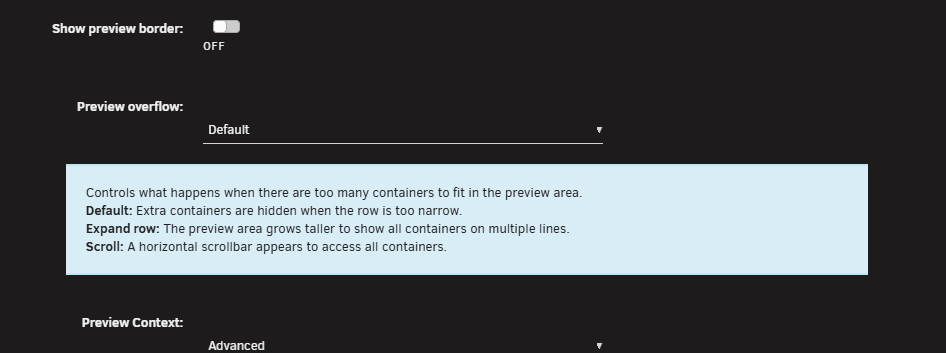
Yeah ive managed to somewhat replicate it but not to the extent you see, it only happens when I toggle advanced view on. I'll be able to sort it out tomorrow. I'll keep you posted. For now, you could hide some of those containers from preview unless you like seeing them all available or change your preview overflow mode to scroll should resolve it.
-
Last question. Do you have any other plugins installed that modify the docker page? Eg. FolderView Plus? I think I know the problem (firefox and edge related) but my issue is I cant replicate it in firefox with cleared cache with 11 containers on a screen thats 5120 wide so it's going to make it hard for me to prove the fix before I roll it out. EDIT: Does it improve if you dont have advanced view on?
-
Okay sweet thankyou. I tried to replicate it this morning on Firefox but I didn’t have as many containers as you in a folder. I’ll keep looking into it.
-
Yeah that’s very strange indeed. What browser is this on and what compose plugin and version are you using? (Just so I can load it up to rule it out) I assume you’ve done a hard refresh on your browser just in case? When I get onto my PC I’ll load more containers into a single folder and see what happens but so far my containers clip like they’re meant to. I’ll look into it more but that shouldn’t be happening.
-
Just unlock the view by clicking the green padlock on the top right of your screen so it unlocks the view and then you can drag them to whatever order you like, then click the padlock again so it turns green once you’re happy with the order.

-
Can you please provide a bit more info? Screenshot would help and your browser type and window size? (So I know mobile view isn’t kicking in)
-
He's just had a glitch with github and needs to correct the branch in the URL for the beta .plg.
-
Is this a companion plugin to Appdata Cleanup or a replacement?
-
Oh wow that's interesting, I haven't seen this and I am unable to replicate. I use the expand option too. Have you tried a hard refresh at all? CTRL + Shift + R?? If that doesnt work please feedback what browser, device and overflow settings you are using on adjacent folders so I can troubleshoot a little more. Also are you running a compose manager plugin at all? EDIT: I think I found the issue, are you refreshing the page with advanced view on? EDIT2: This should be fixed in todays version, if you can do a hard refresh and confirm (as it looks good for me) that would be great thankyou.
-
I’m running both plugins for testing reasons. The beta compose manager is compatible. The only issue to date, which is fixed in compose manager plus beta, was when you hide compose containers. Everything else appeared to work fine with FolderView3. I’m happy to work with @mstrhakr to keep both plugins compatible with each other.
-
You’re welcome mate. I just went through and upgraded those custom CSS’s on masterwish’s fork. Some things on your unmodifird CSS will be fine but others won’t be. Black, white and grey themes on @Masterwishx ’s main branch are fully compatible by my standard. This is mainly because of added features.
-
Not a problem! If you have any suggestions or notice any bugs let me know. You'll see some regular updates rolling through but they'll mainly be me tweaking visuals or improving custom CSS support for those that like to build their own themes. Happy to have another user!
-
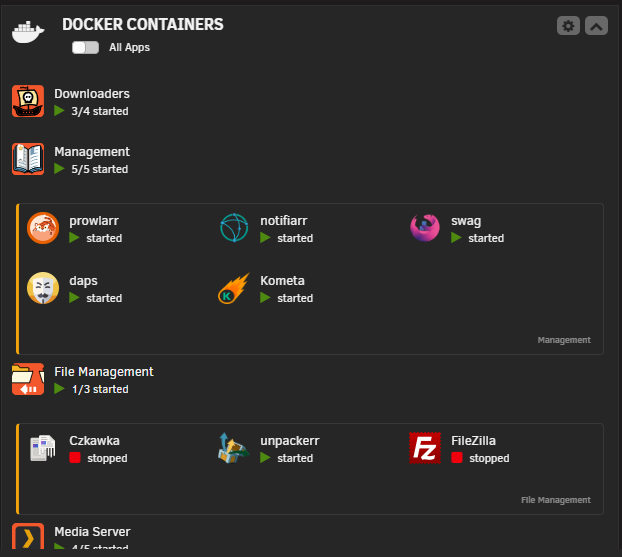
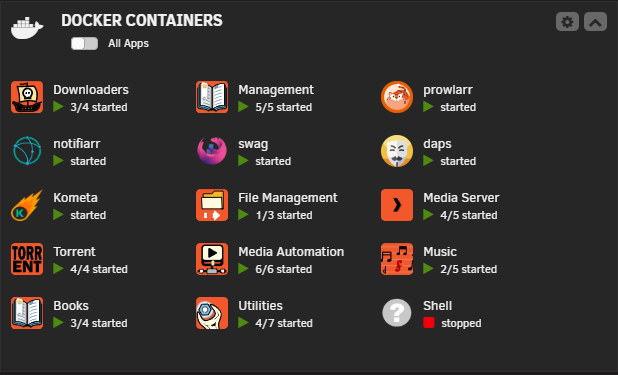
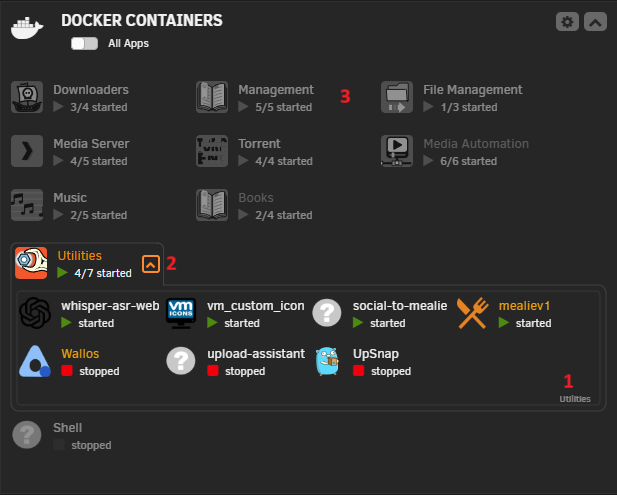
Wow, what a couple of days. Lots of visual and quality of life improvements, thankyou again @hernandito for the suggestions on how to refine and improve the dashboard page. I updated the screenshots in the post above. Sorry for the blurry screenshots, I snipped these while using a mini LCD because snips on my HDR screen look washed out. Other changes look like this. This is to deal with containers that get cut off from the preview if your window is smaller/on a phone. Expand Row Scroll Other changes you probably wont really notice, they were just minor things to the docker and VM page. Please let me know if you spot any bugs I missed during my testing!! Edit: Full width style is going to need a hotfix, doesn’t operate as it should. Missed this during my testing.


-
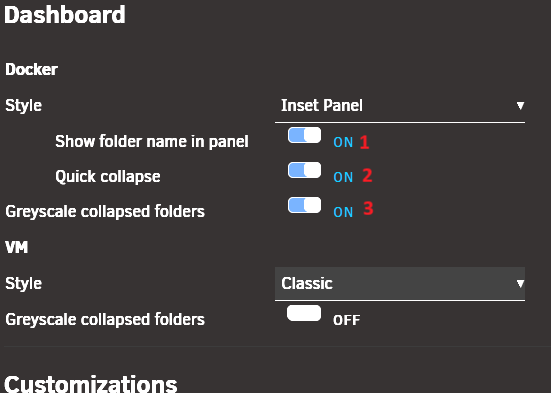
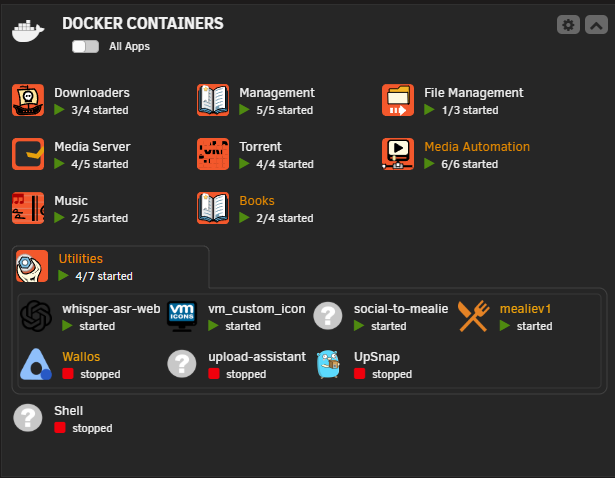
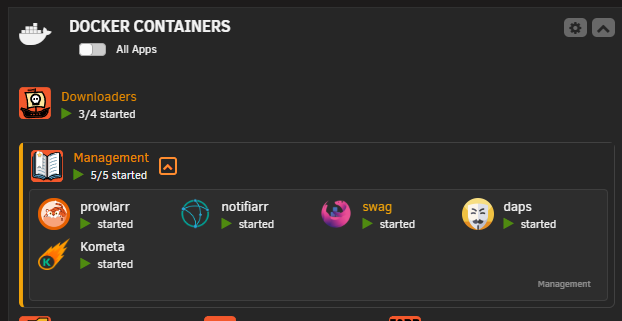
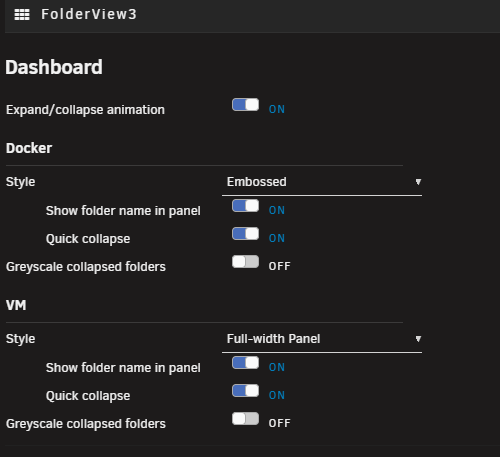
In the next release I've added some customisation to the dashboard page. You can thank @hernandito for the idea as I couldn't figure out what this page should look like. The classic option remains as default but now you have 3 additional options. These will be defined from your FolderView settings page. Classic Full-width Panel Inset Panel Accordion Style Embossed Animation Option added V2026.03.21
-
Awesome mate let me know how you go. Cheers!
-
What are you searching in the CA? It’s definitely there.
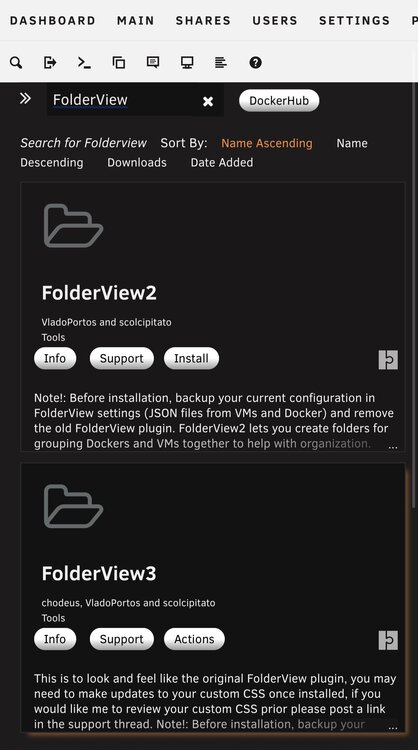
-
On the CA since March 3
-
Awesome news mate. It was going to be my job when I fly home from my holiday to look at your custom CSS and see what would need modifying to align with this version of the plugin that still closely resembles the original. If you see anything that needs improving or fixing please don’t hesitate to let me know. But by the sound of the lack of bug reports, the plugin is in a pretty good spot, I haven’t had to make a new release for over a week. Edit: I’ll add your links to the first post of this thread when I get home later, thank you for doing that!
-
Just to be clear, this is unofficial documentation and should also be used at your own risk.
-
Fix pending, I have PM'd you a link to the beta branch if you're able to load it and see if the error persists? I have loaded it on my server and I cannot see any issues but I was also not having the issue you presented so if you're able to view the beta before I push it to main that would be awesome. Note: Your issue is completely different to @Cino 's and I'm working with him and hopefully @mstrhakr for a resolution. For those using the Compose Manager fork and want fully functioning FolderView please toggle off this setting until we can resolve the issue of it hiding folders. Alternatively, move all your compose containers to the bottom of the list on the docker page and then hide them with this setting.

-
What is “it” exactly? What is disappearing? I think I understood but I’m not able to recreate your issue. What unraid version and other plugins are you running that may be modifying the docker page? If you press F12 while on the docker tab are there an errors or issues that appear under the console tab? Are you able to PM me a video or a series of screenshots showing your issue? Also, have you deleted your browser cache recently?
-
Appreciate it thankyou! Glad to help.