




Skip to content
View in the app

A better way to browse. Learn more.

Unraid

A full-screen app on your home screen with push notifications, badges and more.

To install this app on iOS and iPadOS
  1. Tap the Share icon in Safari
  2. Scroll the menu and tap Add to Home Screen.
  3. Tap Add in the top-right corner.
To install this app on Android
  1. Tap the 3-dot menu (⋮) in the top-right corner of the browser.
  2. Tap Add to Home screen or Install app.
  3. Confirm by tapping Install.

TheGodOfWar1337

Members
  • Joined

  • Last visited

  1. Interesting , I didn't know that was a option under display settings , Thanks
  2. Sounds good. Thanks!
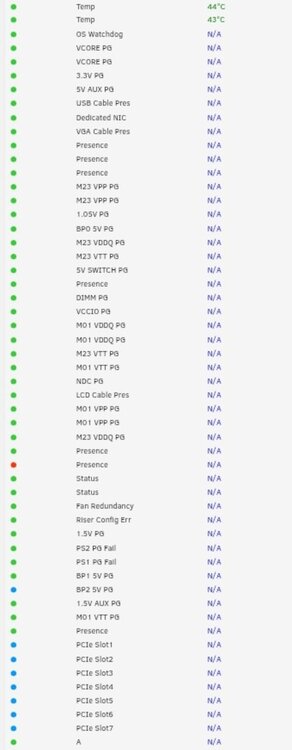
  3. Hi , Amazing plugin by the way! I have a question , is there a way to remove certian values from the impi chart? Alot of mine say N/A even though they might useful but take alot of room on my screen while monitoring temps , I want to keep the power usuage , fan speed , and temp , tried to look through the config file to see if i can remove some of the values but I can't seem to find any values in the config that correlate with the chart ? Unless if I'm looking at the wrong file?
Account

Navigation

Search

Search

Configure browser push notifications

Chrome (Android)
  1. Tap the lock icon next to the address bar.
  2. Tap Permissions → Notifications.
  3. Adjust your preference.
Chrome (Desktop)
  1. Click the padlock icon in the address bar.
  2. Select Site settings.
  3. Find Notifications and adjust your preference.