SpamLive
Members
-
Joined
-
Last visited
-
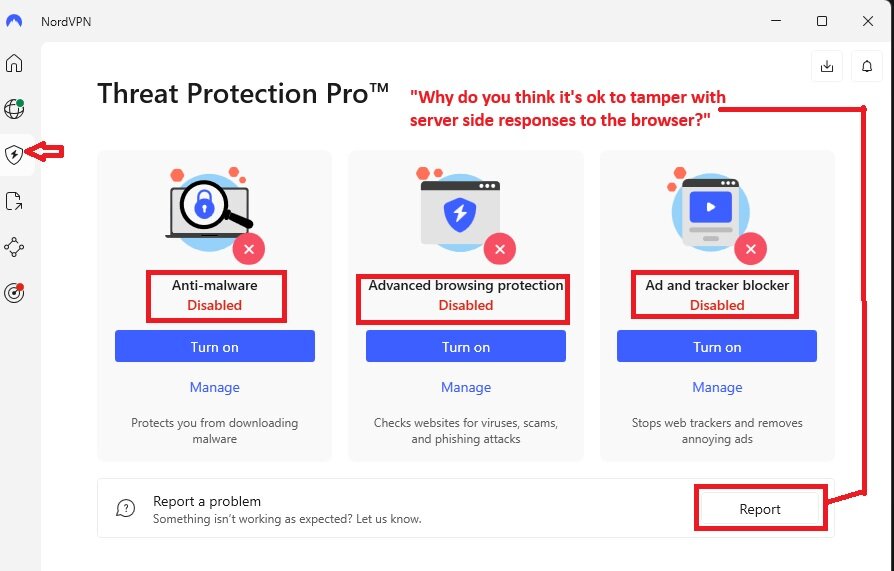
Nuking NordVPN in task manager fixed the issue. Also performed update. Turn Nord back on still messes with it. If i specifically turn nord vpn on and then navigate to to the threat protection pro tab and turn all of them off it loads properly. I hope this can point you in the right direction. And I am gonna look for a different VPN I think.
-
I have had so many problems with nord making things complicated. Honestly I’m gonna go turn off auto renewal. ill update here if its fixed once im back from errands. Thanks squid.
-
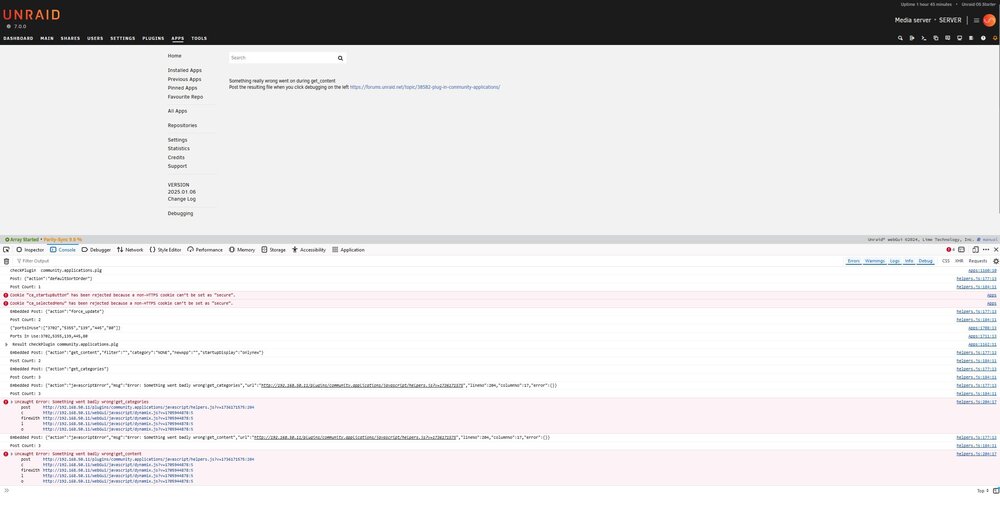
Something really wrong went on during get_content I'm having this same issue Has there been a fix for this? I have tried using chrome and firefox. Clearing cache/cookies and reboot. jcofer55 and Kilrah both tried to help me in the discord. Link is my initial question & more screen shots. https://discord.com/channels/216281096667529216/780512025636896818/1327697600383811654 CA-Logging-20250111-1049.zip server-diagnostics-20250111-1151.zip