





bombombom
Members
-
Joined
-
Last visited
-
Another vote for BirdNet. Please can someone clever add this :)
-
Took the leap of faith. Went ahead and reformatted my cache. Succesfully moved everything back on to the cache and all dockers and VMs now back up and running. Thanks all.
-
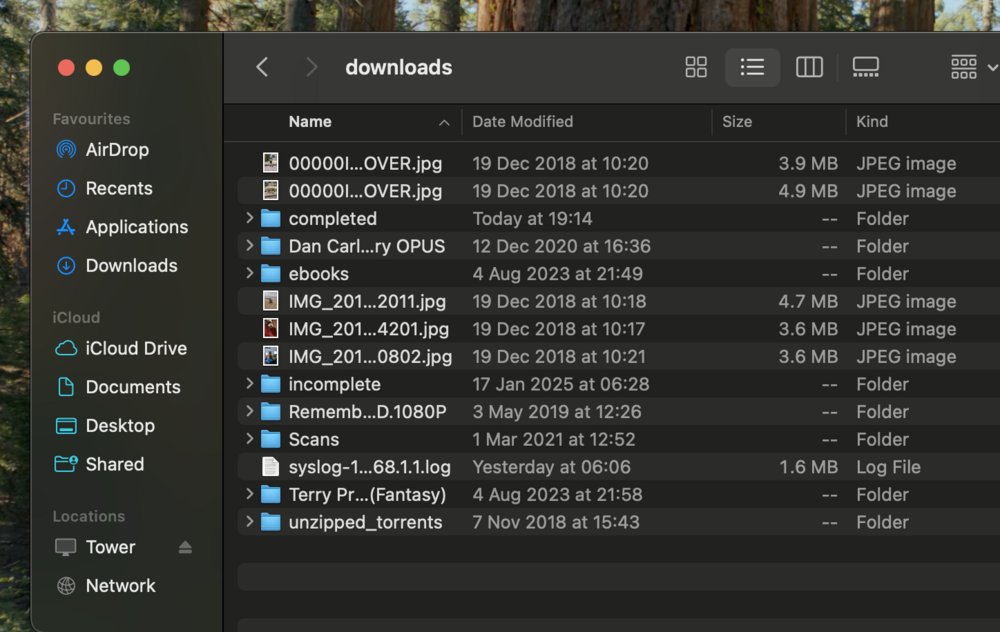
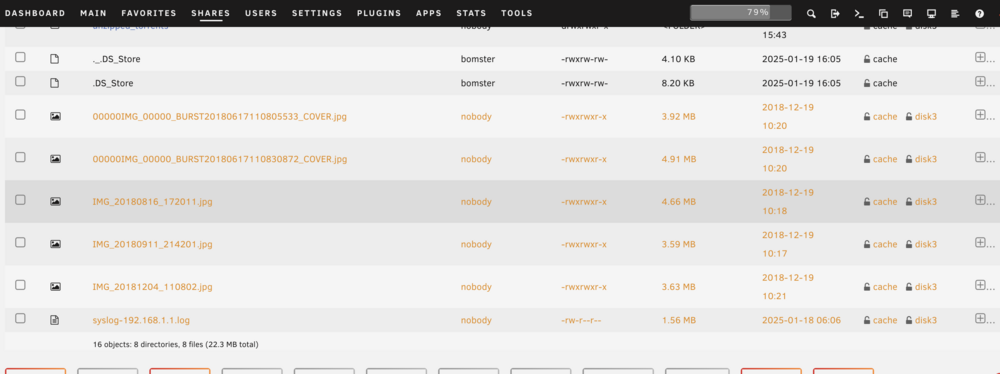
So in the example I've been using for Downloads, I find the same file paths and files in both cache and disk3. So what can I do next? I believe my cache drive is corrupted, so I've tried to move all the files off it so I can reformat.. now mover is complete and I have duplicates of virtually every file that was on my Cache. I am no expert, but I guess this is because my cache is corrupt so there is some type of error for Mover, like it's moving the file successfully onto the array as I've asked, and then when it's finished moving its failing to remove/delete the file off the cache (like it's in a read-only state). Therefore I end up with the file existing on the array, and also still on the cache. Now I want to just simply go ahead and reformat my cache and see if I can fix it, but am I okay to do so?
-
Well I assume it's related to my (potentially) corrupt BTRFS cache disk. And again, they are not really duplicated, case in point:
-
I would assume so, none of these files existed until I performed the mover task. Also are they really duplicates? They have the same file name and are stored in the same place, but if I was to navigate to one of these folders in a file explorer there would only be one version.. I'm totally lost. I feel like I would be okay to just now reformat my cache, but it's just an assumption. I want to repeat the fact my cache is not performing right, I cannot delete some files off it even with terminal.
-
I guess my main question at this point.. Considering the files are shown to be on BOTH the array AND the cache, am I okay to reformat my cache?
-
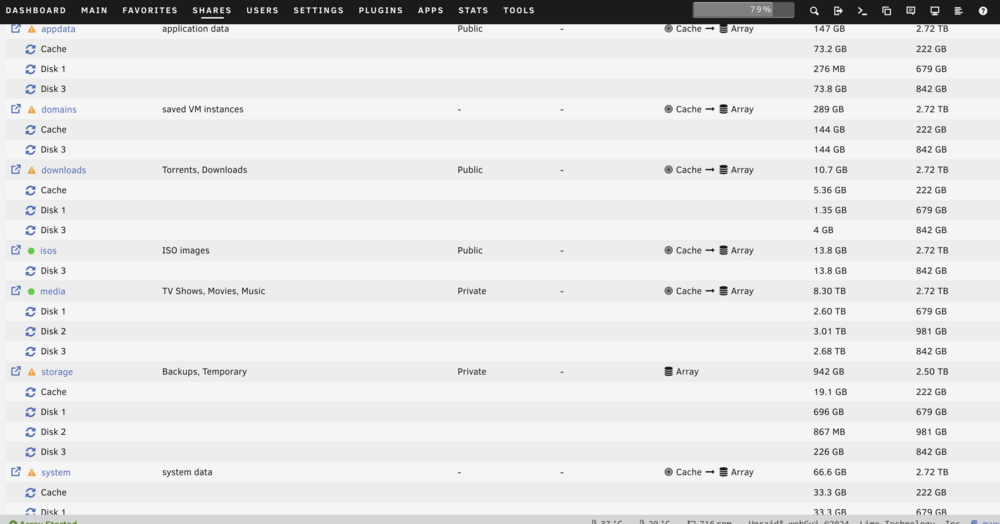
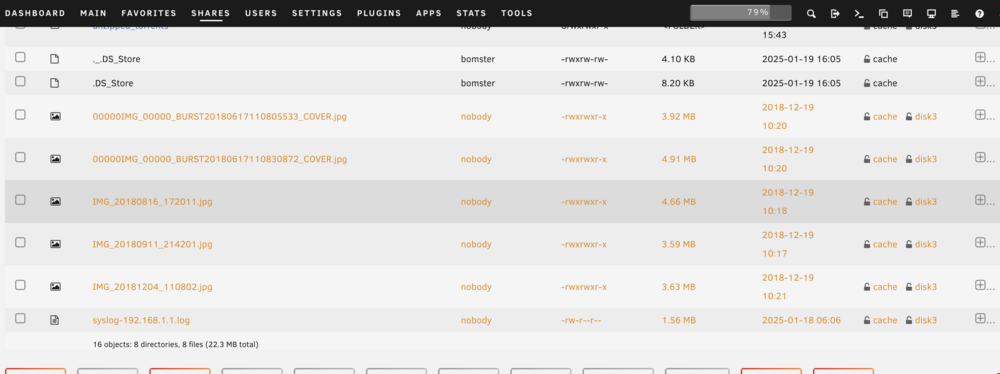
Hey thanks for the help. Docker and VM Manager have both been disabled all day whilst I've been troubleshooting. Some more example screenshots attached, as I realise now screenshotting the VM folder and Docker img was a bit a bad of example! Look how the file size on the cache more or less perfectly matches up with the file size on the disks.
-
I have got a step futher now.. Mover has seemingly moved 99% of my files and finished.. BUT Loads (read: most) of my files are now showing as existing on both the array and the cache? Examples shows in screenshots. Am I safe to stop the array and reformat my cache drive? and


-
bombombom joined the community
-
Hi all, I'm having some issues with my server, specifically my cache drive. To start, whilst I've used unRAID for years, I'm not very proficient, I mainly just follow SpaceInvaderOne guides, but now something has gone wrong and I'm not sure what to. To summarise my issues: I started having some issues with Dockers not starting, stopping. Rebooting has fixed it and everything has seemingly worked fine for the last few months, but today I thought I will have a look into it. I found I couldn't delete certain folders from my AppData (which are on my cache drive). Even using the command in the unRAID terminal, they cant delete the files because it gives an error to say the file is read only. Fix Common Problems reports: Unable to write to cacheDrive mounted read-only or completely full. (can confirm the SSD is not full, far from it) I saw a few posts where people reported similar issues, and they suggested switching the cache drive from BTFRS to ZFS had solved their issues. I started doing this, moving all my files from my cache to the array, but now my Mover seems to just stop moving files (whilst still reporting as running) halfway through the job. Can anyone advise some next steps please?


