berniesandler
Members
-
Joined
-
Last visited
-
berniesandler changed their profile photo
-
This worked for me. Switching to main then using the default local-config.yaml here.
-
Alright so I did some investigation and found that my docker daemon wasn't exposing port 2375 or 2376 locally anymore. To fix this I navigated to the config folder on the Unraid Server: /boot/config/ Nano into 'docker.cfg' and added this section: DOCKER_OPTS="-H unix:///var/run/docker.sock -H tcp://0.0.0.0:2376" Saved the config and restarted the docker service with: /etc/rc.d/rc.docker restart All is working well and my uptime kuma service on my desktop pc can see the docker containers on my unraid server again.
-
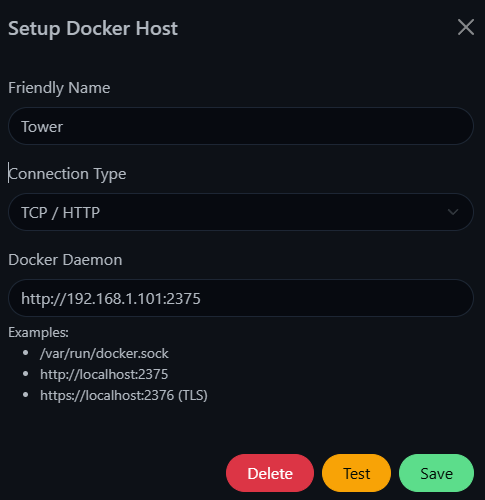
Hello, I just recently experienced my first flash drive failure. After replacing it and manually setting up my OS and docker containers again, I've run into a slight hitch that is rather annoying. Alongside my server PC, I run uptime kuma on my desktop PC as a docker container so that way I can monitor the status of the server PC along with everything running within it. Since reinstalling the Unraid OS, I'm not getting the status of docker containers. The method I used is creating a Docker Container monitoring type, creating a docker host that points to my server PC on my local network. This no longer works for some reason and I'm not really sure where to even begin.

-
Hello, I just recently experienced my first flash drive failure. After replacing it and manually setting up my OS and docker containers again, I've run into a slight hitch that is rather annoying. Alongside my server PC, I run uptime kuma on my desktop PC as a docker container so that way I can monitor the status of the server PC along with everything running within it. Since reinstalling the Unraid OS, I'm not getting the status of docker containers. The method I use is creating a Docker Container monitoring type, creating a docker host that points to my server PC on my local network. This no longer works for some reason and I'm not really sure where to even begin. For the docker host I used TCP / HTTP connection type, cant remember if I used http or https (TLS) originally but neither are working now.