bm83
Members
-
Joined
-
Last visited
Everything posted by bm83
-
Checked into Bios. This drive does not appear there either.
-
So going into Bios is a bit iffy. It's been 7-8 years since I built the server and I'm using extra hardware to get all the drives to show up (couldn't tell you what...it has been that long). The only thing that I see on the bios side are the drives connected directly to the motherboard (so from the mobo sata).
-
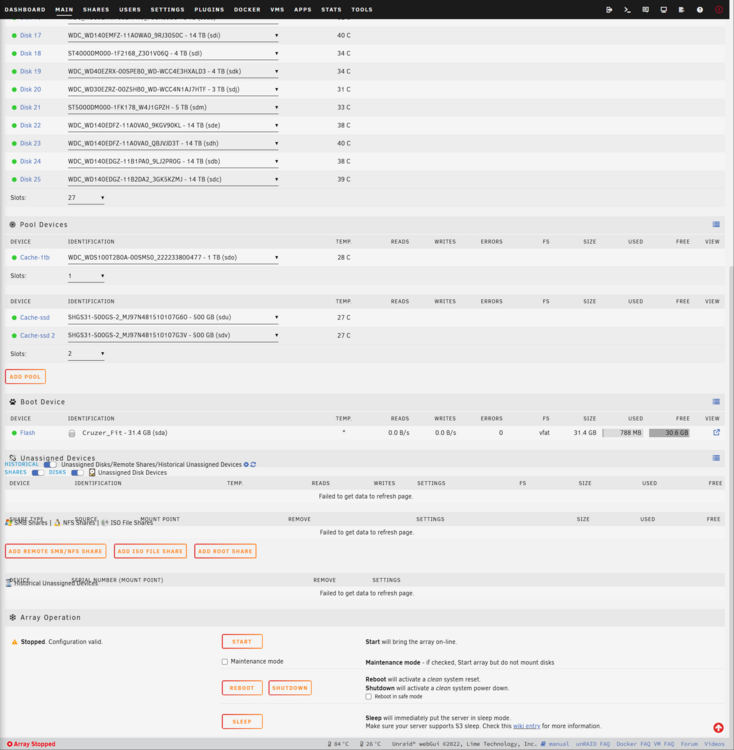
I don't get what you mean by the Unassigned Devices section. Do you mean this section. I'm specifically referring to "Disk 11" as appearing unassigned. unraid-tower-diagnostics-20250304-1547.zip
-
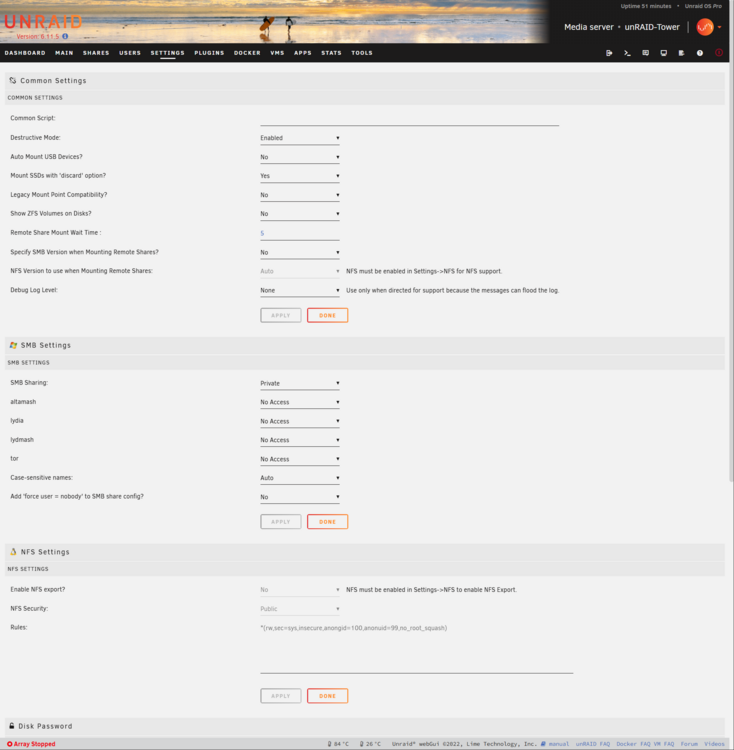
Hi, Been a long time since I started my server and now I'm running into an issue where one of the drives is appearing as "unassigned". I checked all the cables and everything is connected. Don't want to start the server and risk losing some important data. Any and all help is greatly appreciated. Cheers