hyphonetics
Members
-
Joined
-
Last visited
-
I stopped my array, changed a data disk from a 6tb to a 12tb, so now the data array is 6tb & 12tb, data is currently rebuilding. After that is done, the now unallocated 6tb disk will get added back as a parity drive. Thanks for the help!
-
As it currently stands I have an array with my parity disk as a 12tb drive and data disks are two 6tb drives. I recently procured another 12tb drive, how can I change one of the 6tb drives to parity so I can add the new drive to the array and have 18tb of storage? Thanks


-
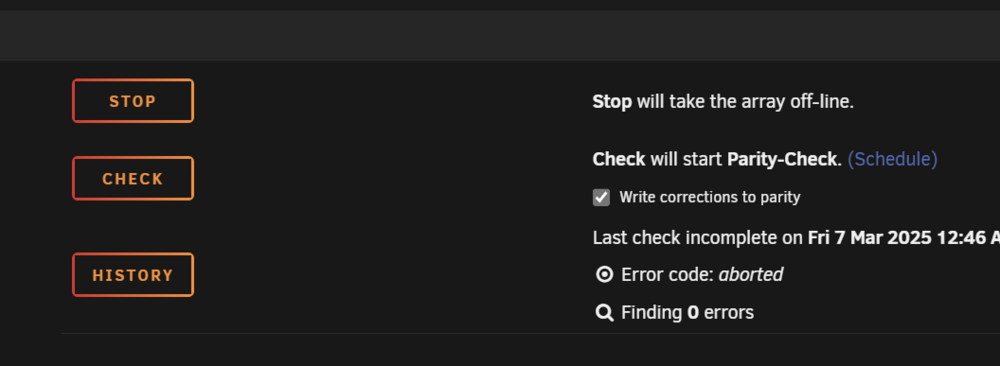
Nevermind! I found the option to format the drive, so I think I should be good to go from here. If anyone else has a similar issue, the "Format" option is located near the area in my attached screenshot, but the option is no longer available to me as I have no disks that Unraid cannot mount.
-
Long story short, I want to be able to wipe and mount the drive as my cache, there's no data I care about on there so any help in that regard would be greatly appreciated. Earlier today I transferred my storage drives from one system to another to use it as my Unraid server as its hardware is more aligned with what I want to do with Unraid. The storage drives are mounted and my shares are back up perfectly, like I never took the system offline let alone am using entirely different hardware, besides the storage drives. One thing I did not account for; my cache on my old system was using an NVME SSD, on my new system I have a SATA SSD installed to use as the cache since it's about 10 years old and has no NVME slots to transfer the drive to. I was able to get Unraid to call my SATA SSD the "cache" drive and remove the old one from the configuration, but I have not been able to start installing any of the Docker containers or VMs that I want to as Unraid sees the drive as being "unmountable: unsupported or no filesystem" tower-diagnostics-20250316-0017.zip
-
Thanks! I haven't gotten around to re-enabling all the plugins I had installed yet, so I haven't found the problem one, but I do at least have the system up and running normally so that's enough of an improvement for the moment. If/when I do find the problem plugin I'll update this thread.
-
I changed the extensions and rebooted, the system booted normally. Should I revert the extensions, manually add the plugins, and reboot or just revert the extension and reboot the system?
-
Nope, it's not. I prepended the file names, not the file extension. I'll reverse all that, change the extensions, reboot and see what happens. Appreciate the clarification!
-
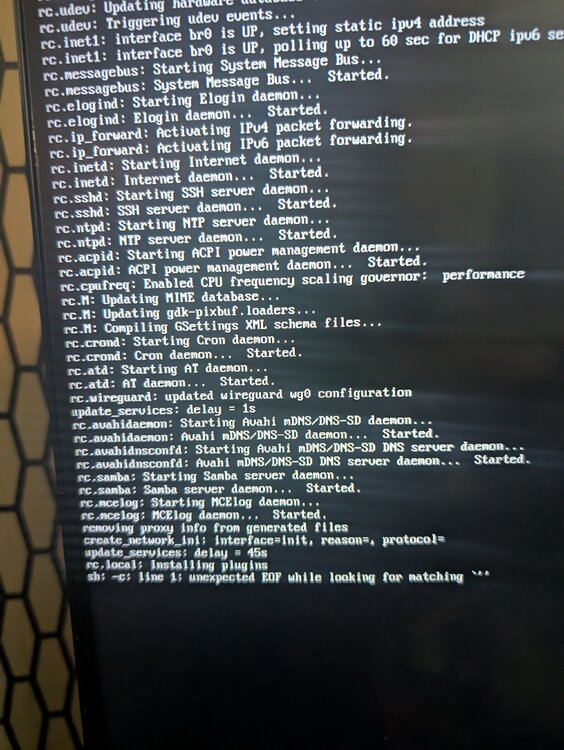
Does it matter what I rename the plugins to? Or is it just changing the filename so the plugin is blocked from loading on boot? I'm not sure what you mean by "*.plg" files *Edit:* I prepended all the *.plg files with "0-" and the server hung at the same point during boot, but with a different message: sh: -c: line 1: unexpected EOF while looking for matching `''
-
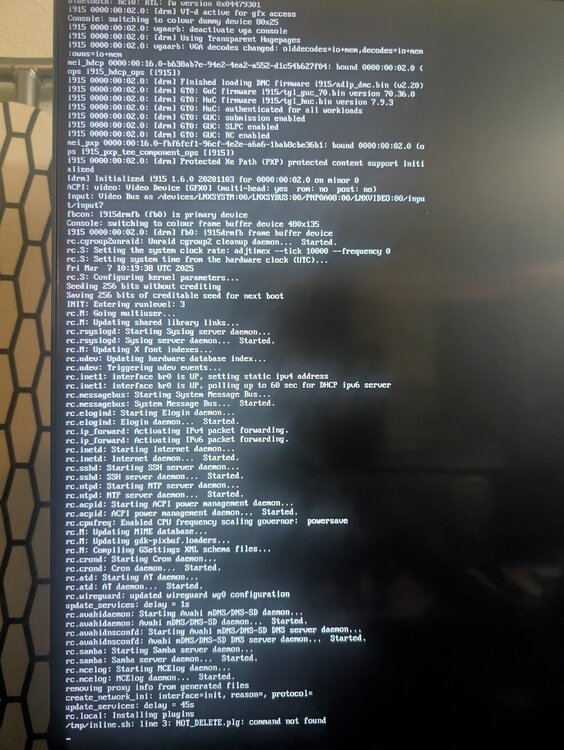
When starting up my Unraid server it gets stuck on /tmp/inline.sh: line 3: NOT DELETE, plg: command not found and does not go further in booting. I can boot the server into Safe Mode, start the array, Docker, and my Home Assistant VM just fine so I suspect that it's something going on with my plugins. Any help with this would be greatly appreciated, I saw another post with what seems to be a similar issue tower-diagnostics-20250307-0230.zip