





omecabs
Members
-
Joined
-
Last visited
-
@itimpi and @MowMdown thank you both for the direction. Did as suggested and all came up as expected. Appreciate the help!
-
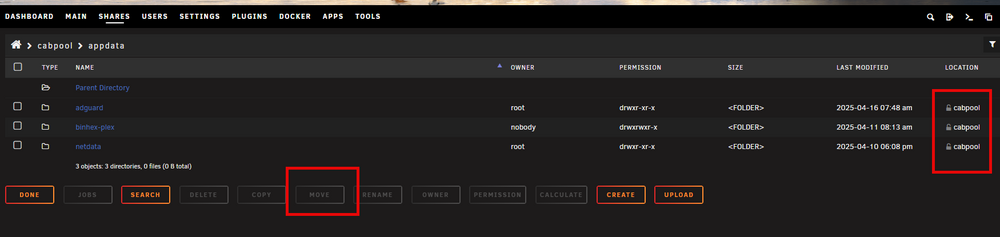
Thank you @itimpi I've been searching for the Dynamix File Manager without luck. is it just the copy/move functions of the Share? Sorry for the newb questions, still getting familiar with UR. So select those directories, select Move then to the cache?
-
Thanks for the response however I believe that's how I have my settings. Logs attached. cabsouth-diagnostics-20250509-1021.zip
-
Hello all, Fix Common Problems notified me of this "Share appdata set to use pool cache, but files / folders exist on the cabpool pool". In following the "more information" link it directs me to a Feb 19. 2022 by @Squid I am running v7.1.1 and not really able to follow the instructions provided as they seem for older versions. Are there any updated versions of directions available? greatly appreciate the help.
-
Thanks for the detailed response and suggestions @bmartino1. I will rethink my approach.
-
@bmartino1 your info helped me. Thank you. I wonder what you chose to replace Nextcloud with?
