





yesihack
Members
-
Joined
-
Last visited
-
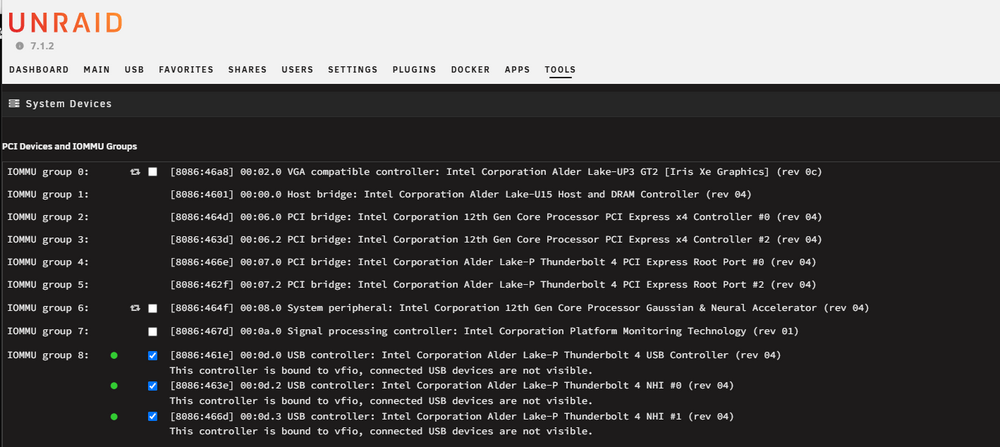
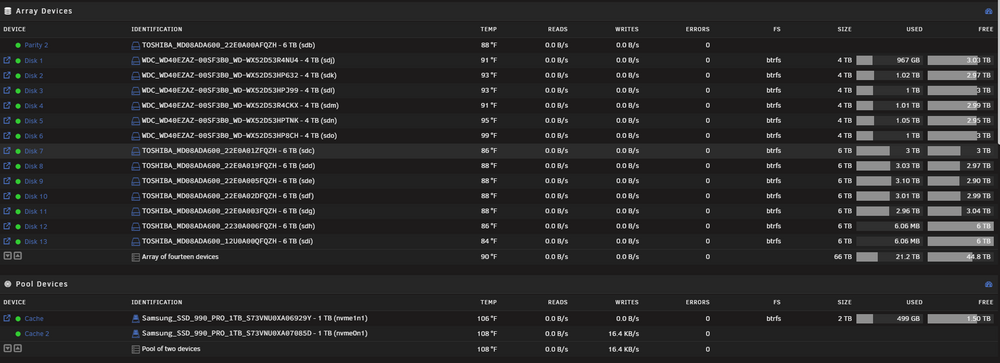
OK, I think I found a solution. Went to Tools -> System Devices and checked the Thunderbolt controller. Then selected "Bind Devices to VFIO" At Boot" Rebooted and now Drives are showing up fine.
-
I am unable to add a Key to the 1-1 folder. I don't think I can create files in the 1-1 dir, only modify them. root@Yesihack-Cube:/sys/bus/thunderbolt/devices/1-1# echo 1 > /sys/bus/thunderbolt/devices/1-1/authorized root@Yesihack-Cube:/sys/bus/thunderbolt/devices/1-1# ls authorized device generation nvm_authenticate nvm_version rx_lanes subsystem@ tx_speed unique_id vendor_name boot device_name nvm_active1/ nvm_non_active1/ power/ rx_speed tx_lanes uevent vendor wakeup/ root@Yesihack-Cube:/sys/bus/thunderbolt/devices/1-1# sudo echo $key > /sys/bus/thunderbolt/devices/1-1/key bash: /sys/bus/thunderbolt/devices/1-1/key: Permission denied
-
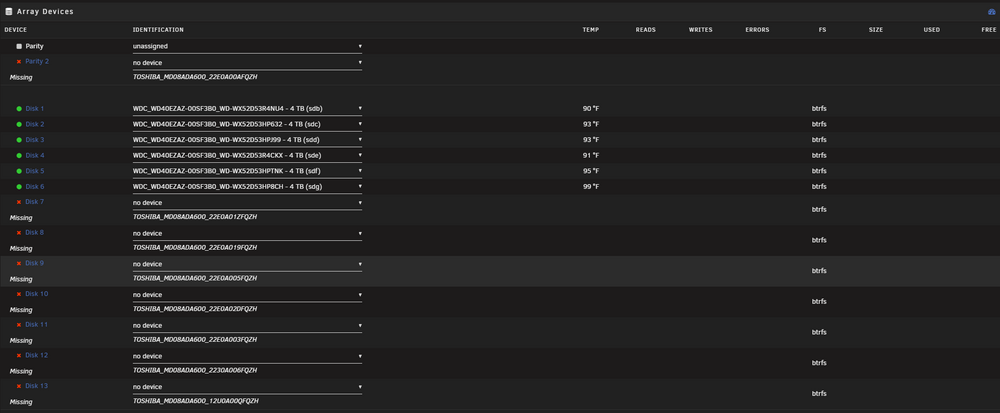
I know that 1-1 is my ThunderBay 8 device. I have a script that changes Authorized to 1, but it changes back to 0 on reboot. I'm not sure what's making that change back to 0. And I don't see the drives in UnRaid Array. #/sys/bus/thunderbolt/devices/1-1# cat device 0xde19 #/sys/bus/thunderbolt/devices/1-1# cat device_name ThunderBay 8 #/sys/bus/thunderbolt/devices/1-1# cat authorized 0 /sys/bus/thunderbolt/devices/1-1# ls authorized device generation nvm_authenticate nvm_version rx_lanes subsystem@ tx_speed unique_id vendor_name boot device_name nvm_active1/ nvm_non_active1/ power/ rx_speed tx_lanes uevent vendor wakeup/
-
I'm having the same issue. Any updates on this? Here are my Diagnostics on 7.1.2 yesihack-cube-diagnostics-20250527-1319.zip


