





lumbeecheraw75
Members
-
Joined
-
Last visited
-
hi, recently FCP is warning me that "Share appdata set to cache-only, but files / folders exist on the array". I am trying to determine why and wondering if anyone has an idea. Thanks in advance. My Pool is ZFS if that helps unraid-diagnostics-20260510-2222.zip
-
Information Overview: Support for templates published at https://github.com/lumbeecheraw75/unraid-templates/tree/main/templates Application: TabVault GitHub: https://github.com/lumbeecheraw75/tabvault License: MIT Please post any support queries relating to this Docker image here.
-
yes I made changes to move it back from the docker_img share since you mentioned it on the 26th. I have it stored on the NVMe that I have docker apps writing to instead of the cache drive (which Im still not certain is best case usage for me. Considered just making a multi-device pool from the 2 NVMes). Im going to try VMs soon.
-
thank you, I will keep that in mind when I setup the VM Manager. I assume that system was on disk1 of the array before I moved it to the NVMe.
-
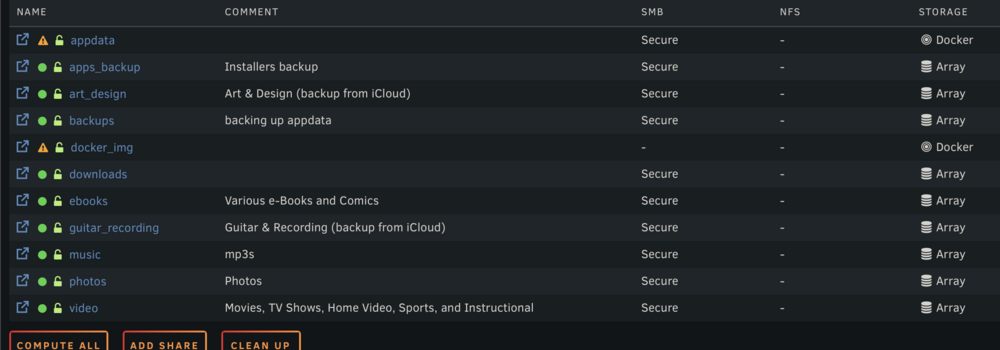
I think I have things squared away. The plugin is not showing any errors. I moved the docker.img file to the NVMe drive. The appdata share remains (I assume this is expected). Thanks for your assistance. It is highly appreciated. manteo-diagnostics-20250626-1000.zip
-
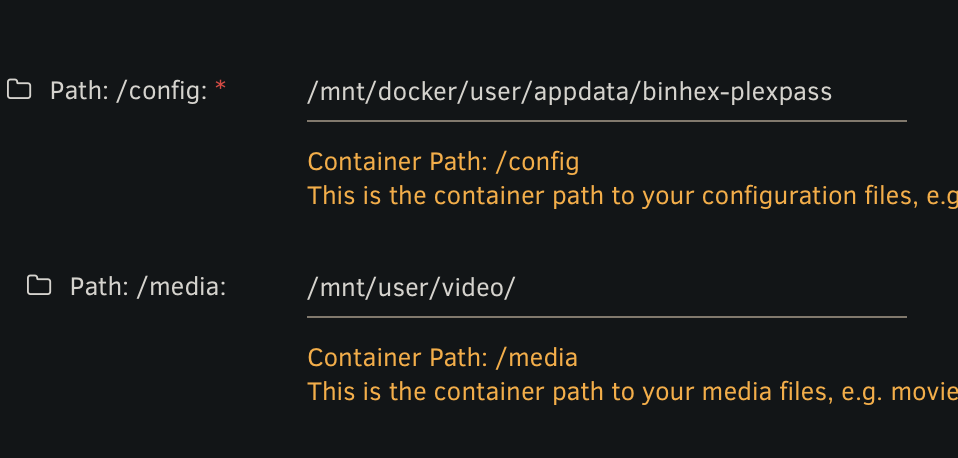
I never got rid of any user shares. I'm currently making some adjustments based on your suggestions. I have updated the appdata path
-
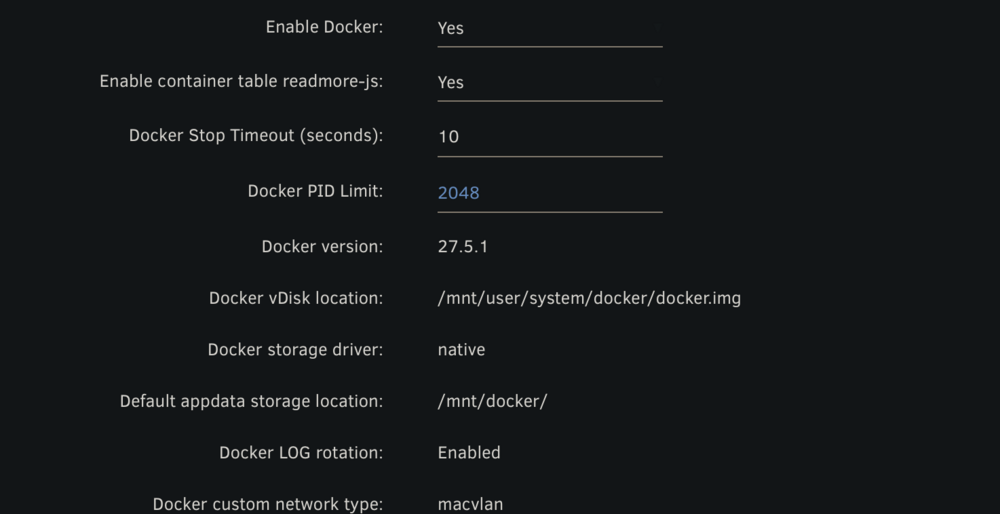
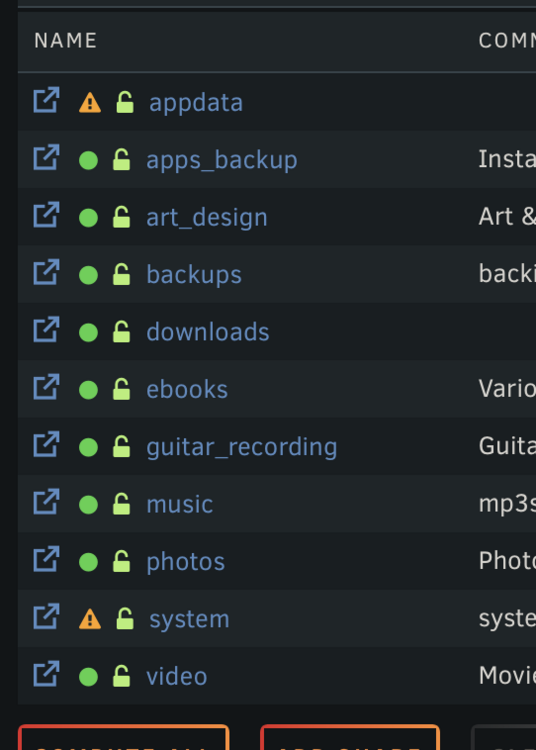
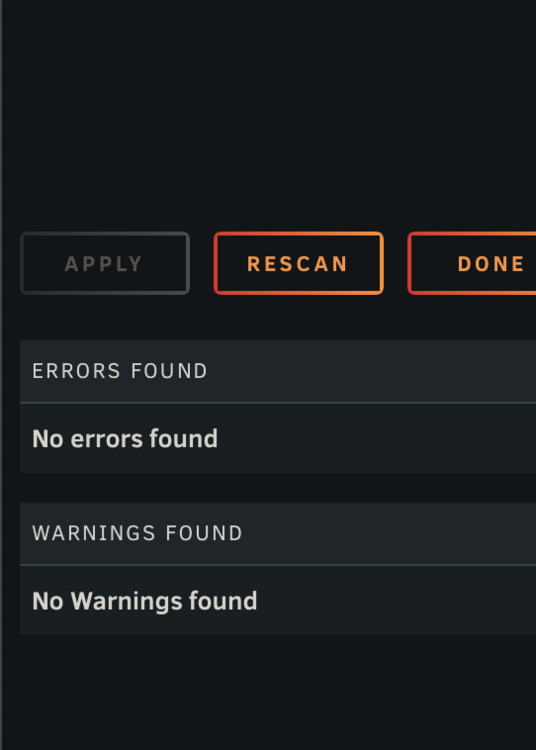
made changes to docker settings, and an appdata share was created. not certain this is correct but Fix common problems now shows no errors.
-
so the adjustment needs to be at the docker settings level and not per container?
-
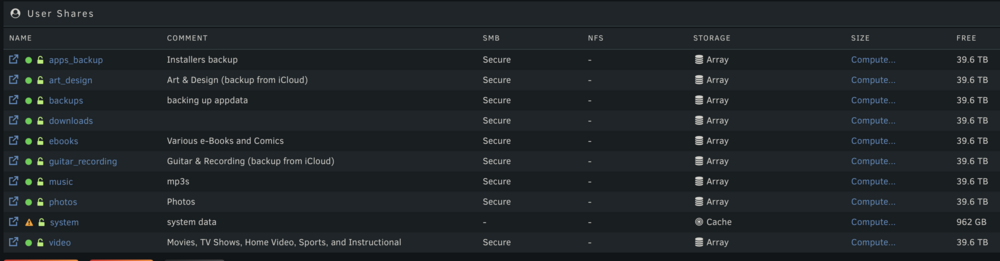
I was looking at just that a few minutes ago and wondered if that was the culprit, but your explanation clarifies a bit. here is the user shares page. I moved some stuff around since I sent over the diagnostics.
-
Wow, thank you for quick response :) hmm, I dont recall creating a user share named user either. Maybe I put something incorrect when adding a docker install location. Not sure. Attaching diagnostics. manteo-diagnostics-20250626-0727.zip
-
Precursor, I am somewhat of a linux noob.I am having the exact same issue when using the Fix Common Problems plugin. I have 2 NVMe drives, one I use for cache, and one I want to dedicate to Docker installs, along with my 4 disk array. Browsing File Manager, I see appdata in two locations. /mnt/docker/user/appdata (location is on docker) /mnt/user/user/appdata (location is on docker) I also see a /mnt/user0. I created a user for shares, and I assumed that this was created when doing so. Is that incorrect? Like DrMutaba, everything seems to be working ok. I currently only have 2 Docker installations (Plex and Homebridge), but want to insure that I know what I am doing. I don't want to delete anything important and screw something up in the process. Can anyone advise?


