Everything posted by FerdH
-
Additional info: emhttp throws a fit when checking the /dev/sde Expected behaviour (7.2.6): emhttpd: Lifetime key detected, GUID: XXXXXXXXXXXXXXXXXX FILE: /boot/config/Lifetime.key emhttpd: import 35 flash device: (sde) Observed behaviour (7.3.0): emhttpd: Unregistered Lifetime - invalid key - invalid key (EGUID) emhttpd: Error: (/dev/sde) not known It is mounted lsblk shows it nicely file system check shows it's clean USB storage is a Kingston_DataTraveler_3.0 128GB stick
-
Same issue with me, 7.2.6 to 7.3.0, had to roll back
-
garuglang-diagnostics-20260514-0925.zip
-
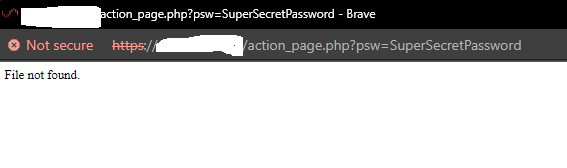
Version 7.1.4, freshly built. Can you recreate the issue? Update: Seems to be an issue with Brave browser. Hitting enter in Chrome gives the same error as Brave (File not Found), but clicking the button does work.
-
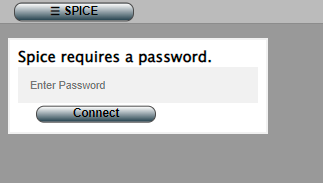
Don't think this is how it is supposed to work - When I set a console password on my VMs using SPICE and try the web interface I am prompted with a "Spice requires a password." After entering the password and clicking the "Connect" button nothing happens. When I hit [Enter] I get a "File not found" error. I also see the password in the URL which is bad security practice (put it in a POST at least) Am I doing something wrong or is this just broken?