DaHa
Members
-
Joined
-
Last visited
-
thx 4 the hind, the manual backup gave me the error "there is no disk space left..." I cleaned up my old backups... now its working fine again
-
with manual you mean the "manual backup" button in the appdata backup plugin? no, its not working neither
-
my appdata Backup Plugin can`t backup my boot drive, the debug logs says: [20.12.2025 02:06:56][❌][Main] Flash backup failed: no answer from script! and there are no more hints whats wrong or why its not working, anyone can help me with this issue?
-
Nope, muss ich den als zusätzlichen Pfad im NetAlertX Container definieren? /E: hab den mnt hinzugefügt und es läuft, thx für den schnellen tipp
-
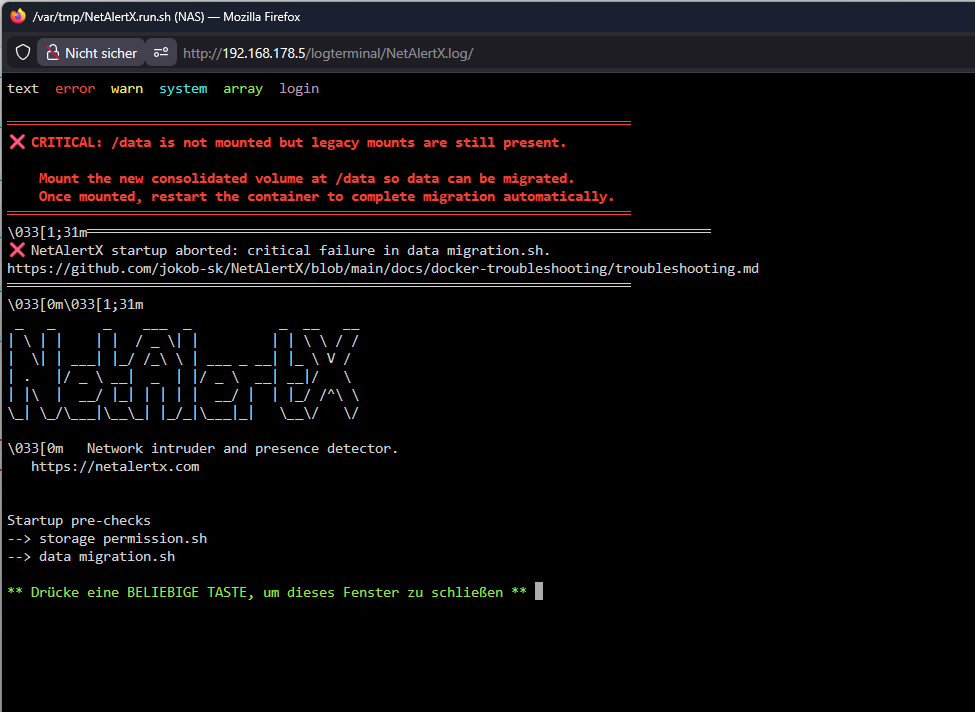
Hallo zusammen, ich möchte auf meinem Unraid NetAlertX laufen lassen, ich habe den Docker Conainter installiert und den Pfad zur pihole-FTL.db korrekt angegeben. Beim Start des Docker Conainers bekomme ich die unten aufgeführte FM. Leider bin ich in Linux nicht so fitt um mir selber zu helfen, die Google-Suche war leider auch nicht so erfoglreich, daher hoffe ich mir das mir jmd. erklären kann was hier mein Problem ist und wie ich es gelöst bekomme. ❌ CRITICAL: /data is not mounted but legacy mounts are still present. Mount the new consolidated volume at /data so data can be migrated. Once mounted, restart the container to complete migration automatically.