





6stringdesigns
Members
-
Joined
-
Last visited
-
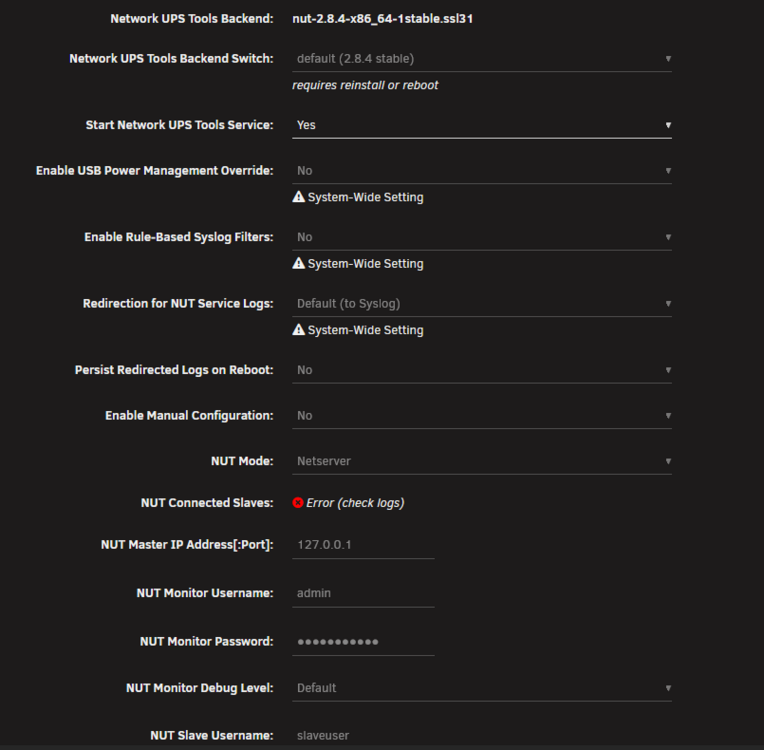
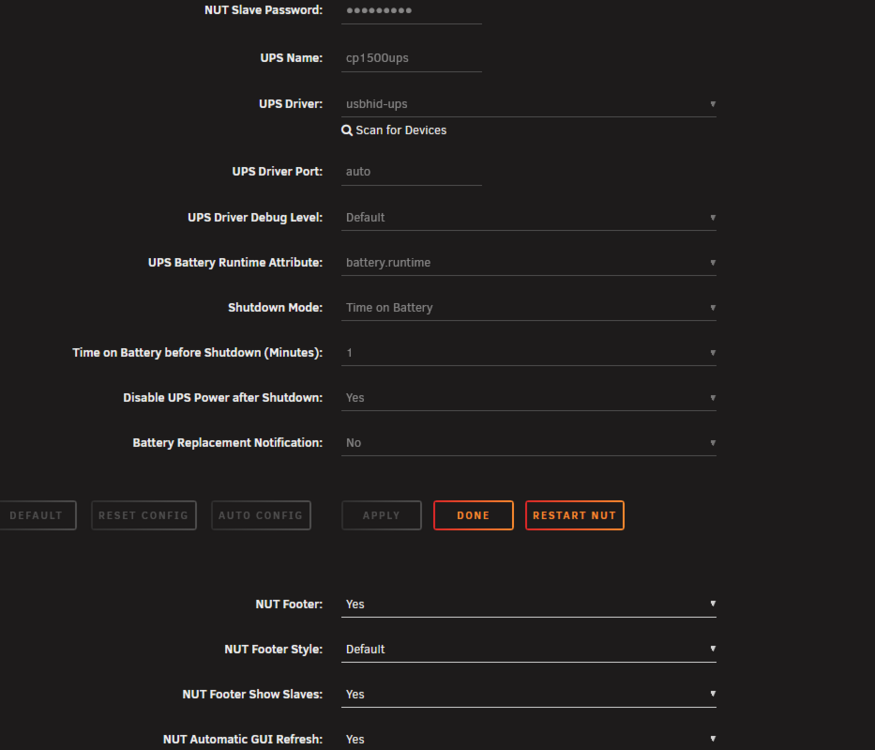
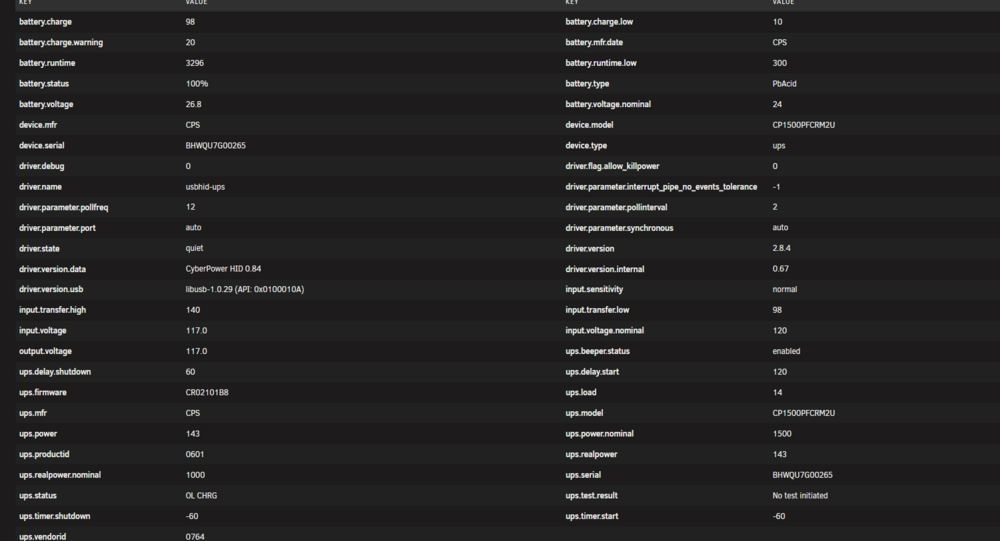
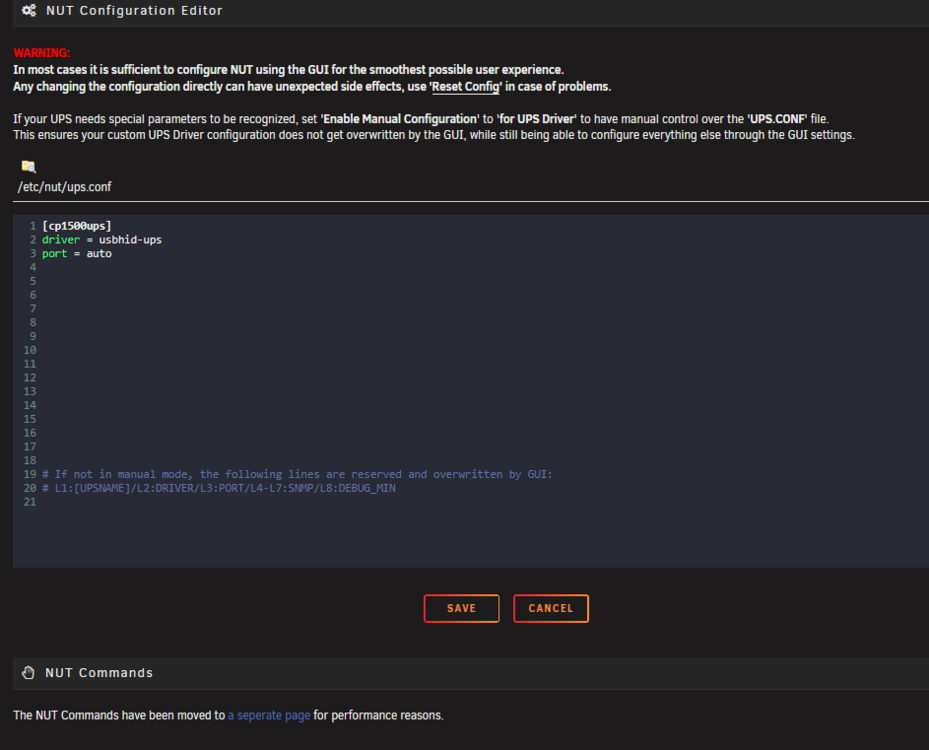
After more digging through the NUT repo, seems this is a CyberPower specific issue, particularly with the ups.delay.start default value in the driver config. Default value is 60 and anything greater than zero seems to cause this issue. To resolve, in the plugin's config, set Enable Manual Configuration to for UPS Driver, then add a new line with ondelay = 0. Save the config then restart NUT. UPS will then behave correctly after it's turned off: will only turn back on after power is restored. Ref: https://github.com/networkupstools/nut/issues/578
-
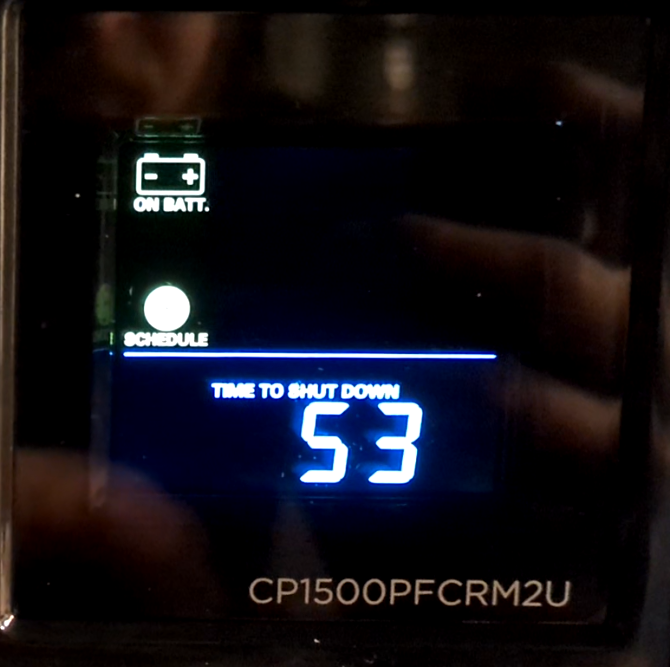
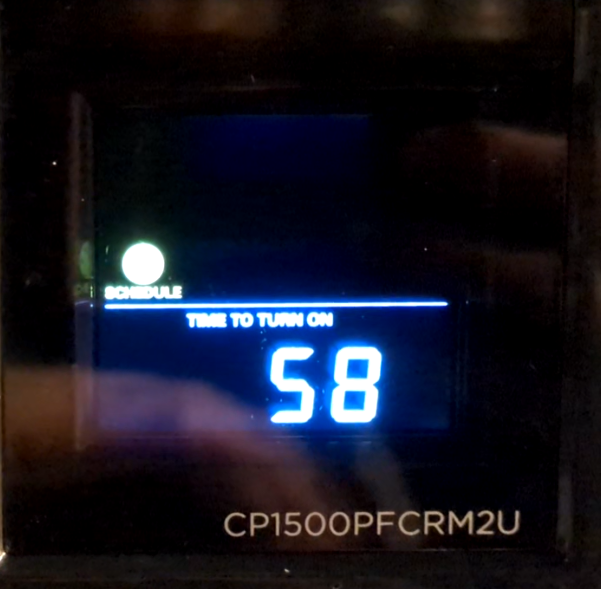
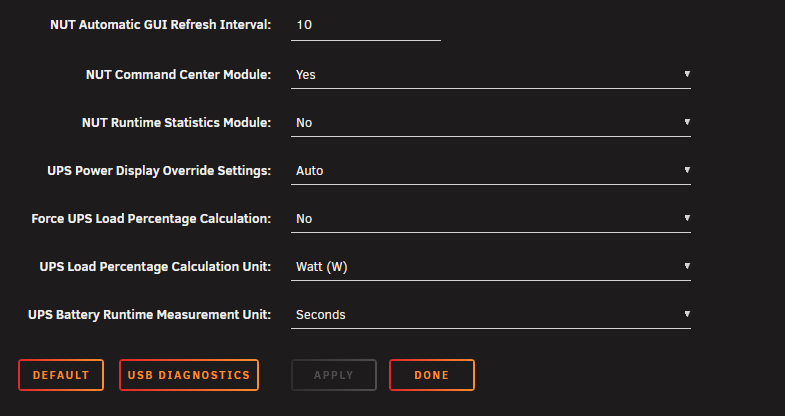
I recently purchased a CyberPower UPS (CP1500PFCRM2U) and got it hooked up to one of my Unraid boxes for testing. All seems to work good, except that the UPS powers back on immediately after powering off (post graceful shutdown of the Unraid box) prior to power being restored. Sequence of events: Cut power to the circuit the UPS is on Unraid NUT is configured to perform shutdown after 1min on battery, this works fine, Unraid gracefully shuts down After graceful shut down, NUT is configured to power off the UPS, this works as well. UPS gives a 60sec countdown and shuts down: Immediately after the UPS turns off, it goes into start up mode with another 60sec count down, then turns on as if power was restored (it was not): Feels like I'm missing a setting somewhere. Anyone have any suggestions? Current NUT config:
-
Will do and thank again. Is there any sort of bug tracker or forum post I can follow regarding this issue?
-
Correct, disk 11. Good to know, thanks. Correct, I do not have parity at the moment. Appreciate you taking the time to dig into this.
-
Disk serial: WDC_WD40EFRX-68WT0N0 After physically installed (steps 1 + power on Unraid box), UUID: 0f809849-8df2-414b-ae61-9f908a5bfacc Log: tower-diagnostics-20251209-0949-one After clearing partitions and formatting with UD (step 2, post power on), UUID changes to: b6eaeb81-b78a-4644-9d0a-2fe3f7679a20 Log: tower-diagnostics-20251209-0951-two After adding disk to the array and formatting again (steps 3-5). Log: tower-diagnostics-20251209-0955-three After rebooting and being met with 'wrong disk' error (step 6-7). Log: tower-diagnostics-20251209-0959-four tower-diagnostics-20251209-0959-four.zip tower-diagnostics-20251209-0955-three.zip tower-diagnostics-20251209-0951-two.zip tower-diagnostics-20251209-0949-one.zip
-
Hey Jorge, thanks for responding. Reason: I normally don't take this path, but had a drive I brought over from a Windows box that I used as an Unassigned Device (formatted with XFS) for a while before moving it into the array. If I skip using Unassigned Devices or bring over a drive that is XFS already, Unraid stays happy. I've also confirmed this same issue happens on my other Unraid box. Yes, following your steps, no issue. This issue is only present when following my original steps. Further investigating shows the UDEV UUID changing on the disk after clearing/formatting with UD. If I restart Unraid after my step 2, then proceed with the rest of the steps, no issue. Not sure if relevant, but jumped out at me.
-
I've encountered a possible issue or it could just be me not following proper procedure; wanted to get some input. Unraid version: 7.2.2 When I do the following steps: 1) Physically install disk formatted with NTFS 2) Start Unraid and use Unassigned Devices to clear partitions and format to XFS (Destructive Mode enabled) 3) Stop array, add disk to array, and start array 4) Disk shows as Unmountable: unsupported or no file system. Unraid requests I format in order for the disk to be available for use 5) Format, disk goes green and becomes available in the array 6) Reboot Unraid 7) Array is not started with error "Too many wrong and/or missing disks!" At this point, I can't seem to get the drive to come back. Tried xfs_repair, no luck. New config allowed me to get the array back online, but the disk showed as Unmountable due to missing filesystem and wanted to format it again. This only happens to disks that start off as NTFS when physically installed. I normally don't use take this path, but had a drive I brought over from a Windows box that I used as an Unassigned Device (formatted with XFS) for a while before moving it into the array. If I skip using Unassigned Devices or bring over a drive that is XFS already, Unraid stays happy. Confirmed this also occurs on another Unraid box I have. Logs attached from after reboot, step 6. Is this expected behavior? unraid-diagnostics-20251202-1656.zip



