





ZeeKay26
Members
-
Joined
-
Last visited
Everything posted by ZeeKay26
-
Thanks for your responses. I have manually installed the Community Apps Plugin and it is now working.
-
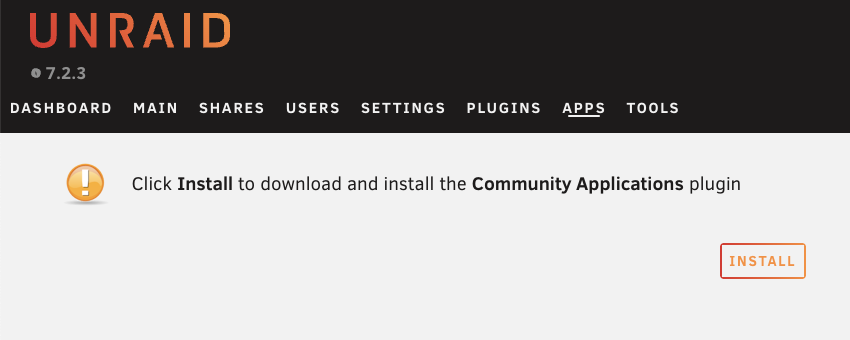
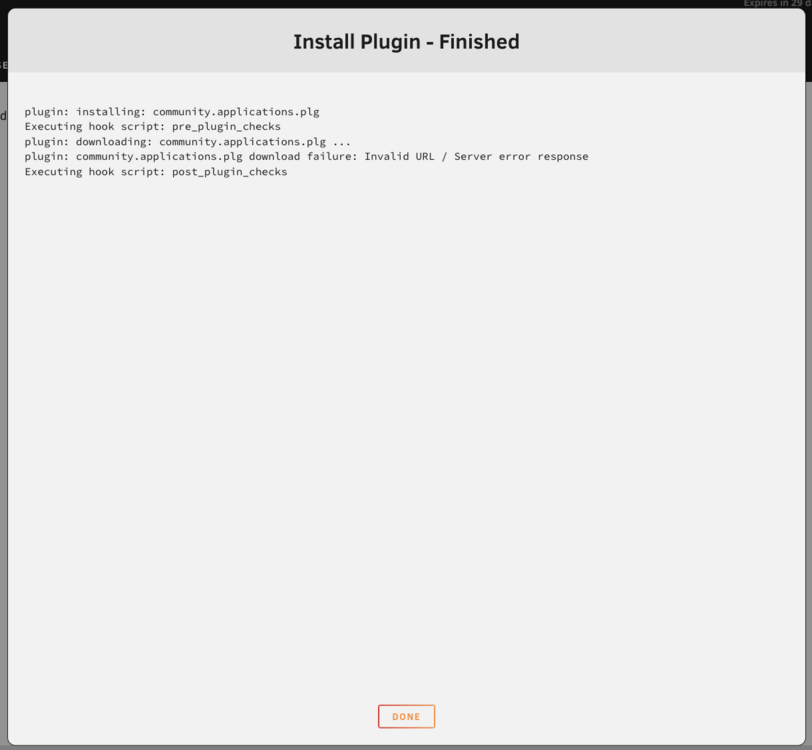
I have attached the diagnostic file. I went to the APPS tab and clicked on "Install" button for CA. See both screenshots of before and after I click. I would prefer to install via button click. Thanks ZeeKay unraid-diagnostics-20260106-1653.zip
-
Hi Folks, I got a brand new NAS hardware and just got the unRAID key made. Installed and booted into unRAID 7.2.3. However, when I try to install community plugin, I get the following error: plugin: installing: community.applications.plg Executing hook script: pre_plugin_checks plugin: downloading: community.applications.plg ... plugin: community.applications.plg download failure: Invalid URL / Server error response Executing hook script: post_plugin_checksMy device is connected to internet, can ping all major websites and also have my DNS set to 1.1.1.1. How do I go about installing this? Thanks in advance! ZeeKay
-
Hi Folks, I got a brand new NAS hardware and just got the unRAID key made. Installed and booted into unRAID 7.2.3. However, when I try to install community plugin, I get the following error: plugin: installing: community.applications.plg Executing hook script: pre_plugin_checks plugin: downloading: community.applications.plg ... plugin: community.applications.plg download failure: Invalid URL / Server error response Executing hook script: post_plugin_checksMy device is connected to internet, can ping all major websites and also have my DNS set to 1.1.1.1. How do I go about installing this? Thanks in advance! ZeeKay

