





CasperOe88
Members
-
Joined
-
Last visited
-
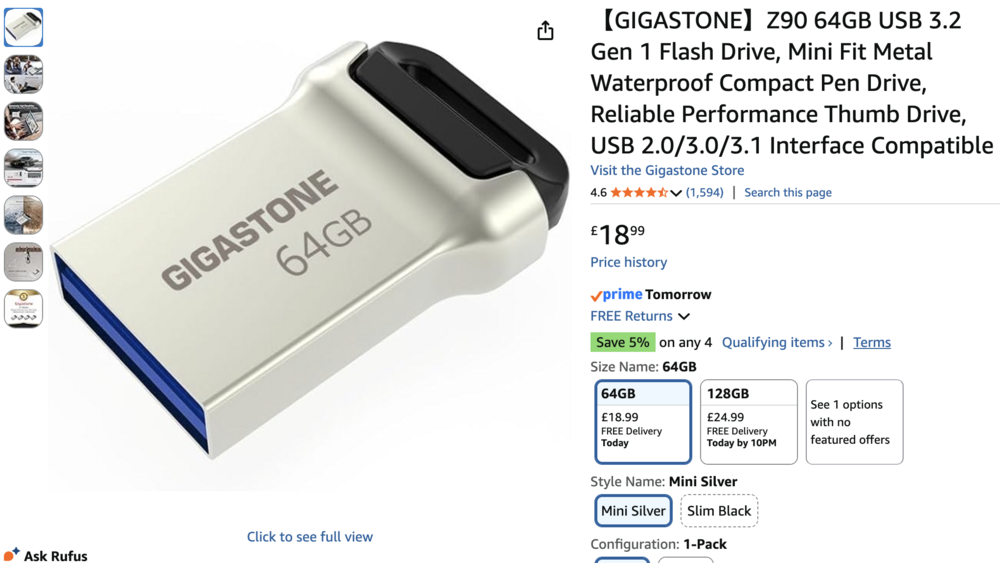
Thank you! :-) I will haunt down a 24TB drive that I can afford (wish me luck!) and replace the USB with a high-quality one. Will report back accordingly! :-)
-
Extended SMART test have now been completed for the drive in question, not great news I'm afraid. What is the experts opinion on this matter? The freeze issue, caused by the lost connection to the flash - or the read errors on the parity? No the most sophisticated USB on the market, could it be poor quality? ST24000NM000C-3WD103_ZXA0JE5L-20260305-0402.txt
-
I have tried 2 x USB 2.0 ports on my NAS, and the issue appear to be the same. The connectors are not great and they are quite 'tight' so it might be the ports as well ; simple connection interface maybe. Will try a different USB and see if any better. As for this, every time I try to run the extended SMART test, it fails - so i'm afraid I'll have to splash out on a new drive. I am using EXOS 24TB drives, so won't be cheap sadly - but that's what it is..
-
Okay, I have been doing a bit of digging - and here is my latest log file. I am looking at two possible causes for the crash being: The boot drive (flash) (sda) due to connection error, bad port- or bad flash drive. "Mar 3 10:36:01 CF1000 kernel: sda: detected capacity change from 122880000 to 0" My parity drive (sdb) due to read errors, possibly bad sectors on the drive. Could be both as well - what is your opinions on this? I have a new flash drive on the way, taken a backup and will try and restore and boot from that one- see if it changes anything. My NAS has a build in (inaccessible!) NVMe from the maker that I don't currently use for anything. I would love to boot Unraid from that rather than USB but I would have to find a way to clone this with my USB; work in progress! Cheers!! syslog-192.168.1.40.txt

-
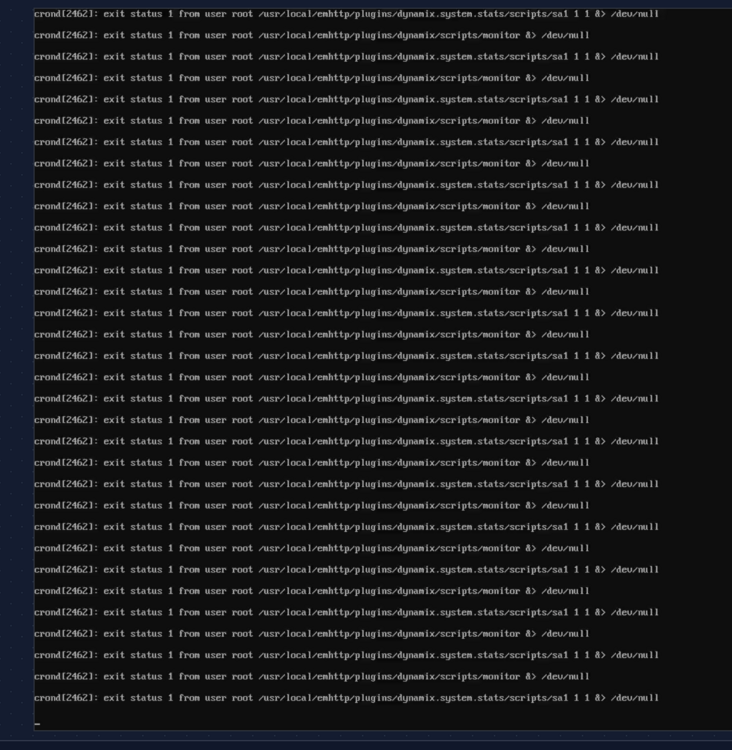
Okay, there has been a development! This is how my screen looks like when it crashes:
-
Altight, the setup of Mover as per above will have to wait until I am on a different network than my current one. I am currently away from home onboard a ship that does not allow for Tailscale connection. I can only connect through a Cloudflare tunnel that requires Docker to run :-)
-
Perfect, thanks!! Now, I've been an idiot and stopped all my Docker containers - Incl. the CloudFlare tunnel that gives me access :-D I will revert tomorrow once I have guided the missus through how to start it again ;-) Cheers, have a good day/evening whereever you are..
-
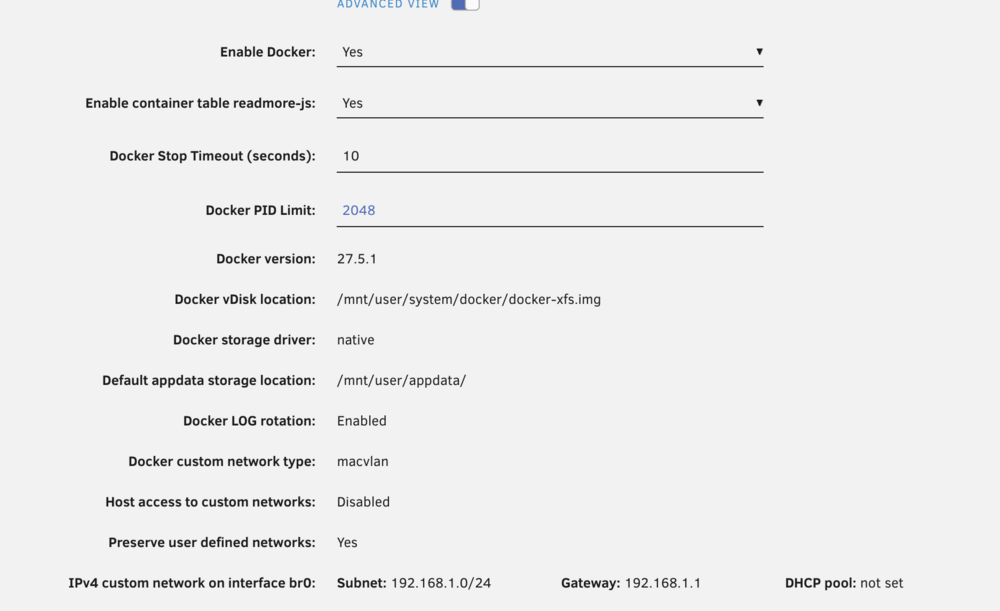
Just so I don't fuck this up - do I need to change anything to any Docker containers, or will it sort itself out as long as I disable Docker while doing this? :-)
-
I will try the hard act of guiding my Wife to initiate the test - from my current location mid-Atlantic
-
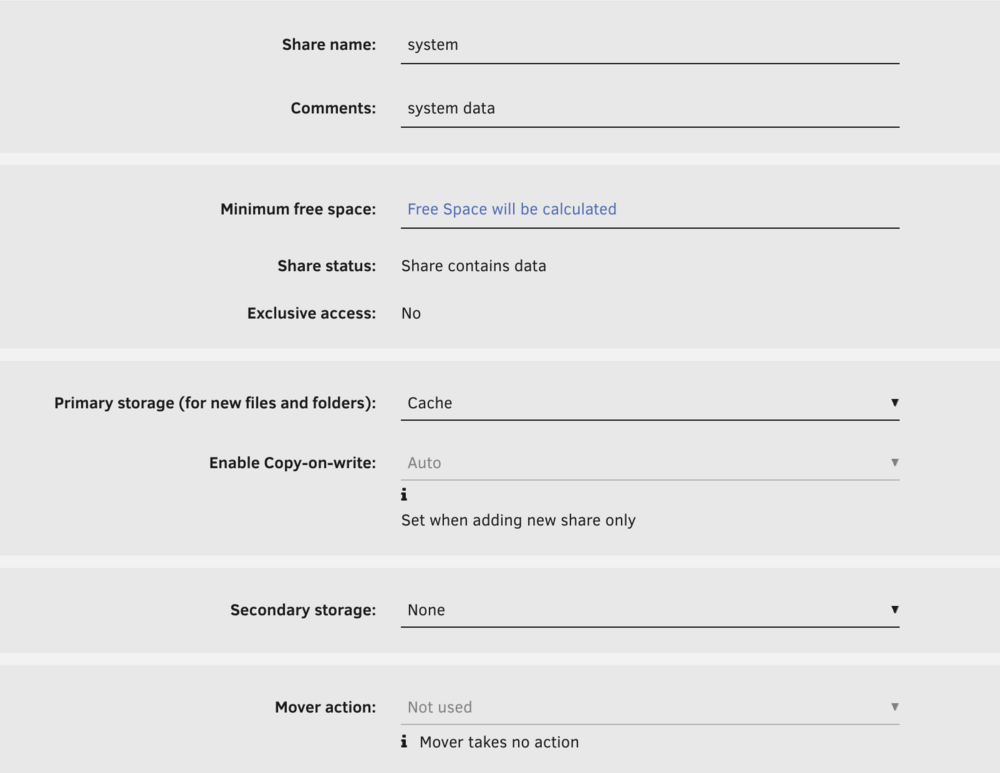
Thanks, I will try and fix this :-) This is what it's currently looking like, I will follow your advise here and rescan FCP
-
Here you go! :-) Thanks for taking the time, i appreciate your help! path of this: cache / appdata / syslog-192.168.1.40.log syslog-192.168.1.40.log
-
Hello Community! I am new here, and just wanted to introduce myself :-) Casper, from Denmark - with a brand spanking new Orico CF1000 NAS off Kickstarter, now running Unraid. I like it, steep learning curve though! I am looking forward to the learning, the challenges and hopefully making it all work like a charm! Happy Saturday- and Happy Weekend!
-
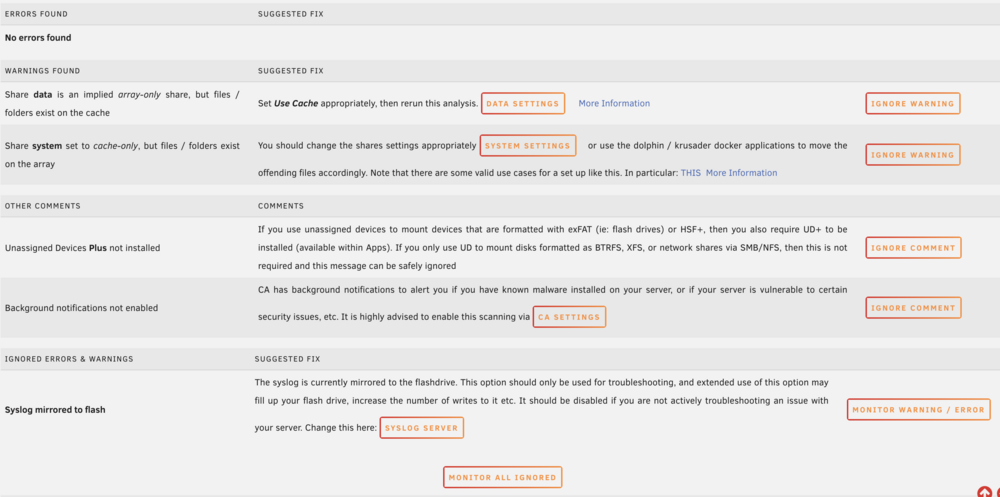
Unsure if this is helpful at all, this is the full list from 'Fix Common Problems' plugin
-
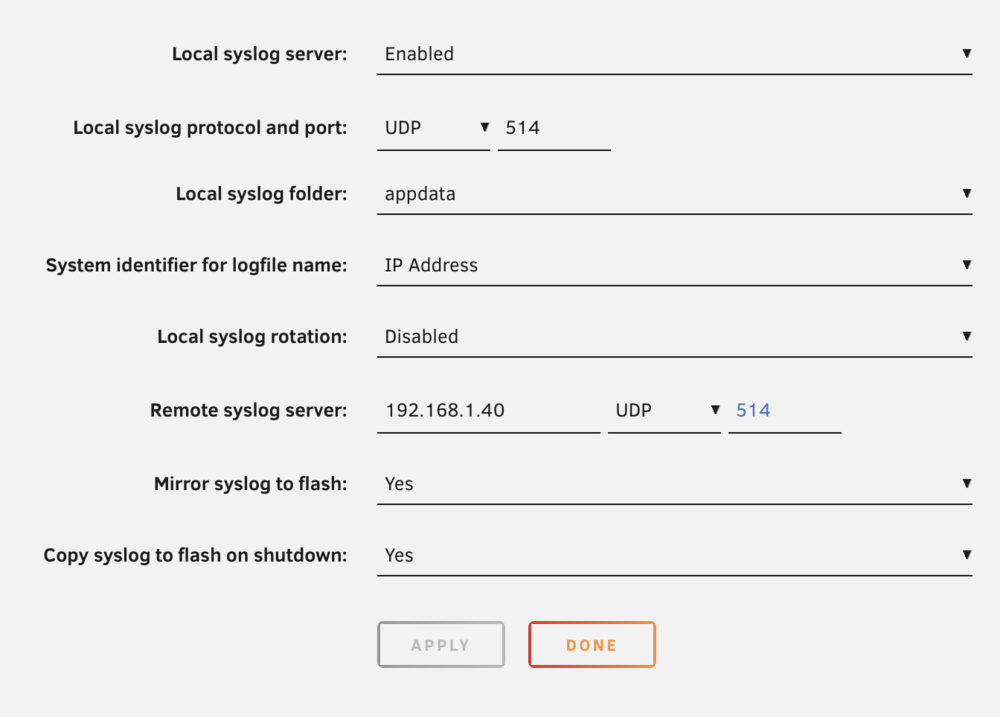
Oh really? Sorry, thought that was the one :-) Here you go.. Remote log set to the IP of my server with 'Mirror to flash' being enabled. I don't presently have another PC in the house it can mirror to...
-
Most recent save of syslog syslog-previous.txt


