





zeus22
Members
-
Joined
-
Last visited
-
THANK YOU - that resolved the issue. Now I can see the boot partition on the SSDs in the correct way and can continue my whole setup process. :)
-
Ah I see, thanks for clarification. I did what you said:
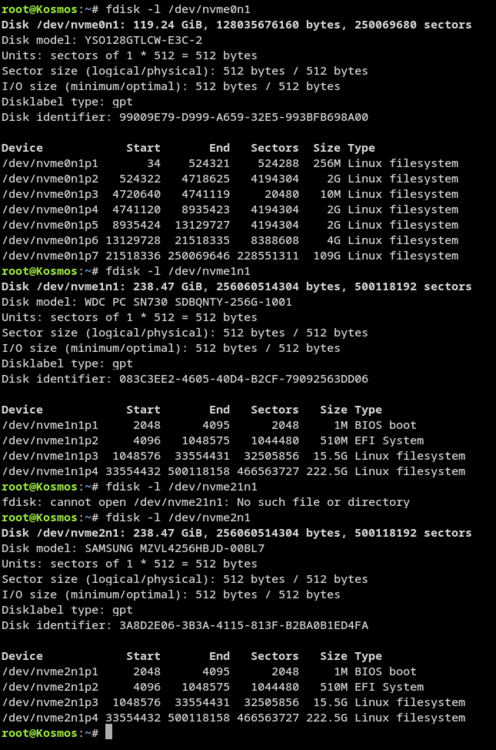
-
I guess it doesn't show up as a boot device cause there is nothing to boot on it. And you can see on the second screen that the first boot option is "NVME"
-
Got these two for you :)
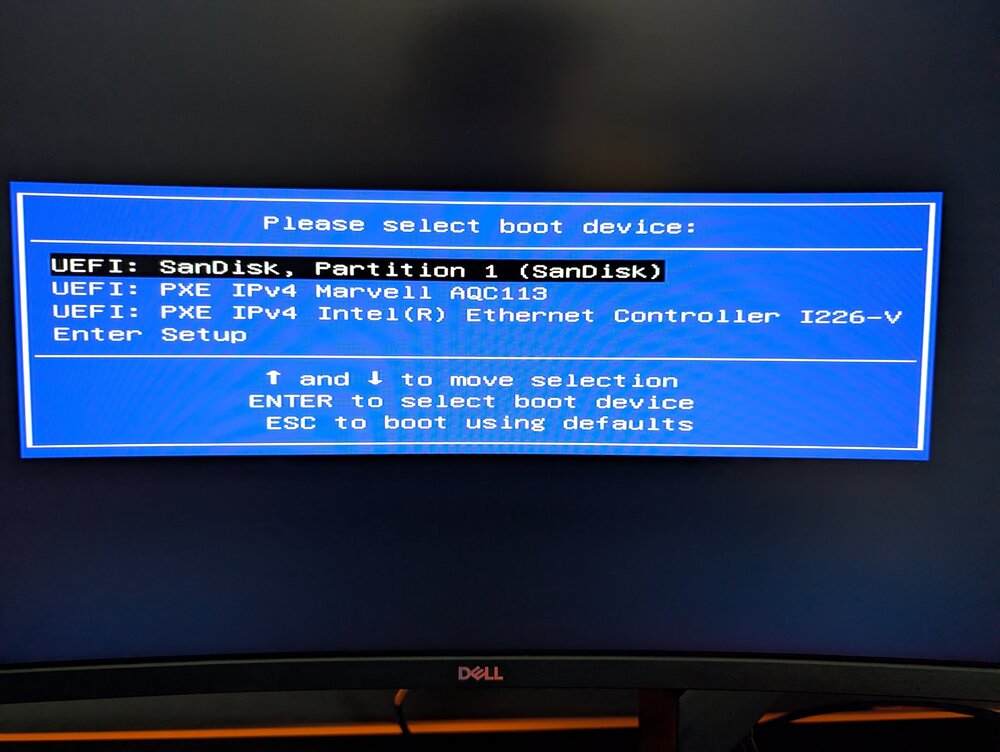
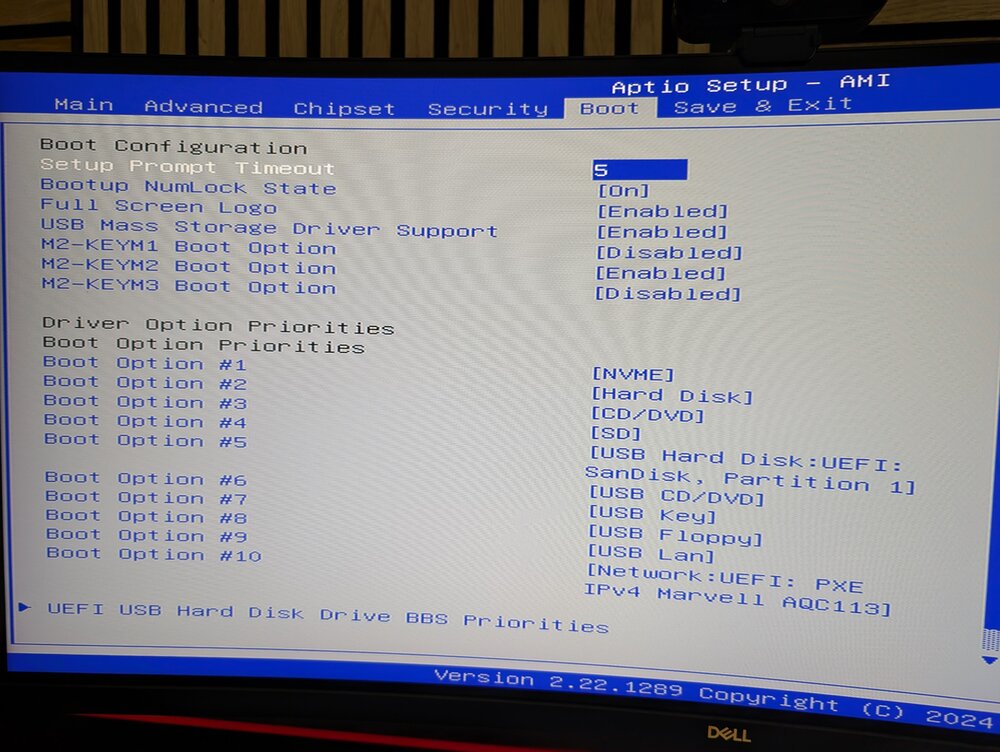
-
I just tried it by also removing the USB flash drive - well - it wasn't booting it just showed "Checking for media". So there is clearly nothing to boot on the SSDs. There are also set as the first boot device in the BIOS.
-
I would agree with you if it wasn't for that remark below the USB-Boot-Drive: "No internal boot setup detected. Launch Internal Boot to configure one." And even the entry for my internal boot partition doesn't look like it was shown in all the videos.
-
Hey unRAID people, I am too stupid to make "internal boot" work. I downloaded the USB Creator and installed the latest RC on it. It is booting and I want to set up internal boot. No matter which way I am doing it (boot pool or dedicated install) it just won't work. After I finished the process during installation and restarted the whole thing I am welcomed by this screen (I did it like it was shown in this video: https://www.youtube.com/watch?v=NMHaMaa8iV0&lc=Ugx2Olu8WOcI6ZooXMx4AaABAg.AWYEM1qqg2wAWYnKRSSwqn): You can see that I tried to create a bootable pool with the two SSDs, but it didn't work. When I try to do the wizard again, I get the same result. Background information: I just bought a used DXP4800 Plus. It has 4 HDDs and 2 m2 SSDs in it. It is my first try to install unRAID anywhere, so be patient with me :D I am total noob to this topic.
-
zeus22 joined the community
-
I am too stupid to make it work. I downloaded the USB Creator and installed the latest RC on it. It is booting and I want to set up internal boot. No matter which way I am doing it (boot pool or dedicated install) it just won't work. After I finished the process during installation and restarted the whole thing I am welcomed by this screen (I did it like it was shown in this video: https://www.youtube.com/watch?v=NMHaMaa8iV0&lc=Ugx2Olu8WOcI6ZooXMx4AaABAg.AWYEM1qqg2wAWYnKRSSwqn): You can see that I tried to create a bootable pool with the two SSDs, but it didn't work. When I try to do the wizard again, I get the same result. Background information: I just bought a used DXP4800 Plus. It has 4 HDDs and 2 m2 SSDs in it. It is my first try to install unRAID anywhere, so be patient with me :D I am total noob to this topic.


