





Ruubdoy
Members
-
Joined
-
Last visited
Everything posted by Ruubdoy
-
After days of raking my brains out with no help ,I finally managed to fix it. After 5 days of raking my brains out with no help from anywhere ,I finally managed to fix it.
-
After days of raking my brains out with no help ,I finally managed to fix it. After 5 days of raking my brains out with no help from anywhere ,I finally managed to fix it.
-
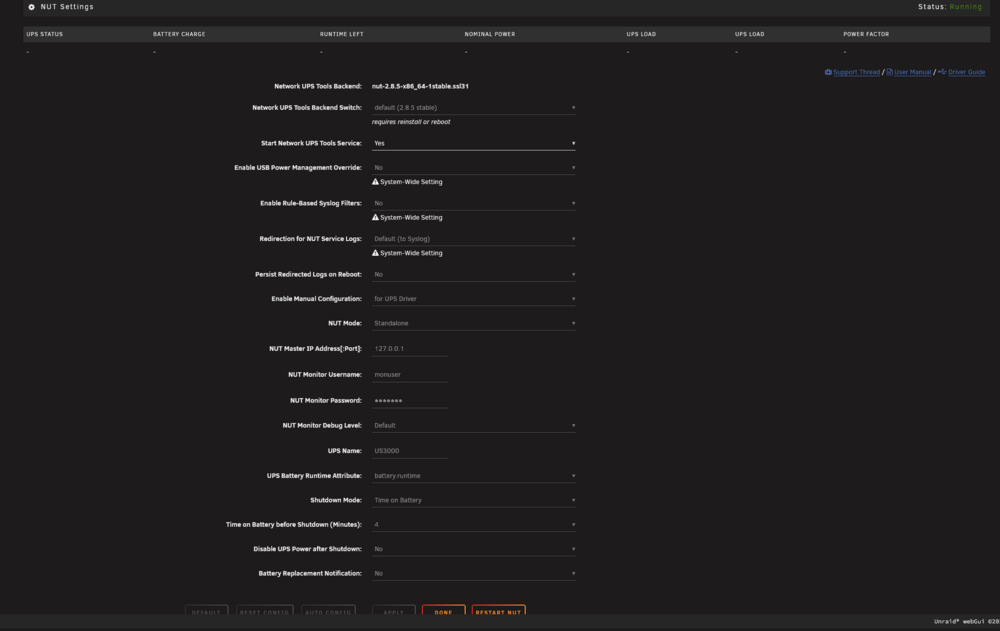
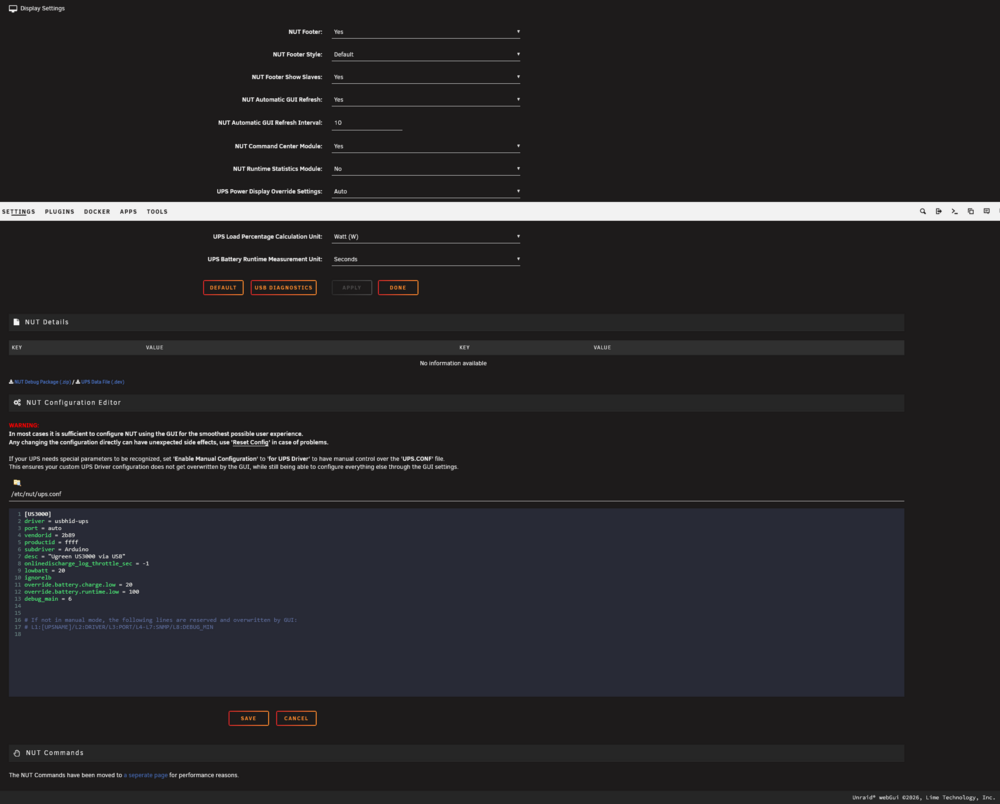
can anyone help me configure my ups ugreen US3000 ,i have already updated the firmware of it and in the nut config added the lines mentioned in previous posts but it still does not get recognized. please find the debug log and screenshots of my settings in nut below. nut-debug-20260609082354.zip
-
So how do I fix it please elaborate.
-
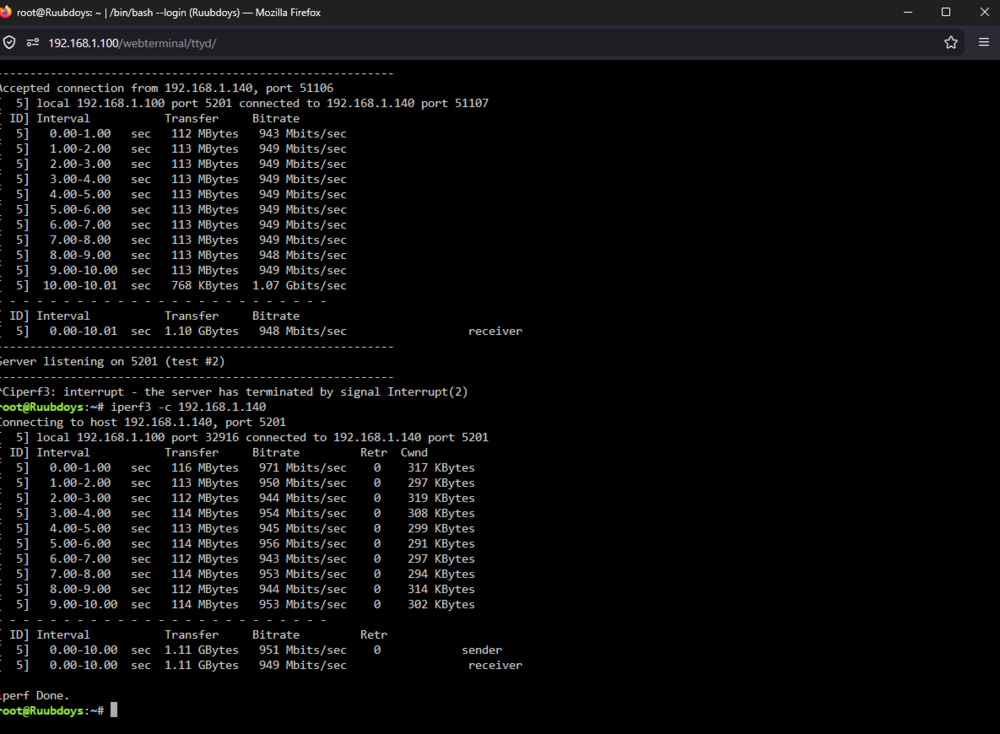
the files are going from ssd cache pool to my array, please find the iperf3 tests below as requested.
-
Please find the requested file below. ruubdoys-diagnostics-20260606-1229.zip
-
hi i am new to unraid and i just setup my first unraid server now onto the issues at hand 1.when i am tranferring some media files like a tv show from my pc to my ugreen nas dxp4800plus i am getting around 113 mbps tranfer speed. i am having my internet in bridge mode and using my own router ie asus gt-ax 6000 running the latest asus merlin. i am using cat8 cables for connection and made sure that both the nas and my pc are connected to 2.5g port(there are 2) on my router also my pc has 1gbps nic(tp link tg-3468) . i have a ugreen ups after watching some youtube i got know about this Network UPS Tools plugin which i have installed but now it fails to start everytime. i am not tech savy person so please guide me what should i do to fix this. thanks and my regards


