





microminipimp
Members
-
Joined
-
Last visited
Everything posted by microminipimp
-
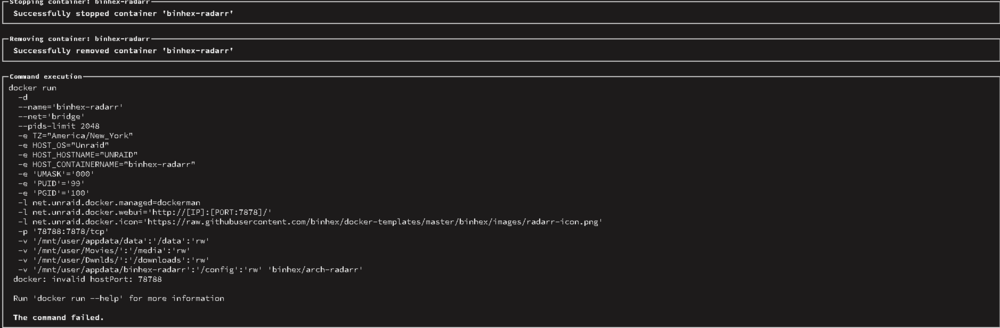
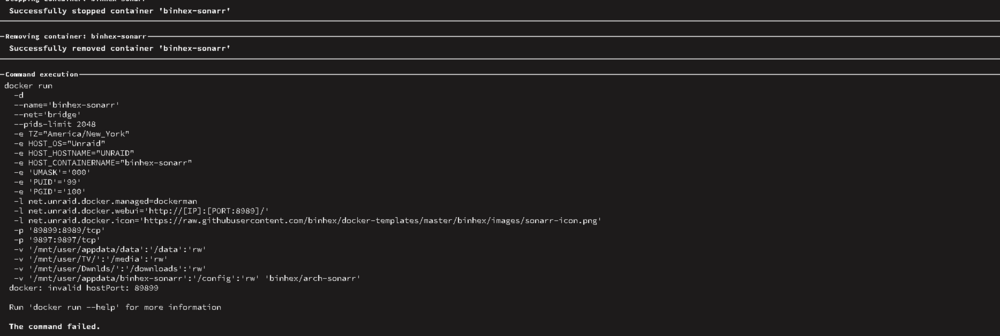
i believe this is it
-
trying to figure out how to get docker run. the attatched explanation is a little confusing to me .
-
application used to download is sabnzbd.
-
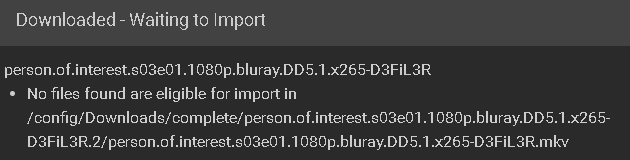
this is coming from sonarr. but the same issue persists with radarr as well. it looks like sab is setup properly because the content is downloading its just like it got lost in the process of transfering to its final home for viewing.
-
this is the issue im currently running into figured id get an actual photo to show the issue. BUT i want to get a parity at some point just wasnt in the budget when building this. i literally put this together as a what i could find to build kinda thing lol.
-
here is the diag report after mover was ran unraid-diagnostics-20260608-1515.zip
-
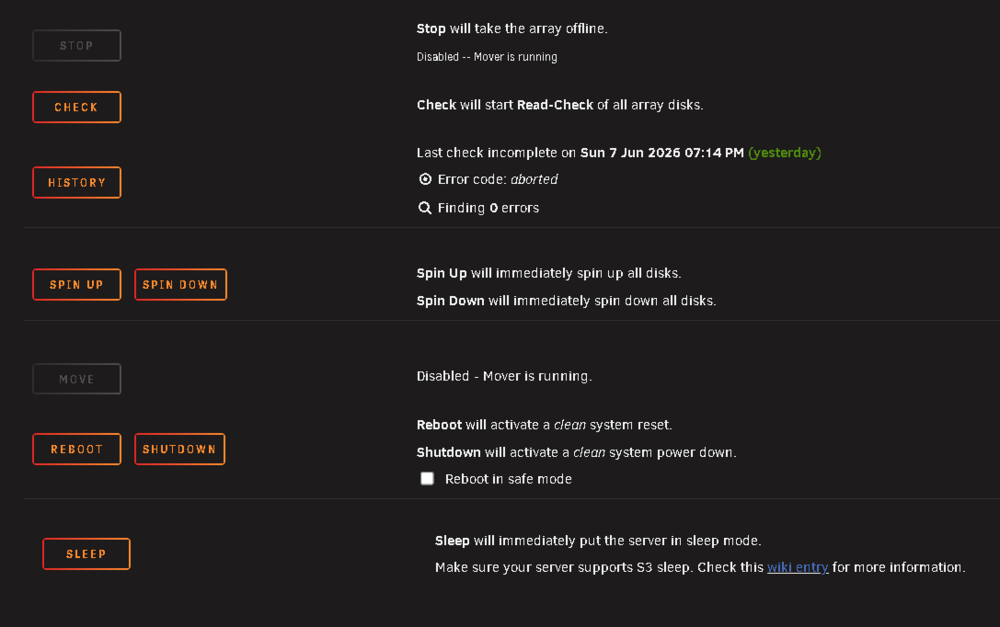
after starting the mover do i have todo anything or will it move things where they need to be already?
-
running the mover now as we speak
-
so what would i do after disabling docker and vm in the settings tab? like i said this is new to me so alot of this is foreign concept in my eyes.
-
where exactly would i find backups of said "appdata" ?
-
attatched i have provided the diag reports you requested. unraid-diagnostics-20260608-1448.zip
-
ive done alot of reading and im seeing that this has todo with path configurations. main issues here started after i tried watching content on plex and nothing would load. i then went into unraid and check to findout why and my cache drive was unmounted somehow and couldnt be read. i rebooted and started all my disks again then everything was completely wiped out including my dockers . all of my content is still on the respected drives but everytime i try and download something new the above error is what im getting. didnt have this issue before the cache crashed now its like it has no idea where anything is supposed to go. after reformatting my cache drive all dockers were able to be reinstalled from the apps tab retaining most of if not all of their origional data but as soon as i get into the apps i have to setup everything again. i know theres alot here but ive spent 8 hours racking my mind over this and any input would be wonderful as i am not the best with linux based systems. ive done alot of reading and im seeing that this has todo with path configurations.


