





castores
Members
-
Joined
-
Last visited
Everything posted by castores
-
Thank you, I'll add the bug report. I'm still building my NAS and changing things each day, so it's difficult to keep track, but the thing it comes to mind is I recently updated Unraid OS from 7.3.1 to 7.3.2
-
All of a sudden all of my 'compose up' are failing a few seconds after they start pulling the images from dockerhub. These are the logs: Aug 27 11:58:18 Beavertown compose.manager: [INFO] [stack-action] setStackActionInProgress - Data: {"stack":"immich","inProgress":true,"text":"starting..."} Aug 27 11:58:18 Beavertown compose.manager: [INFO] [ui-render] processPendingComposeReloads - Data: {"stacks":["immich"]} Aug 27 11:58:18 Beavertown compose.manager: [INFO] [refreshStackRow] response - Data: {"project":"immich","data":"{\"result\":\"success\",\"containers\":[],\"stackState\":{\"state\":\"stopped\",\"label\":\"stopped\",\"shape\":\"square\",\"color\":\"grey-text\",\"running\":0,\"total\":0},\"projectName\":\"immich\",\"startedAt\":null}"} Aug 27 11:58:30 Beavertown nginx: 2026/08/27 11:58:30 [error] 14034#14034: *1068 connect() to unix:/var/tmp/compose_manager_action.sock failed (111: Connection refused) while connecting to upstream, client: 100.80.26.1, server: unraid.<my-tailnet-domain>.ts.net, request: "GET /logterminal/compose_manager_action/token HTTP/2.0", upstream: "http://unix:/var/tmp/compose_manager_action.sock:/token", host: "unraid.<my-tailnet-domain>.ts.net", referrer: "https://unraid.<my-tailnet-domain>/logterminal/compose_manager_action/" Aug 27 11:58:30 Beavertown nginx: 2026/08/27 11:58:30 [error] 14034#14034: *1983 connect() to unix:/var/tmp/compose_manager_action.sock failed (111: Connection refused) while connecting to upstream, client: 100.80.26.1, server: unraid.<my-tailnet-domain>.ts.net, request: "GET /logterminal/compose_manager_action/ws HTTP/1.1", upstream: "http://unix:/var/tmp/compose_manager_action.sock:/ws", host: "unraid.<my-tailnet-domain>.ts.net" Any idea why this might have started happening?
-
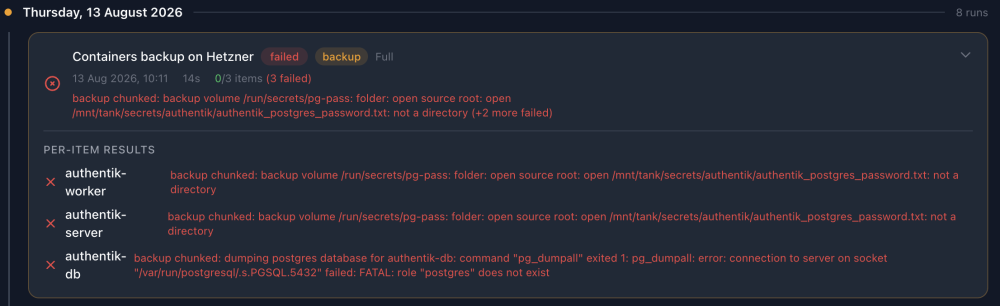
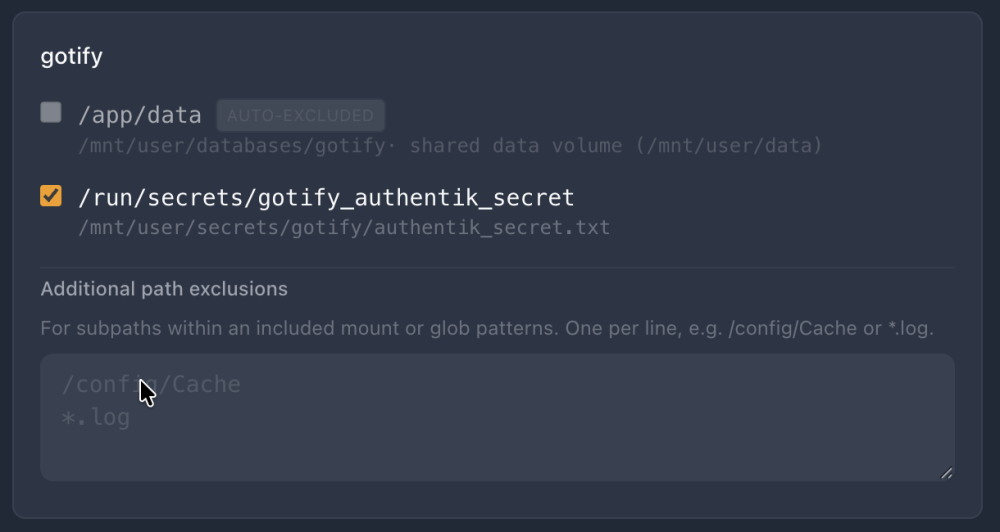
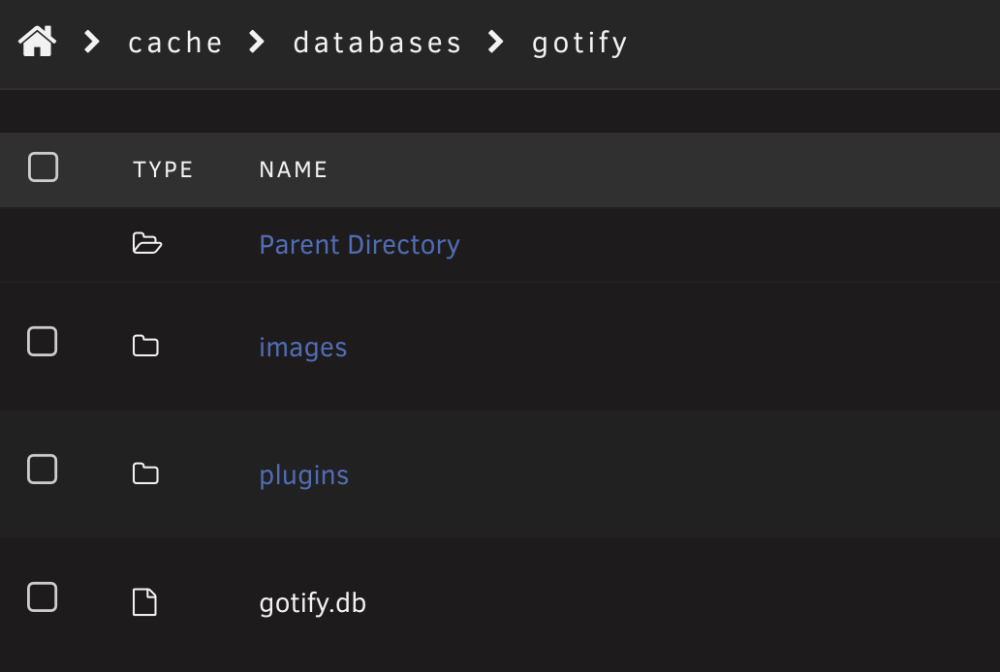
@PanicMechanic007 Thank you so much again for developing such a comprehensive solution. What I love about it is it allows me to manage everything from a single app rather than having different solutions for databases, files, containers, ZFS datasets etc. It's also something I'm hoping my family will be able to manage in my absence. I wish I could contribute to the development with code, but I do not have the skills to unfortunately. I take the opportunity to remind the community we can say thank you to the developer with donations using the sponsor button here: https://github.com/ruaan-deysel After using the app for a while I came across of a few possible improvements: 1 - FEATURE REQUEST - FUTURE JOBS QUEUE When the user triggers multiple actions (start backup jobs, delete backups, etc.) it would be nice to see which are the jobs in the queue. Sometimes I have the feeling the app is not working properly and then I realise it's just that the previous job has not completed yet. The progress of the current backup can already be tracked, but the rest of the jobs is not showing anywhere at the moment. Perhaps the History tab could show future jobs too (backup deletions, backup jobs, restore jobs, etc.)? And allow the user to remove them from the queue if the job has not been triggered yet? 2 - ERROR - DATABASE DUMPS At the moment an error is triggered on Postgres databases if the user is not named 'postgres', if I understand the logs correctly. I guess since this is meant for homelab use perhaps I should just name leave all the usernames as default, but I just wanted to flag it. Screenshot below. 3 - ERROR - SECRETS BACKUP I'm not sure why I get an error when the app tries to backup the bind mount where my secrets files are stored. Again, perhaps this is an overkill for a homlab? 4 - QUESTION - FAILURE TO BACKUP CONTAINERS WITHOUT VOLUMES The app fails to backup containers that do not have volumes or bind mounts. Is this intended behaviour? It would be nice to have those backed up as well so I don't have to worry about backing up compose files separately etc. Or perhaps this is already covered by the boot media backup? 5 - FEATURE REQUEST - RESTORING FILES FROM CONTAINER VOLUMES Would it be possible to restore single files from container volumes and bind mounts, as it already happens for folders? Or is it too much of a hassle for little reward since we could have a separate folders backup job for it? 6 - QUESTION - DATABASES SKIPPED FROM CONTAINER BACKUP When a container's persistent data volume or bind mount contains a database, the app seems to notice it and it automatically excludes it from the backup. I suppose this is intended behaviour since databases are dumped separately. But I cannot see the usual checkbox to enable the database dump here, so I wonder if I stumbled upon a bug? In the example below, the bind mount "app/data" for the Gotify app contains more than just the database, so I'd love to be able to back it up.
-
it seems to be just a Brave issue, it does open for me as well on Safari (macOS, not iOS).
-
Same here. I've found a temp workaround to access it by setting the bind address to a the LAN IP address of the host machine and then I managed to access it via http://hostmachine_ip:port but the links built into the unraid interface no longer work after the latest updates.
-
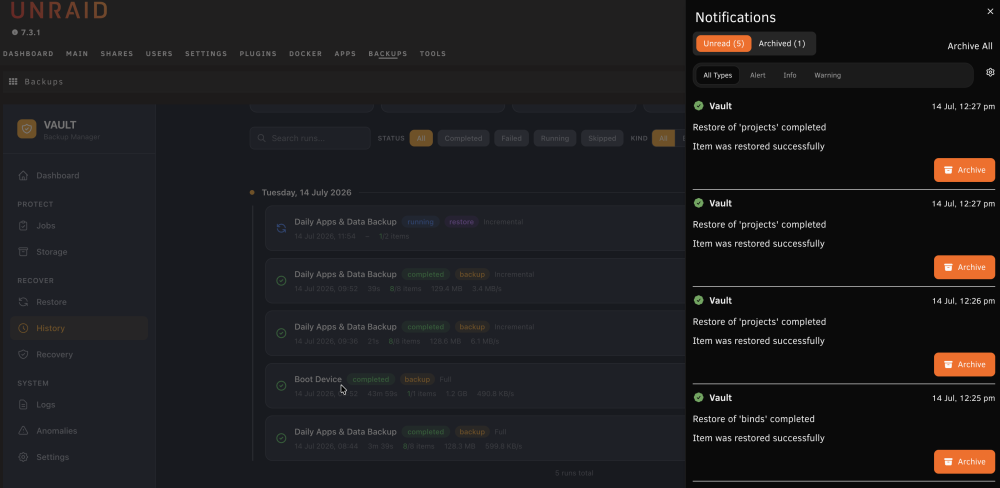
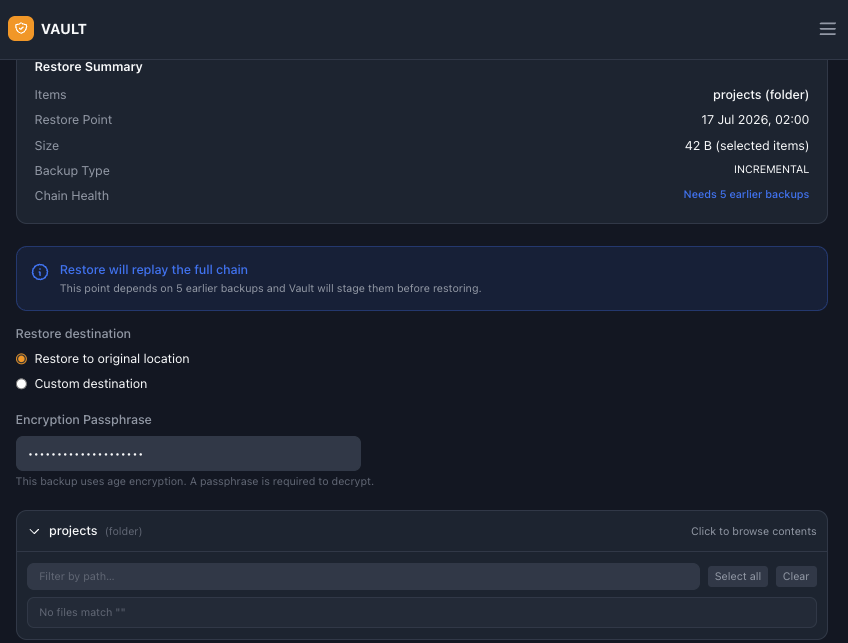
Apologies for the delay in my response. I cannot reproduce the error at this point, but it was caused by the incorrect reinstatement of the vault.db file. Since the update that introduced the "Recover Vault" wizard, this all worked perfectly. Thank you for making it so clear and easy going forward. I must flag another couple potential bugs I've found while restoring a few folders: Vault is triggering multiple "restore complete" notifications for the same folder, some of which the restoration job is actually completed. I can provide diagnostics in private if necessary. Attaching a screenshot here. Some (not all) of my restoration points are not allowing me to browse and restore specific files.
-
This sounds great, thank you so much. I managed to restore the database manually in the end (I needed to restore it on another path), but I'm now getting a couple of errors that don't allow me to restore the data. Since you are working on it, I'll just wait for the new version that will certainly work.
-
Thank you for creating and maintaining this wonderful plugin. I still can't believe this has so much great functionality. This is likely just me being a newbie, but I'm testing a disaster recovery scenario and I'm struggling with it. I reinstalled Unraid from scratch and creative different arrays and user shares, so restoration paths will be different from the original backups. As a first step, I installed the Vault Backup Manager plugin. As a second step, I need to restore the Vault Backup Manager database. But how can this be done exactly? I tried manually replacing the vault.db file on the boot media and that doesn't seem to work.




