





Dazzler
Members
-
Joined
-
Last visited
-
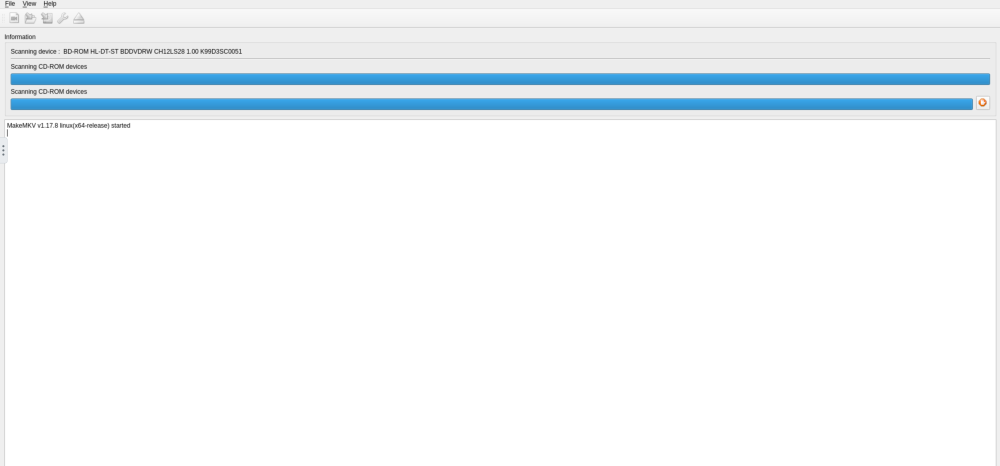
This is where it's stuck now.
-
What's the best way to diagnose issues with an install? Despite my best efforts I still can't get this one to work. I've tried literally everything and no dice. ie. passing drives to the containers; changing PUID and PGID; literally everything I can find online.
-
I'm having this exact issue. I originally tried using the binhex install but gave up in frustration. AI was particularly useless and eventually I crashed the container, it threw errors every time I tried to rebuild it so I gave up on it. Now I'm using the djoss build but again, running into issues and I'm lost about what to do. I have a BR drive that works under Linux but using it in a Docker container it's not co-operating at all.
-
Well, a strange thing happened. I left the server alone for a few days- just got too busy with work. I plugged the USB into its USB port, fire it up- and now it shows up exactly as normal. The same IP address and everything, even though I'd deleted the config files. I can't work out what happened but at least it's on my network and responding. Now I'm trying to deploy my first Docker container and I'm not having an awful lot of success but that's another thread topic I suspect. Thanks to everyone :)
-
bigtower-diagnostics-20260920-0639.zip
-
Howdy threaders, got a small issue here and I'm unsure how to proceed. I've built a brand-new Unraid box, booted into it from a USB stick and managed to connect to it from my main PC. I've set up my 2 HDD, one as parity drive and the other will be a storage drive. It got to a bit over 7 percent setting up the array when the system stopped its progress. I waited fifteen minutes, it didn't move at all so I rebooted it. And now I can't get back into it. I can see it on the network, I have its IP address and I can ping it from my main PC. But Firefox refuses to connect to it. The IP address is correct and the server is actually running (I have a spare monitor connected to it). I'm not sure how to fix this. I've tried deleting the network configs from the USB stick but that has not helped and now I'm out of ideas. I'm sure I'm not the only one that's had this issue. Many thanks :)
-
Howdy threaders, first post and a bit of a curly one. I'm getting components together for my first Unraid box and I'm having a little bit of trouble selecting an appropriate SSD drive. At first I chose a Team MP44L 500gb SSD- seems to be a decent choice, well-regarded, not too expensive etc.- and then I'm getting some commentary saying I should stay away from it as it's a DRAM-less drive and I'm going to suffer a performance penalty, it'll choke your network, it will fail early from wearing out etc. But it's roughly double the price for an SSD with DRAM. I won't be doing anything too serious with this server- just ripping maybe 100 Blu ray discs, installing some dockers, running a NAS for the kids and a few other simple things. Is it worth it to buy a drive with DRAM or will it not really make a difference? Many thanks
