dertbv
Members
-
Joined
-
Last visited
-
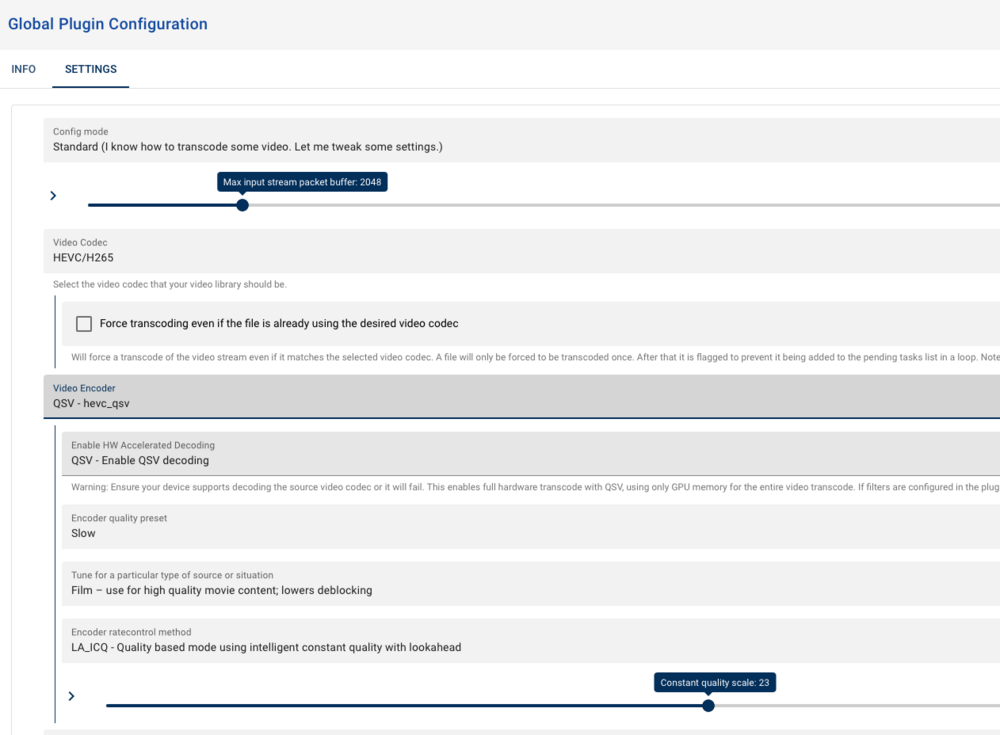
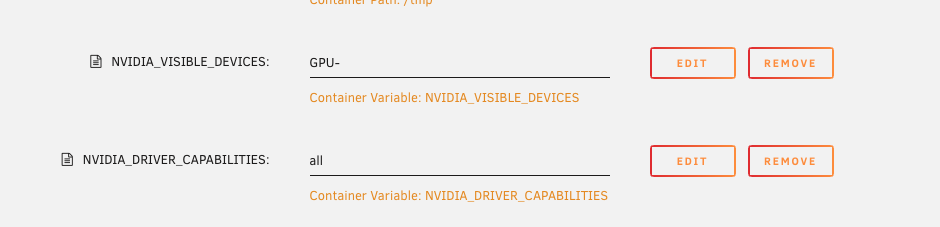
Ok i have figured it out. There is a plugin named "Transcode Video Files" You are able to chose intel or nvidia. I have tested both and they are working. Extra Parameters "--runtime=nvidia --device /dev/dri:/dev/dri/" Add variables NVIDIA_VISIBLE_DEVICES: Your GPU ID and Variable NVIDIA_DRIVER_CAPABILITIES: all.

-
Running 7.02 beta.. Looking for the same thing. Can transcode with plex. It appears that unmanic is using the cpu/video when it is active. If i disable the internal GPU i can get unmanic to use the 310Arc that i have.
-
I am just starting to play with this but it looks like --device /dev/dri/renderD128 Might work.. not --device /dev/dri/renderD128:/dev/dri/renderD128
-
Removed the Disk Location plugin and still not showing the dashboard in Safari on my mac. Chrome is showing the dashboard and all drives are spun up. but really prefer safari. So any help would be appreciated. tower2-diagnostics-20231208-1948.zip
-
Yes it kept giving me the errors above. It cleared its self after a few hours. Upgraded without further issues.
-
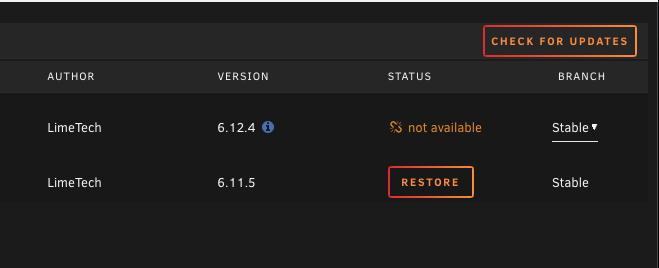
Currently running 6.12.4 trying to update to 6.12.6 however i am showing the broken link signal with not available. all other plugins are updating correctly. Update assistant gives the you are ready to update. Any pointers on how to correct this? tower2-diagnostics-20231203-0848.zip
-
Updated the cache drive to ZFS and now my dockers are downloaded extremely slow. Everything else seems to be running good except CPU usage has climbed. I have attached a diagram hoping someone can tell me where i messed up.. Dockers don't show that they have been updated tower2-diagnostics-20231116-1738.zip
-
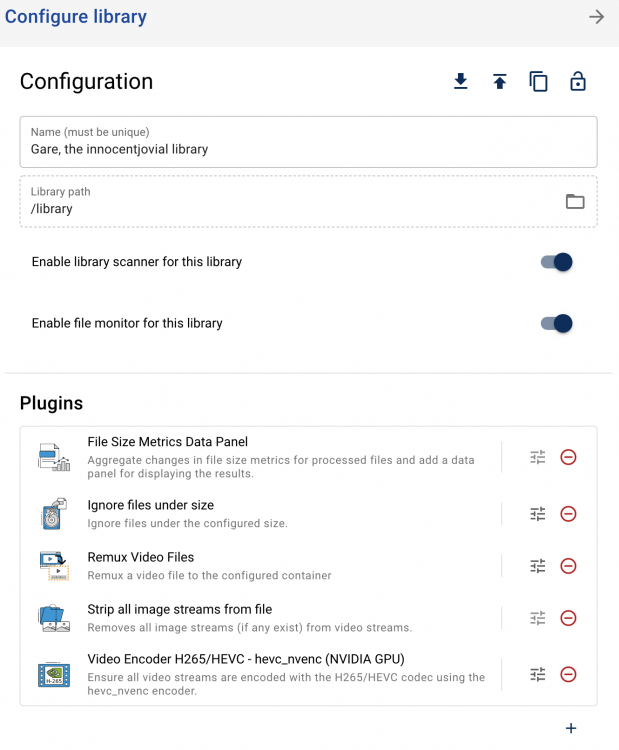
i had a similar issue with the latest release. there are a couple of new steps that have to be done. What i did was to remove the container and then delete the folder in the app directory. This will allow you to reinstall with all of your container settings. once installed go the unmainac webpage and go to settings. In the libraries directory you need to edit the library to turn on the scanning options, and then reinstall your plugins in the LIBRARY Configuration page.
-
Just installed the latest version. Version: 0.2.0~a3bd45a. Changed the settings to scan libraries I only have one that is nested. It starts to scan and does about 20 files then says it is complete. I know there are files that have not been processed but not finding them through scanning . Resolved.. I had to remove the unmanic folder from the app directory and configure from scratch..
-
for d-----s I will manually copy the files back to the cache drive. However i have changed the exist on share back and forth for the T....'s it does not matter either way. the files are not moving off the cache drive. I am in the process of manually moving them and will let it run for 24 hours to see if the next batch get moved correctly.
-
i have about 50gig of tv shows that have not moved over. it looks like it stopped working about a month ago. I have checked and the files are on the cache drive and not in the storage drive.
-
It looks like it has not been running for a while any hints to what might be wrong? tower2-diagnostics-20211105-1744.zip
-
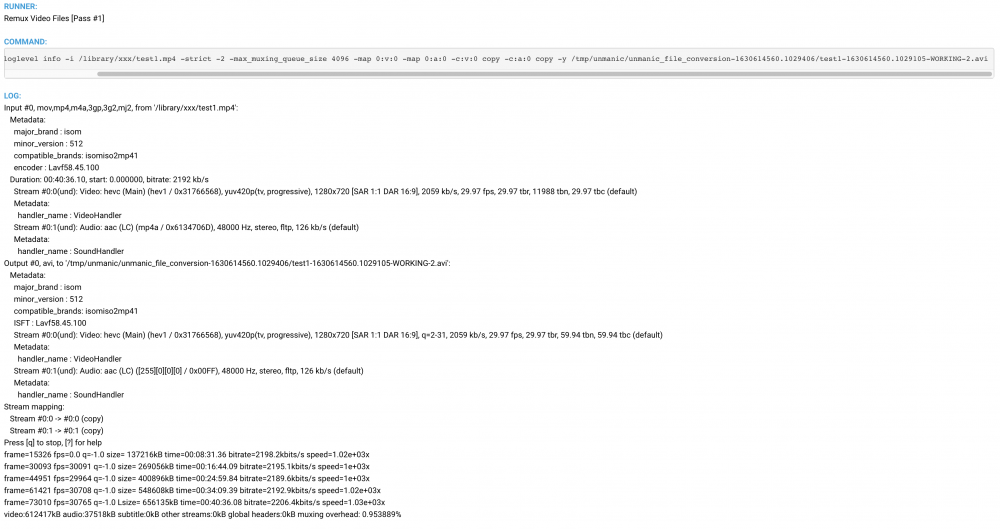
I have the remux plugin installed however it is not changing the file name 2021-09-02T16:19:40:INFO:Unmanic.TaskHandler - [FORMATTED] - Adding inotify job to queue - /library/xxx/test.mp4 2021-09-02T16:19:41:INFO:Unmanic.Foreman - [FORMATTED] - Processing item - /library/xxx/test.mp4 2021-09-02T16:19:41:INFO:Unmanic.Worker-W1 - [FORMATTED] - Picked up job - /library/xxx/test.mp4 2021-09-02T16:19:45:INFO:Unmanic.Worker-W1 - [FORMATTED] - Successfully ran worker process 'video_remuxer' on file '/library/xxx/test.mp4' 2021-09-02T16:19:45:INFO:Unmanic.Worker-W1 - [FORMATTED] - Successfully converted file '/library/xxx/test.mp4' 2021-09-02T16:19:45:INFO:Unmanic.Worker-W1 - [FORMATTED] - Moving final cache file from '/library/xxx/test.mp4' to '/library/xxx/test-1630613985.7216587.mp4' 2021-09-02T16:19:45:INFO:Unmanic.EventProcessor - [FORMATTED] - MOVED_TO event detected: - /library/xxx/test.mp4 2021-09-02T16:19:45:INFO:Unmanic.Worker-W1 - [FORMATTED] - Finished job - /library/xxx/test.mp4 2021-09-02T16:19:45:ERROR:Unmanic.FileTest - [FORMATTED] - Exception while carrying out plugin runner on library management file test 'ignore_under_size' - [Errno 2] No such file or directory: '/library/xxx/test.mp4' Traceback (most recent call last): File "/usr/local/lib/python3.8/dist-packages/unmanic/libs/filetest.py", line 135, in should_file_be_added_to_task_list plugin_runner(data) File "/config/.unmanic/plugins/ignore_under_size/plugin.py", line 67, in on_library_management_file_test if check_file_size_under_max_file_size(data.get('path'), minimum_file_size): File "/config/.unmanic/plugins/ignore_under_size/plugin.py", line 45, in check_file_size_under_max_file_size file_stats = os.stat(os.path.join(path)) FileNotFoundError: [Errno 2] No such file or directory: '/library/xxx/test.mp4' 2021-09-02T16:19:46:INFO:Unmanic.PostProcessor - [FORMATTED] - Post-processing task - /library/xxx/test.mp4 2021-09-02T16:19:46:INFO:Unmanic.PostProcessor - [FORMATTED] - Copying file /library/xxx/test-1630613985.7216587.mp4 --> /library/xxx/test.mp4 2021-09-02T16:19:54:INFO:Unmanic.EventProcessor - [FORMATTED] - CLOSE_WRITE event detected: - /library/xxx/test.mp4 2021-09-02T16:19:54:INFO:Unmanic.TaskHandler - [FORMATTED] - Skipping inotify job already in the queue - /library/xxx/test.mp4 Side not since this is copying the file with a new name rather than over writing it. It runs over and over creating copy after copy.
-
I love the new look and the way the plugins are working. I have run into a problem where i chose the output format on h254 nvidia plugin. I am not seeing a way to make it default to mkv files. I have a few mp4 files that it appears to work on but they are still mp4 when completed. A nice have would to be able to unpause all workers at the same time rather than doing them one at a time.
-
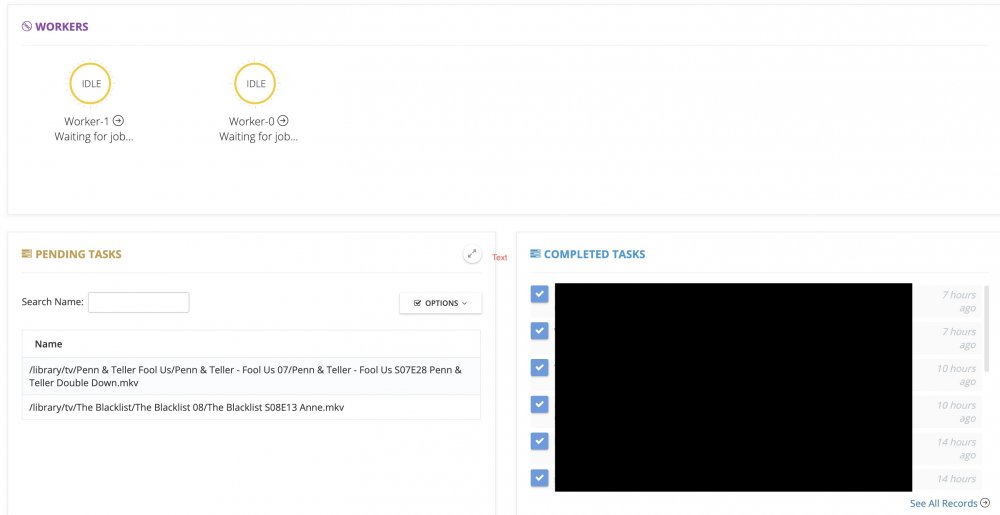
Has anyone had an issue where unmanicis running correctly for a short period of time and then it stops processing files. It shows them in the queue to be processed but it is just not grabbing them. If i restart the container it will process them again for a little while and then stop again at some point?