





j0nnymoe
Members
-
Joined
-
Last visited
-
Good spot - we'll look into it. Side note, why plex think it's a good idea to use the TMPDIR for stuff that they know is going to use a large amount of space rather than the user configurable path (like transcoding etc) is an absolute mystery. We could move it back to the default /tmp but the same thing will happen unless users have mounted /tmp to tmpfs (but that will then break read-only and non-root operation) Worth adding too, while whatever fix we put in place, you're still going to need storage somewhere & it won't fix the fact that plex is creating these large files which then sometimes don't get removed when finished with.
-
This needs to be reported to Plex. We do not have control where plex dumps it's temp files for credit detections/sonic analysis.
-
No we aren't supporting our old image either. https://info.linuxserver.io/issues/2022-02-24-kodi-headless/ As per this link I posted: Also as you had already noticed, the message about this in the container logs.
-
This thread is for us supporting our image, not the container you linked.
-
We stopped supporting this container 3 years ago: https://info.linuxserver.io/issues/2022-02-24-kodi-headless/ And the fact we don't offer template for this to CA anymore and you've managed to pull it is impressive. This one listed isn't ours.
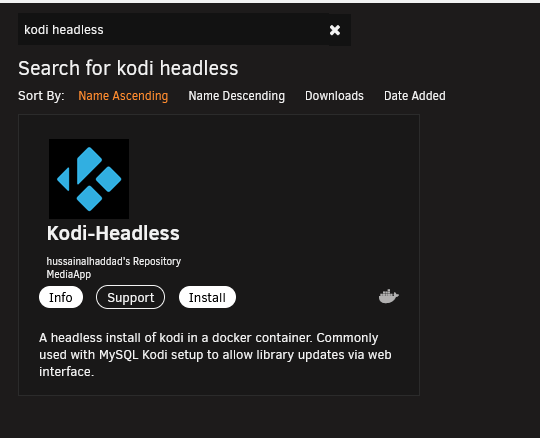
-
We've had a report of this before, it's likely the Sonic Analysis dumping files in `/run/plex-temp/` and not deleting them. Really plex should be dumping this in your tmp folder/memory and at least deleting them when done.
-
"MySQL server has gone away in /config/www/nextcloud/lib/private/DB/Connection.php:87" You need to investigate your MariaDB/MySQL Container as the problem lies there, not with nextcloud.
-
Check both container logs and your plex logs within your appdata.
-
That's saying it's unable to connect to your mariadb instance. So re-check your mariadb container is working correctly.
-
If you search back through this post or the mariadb thread, you'll see solutions to fix it.
-
This has already been heavily discussed with solutions in previous posts of this thread.
-
Because it's not in the nextcloud container, it's in the mariadb container.
-
Just to make it clear, if anyone is having issues with the update to the latest version of mariadb. It's due to your database corrupting as your previous container wasn't shutdown cleanly (Something using during an update / automatic updates killing the container early). To recover your database, do the following with -all- containers that use mariadb off: Try the `linuxserver/mariadb:version-110.4.21mariabionic` tag, let everything start up, check the logs to make sure it's all clean, then do `docker exec nextclouddb s6-svc -d /var/run/s6/services/mariadb/` (assuming your container is called nexclouddb, otherwise adjust that appropriately). Wait ~30 seconds and then stop the container and update to latest. If this doesn't work, you will need to restore a working backup.
-
Rolling back to an older image doesn't mean it's a "fix". You shouldn't have your database containers on auto update. Having a database update while it's beening accessed by X application (in this case nextcloud) is just asking for trouble and likely going to cause corruption or data loss.
-
Less so benefits for unraid users (x86_64) but better for our armhf / aarch64 users as mariadb don't release up to date versions for those platforms on ubuntu base.



