





socbutter
Members
-
Joined
-
Last visited
Everything posted by socbutter
-
I am getting the information help/info view in the main tab of unraid. Please help me turn the help/info view off. thank you
-
Is this the right place to get help with LinuxServer.io Sabnzbd? I've sign on to discord, but dont know how to get to the right place and provide a compose(?) I've checked Radarr and Sonarr and they have the correct api key from Sabnzbd. Also ip "192.168.0.119" is windows desktop. So I stopped all apps then just started Sabnzbd and the warning kept coming from my desktop. Click this link to see Sabnzbd warnings Thank you! titan-diagnostics-20221224-1352.zip
-
NVM your solution is the way to go. thank you !
-
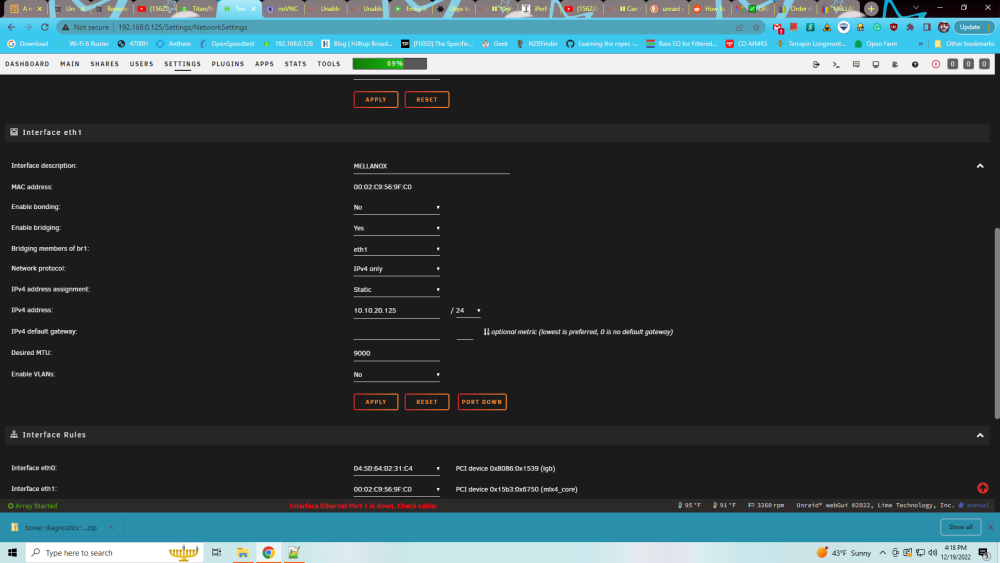
Thank you, your suggestion and editing of the network-rules.cfg (NAME="eth0" and NAME="eth1") enable me to boot TITAN and made the 10Gbe NIC operative. I still have a problem with server TOWER, message displayed is " Interface Ethernet Port 1 is down. Check Cable" Cables are attached to the NICS. the 10Gbe NIC is inoperative the Should I do the same as above??
-
I built a New UNRAID server with 10Gbe NIC (SAS9207-8i in IT Mode) and added another 10Gbe NIC (SAS9207-8i in IT Mode) to the Old server. I transferred via rsync (rsync -avh "/mnt/remotes/10.10.20.125_Films/" "/mnt/user/data/media/movies") for 48 hours (server cpu, mobo got hot). I checked before heading to bed noticed both 10Gbe NICs were down. Tried rebooting with both NICs were still down after the reboot. then I did something stupid I then changed the adapter setting for eth1 (10Gbe NIC) to eth0 so UNRAID uses it in the new server. Left old server unchanged. Rebooted UNRAID successfully but I am unable to access the NEW server GUI, via Chrome, from my windows PC ( PC does not have a 10Gbe NIC)! I am on the command line in the new server but I don't know what to do. I ran "DIAGNOSTICS FROM THE COMMAND LINE" unfortunately after rebooting. Please, I need help accessing my new server and resolving the 10Gbe NIC down issue on both servers. titan-diagnostics-20221219-1047.zip


