





socbutter
Members
-
Joined
-
Last visited
Everything posted by socbutter
-
I helped myself by following Spaceinvader One tutorial of Krusader.
-
Anyone that can help me???
-
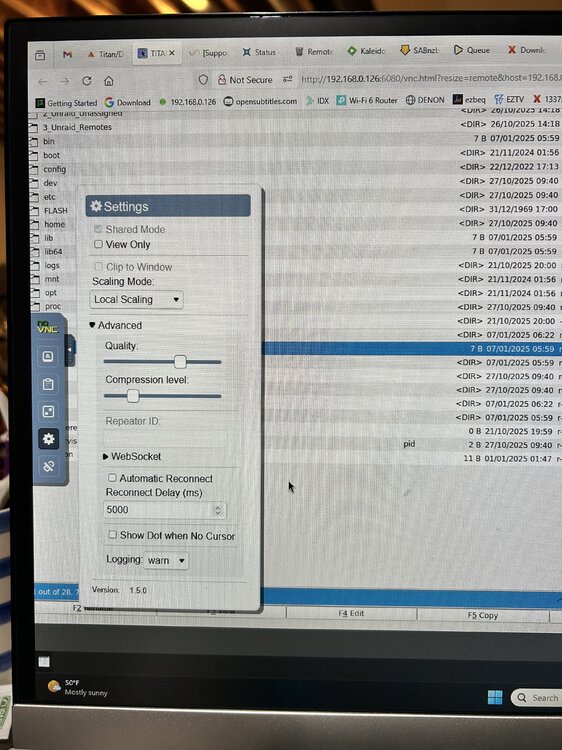
I am getting an error in the log file and the effect (I think) is a non-existent header: Any help would be appreciated, thank you. command execution krusader.txt supervisord.log
-
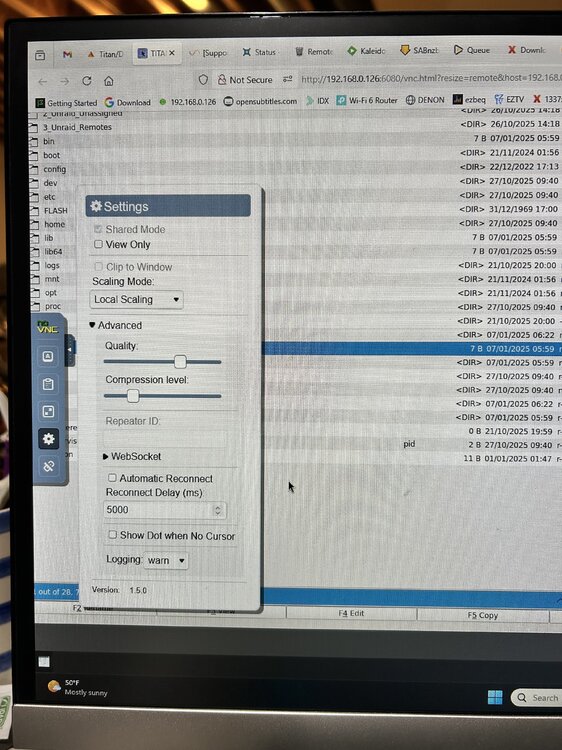
Can not find Server side scaling
-
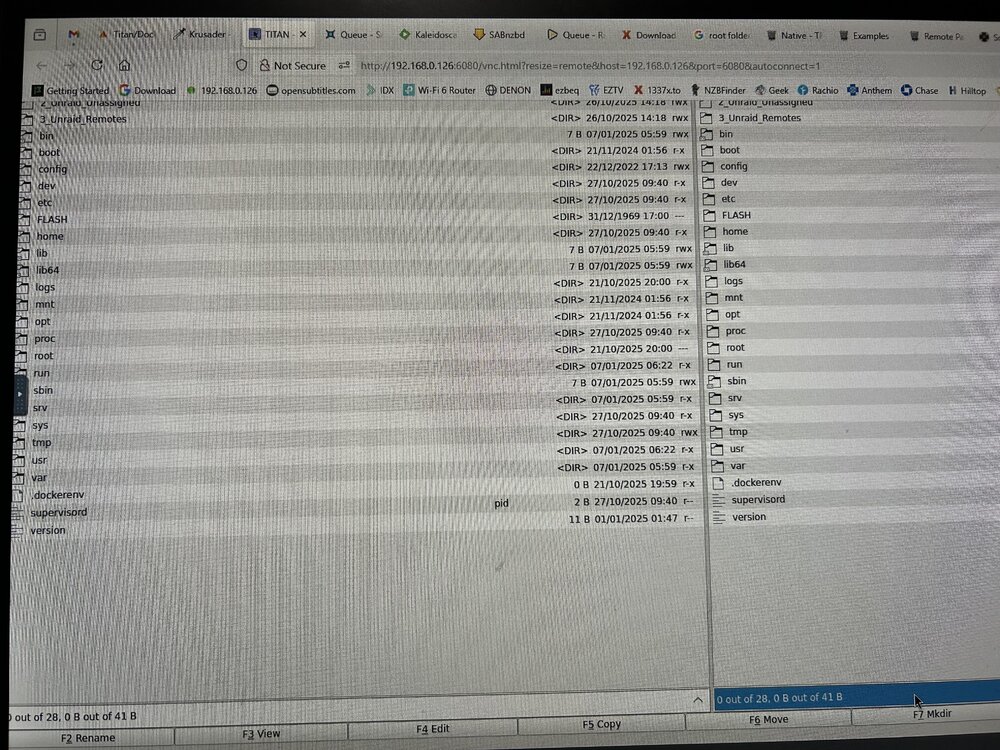
How do I get the header back?
-
Thank you for taking the time to help me. I tried binhex-delugevpn and posted on their forum had similar problem Preferences values were not persistent, returned to default values. Plugins were none existent even after adding them manually. Radarr, Sonarr and Sabnzb are working. Thanks again!
-
I tried all the following Private Internet Access VPN Endpoints with Port Forwarding without success. I first stopped the container and modify the wg0.conf file, start container and click webgui. Just timed out. Upon editing wg0.conf the endpoints were modified to append the port number, e.g., Endpoint = ca-ontario.privacy.network:1337 CA Vancouver ca-vancouver.privacy.network CA Montreal ca-montreal.privacy.network CA Ontario Streaming Optimized ca-ontario-so.privacy.network CA Toronto ca-toronto.privacy.network CA Ontario ca-ontario.privacy.network Do I manually set up port forwarding port triggering in my router?
-
My UNRAID ip is 192.168.0.126 My desktop ip is 192.168.0.105 Is this what you ask?
-
The connection has timed outThe server at 192.168.0.126 is taking too long to respond.
-
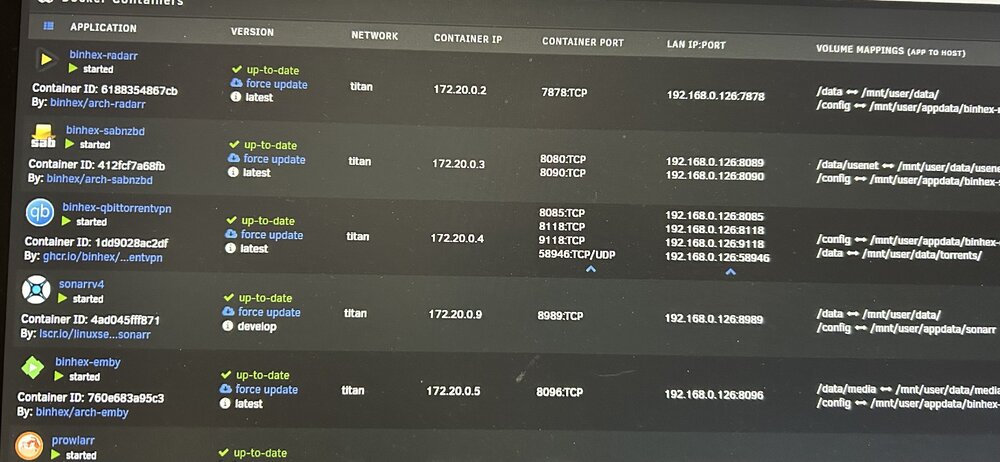
Please review the updated files. supervisord.log Command_execution.txt
-
Unable to connectFirefox can’t establish a connection to the server at 192.168.0.126:8085. I followed the instructions in 4th question of the qBittorrentVPN Docker FAQ Please help! Command_execution.txt supervisord.log
-
I tried Firefox in private mode. Same result. Perhaps it's time to try something else. qBittorrent? Thank you for your help,
-
Still not displaying plugins in preferences after restart. I learned a lot from this exercise.
-
Please don't assume I know this stuff. How do I Navigate to the appdata folder. In terminal? cd /mnt/user/appdata root@Titan:/mnt/cache/appdata# cd /mnt/user/appdata/binhex-delugevpn root@Titan:/mnt/user/appdata/binhex-delugevpn# chmod 0777 core.conf root@Titan:/mnt/user/appdata/binhex-delugevpn#
-
Having a problem changing the permissions on the core.conf. Using notepad++ can't read the file. On the Security tab, no Edit button exist. I am the Administrator. I ran in UNRAID -- Tools--New Permissions on appdata that worked. But core.conf already had "enabled_plugins": [ "Extractor", "Blocklist", "Label" ], None displayed in plugins After restarting. core.conf
-
I am following AlienTech42 Updated! 2025 DelugeVPN: Get It Installed and Setup in Unraid video The plugins are missing, no check box, just a blank screen. My python version is 3.11.13, so I chose ExtractorPlus-1.7.0-py3.11.egg to add manually to \appdata\binhex-delugevpn\plugins . The other files in the folder are [object FileList], deluge-mover.py . None show up in the Preferences -- plugins. After completing all Preferences and applying them, I restarted DelugeVPN and all entries were reset to their default value. Where is the Label plugin? Any help will be appreciated, Thank you. Command_execution.txt supervisord.log
-
I forgot my web-gui password to binhex - DelugeVPN. I tried the following without success. I did not try the command-line since I don't know what I'm doing. Any suggestion would be appreciated.
-
Well it happened again. Could not sign-on via the interface so I hard booted again. syslog attached. titan-syslog-20231104-1534.zip
-
On my current PC I can now sign in using the IP address " \\192.168.0.126" I'll see about adding the syslog
-
Just started happening this week. I keep losing connection to the server via the web-gui. My dockers are running properly. Just can not sign on via name, \\TITAN, or ip address, \\192.168.0.126, to the server. On my win 10 PC I can not access the server shares via File Explorer and entering the ip address \\192.168.0.126. I tried everything mentioned in this post without satisfaction. I can reboot and sign-in again by shutting down via Power Button. I'll post a diagnostic file after cycling the server. titan-diagnostics-20230929-1539.zip
-
Thank you, I will go there and post my help/problem. Meanwhile I'll look in to the data paths mismatch in Sonarr and Sabnzb.
-
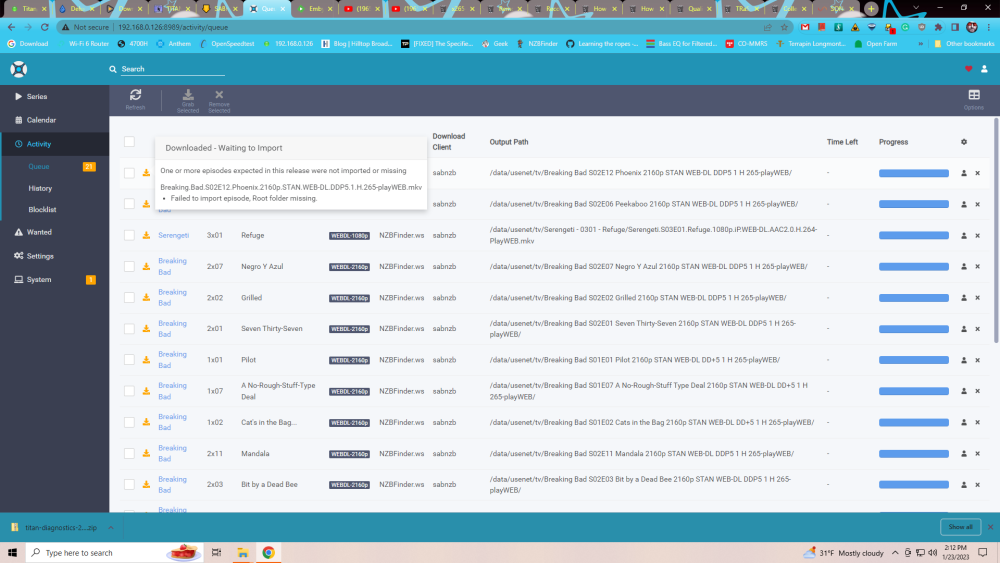
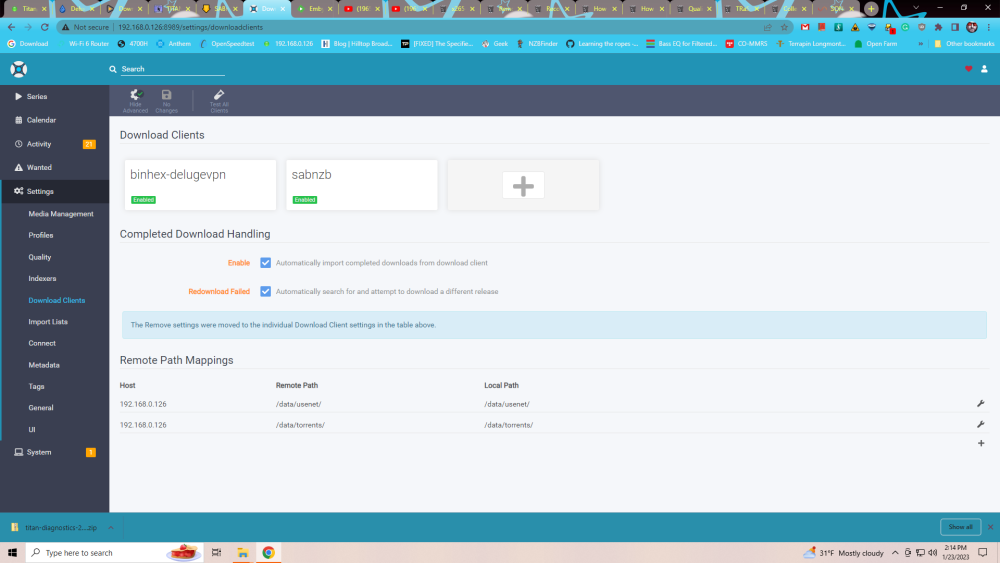
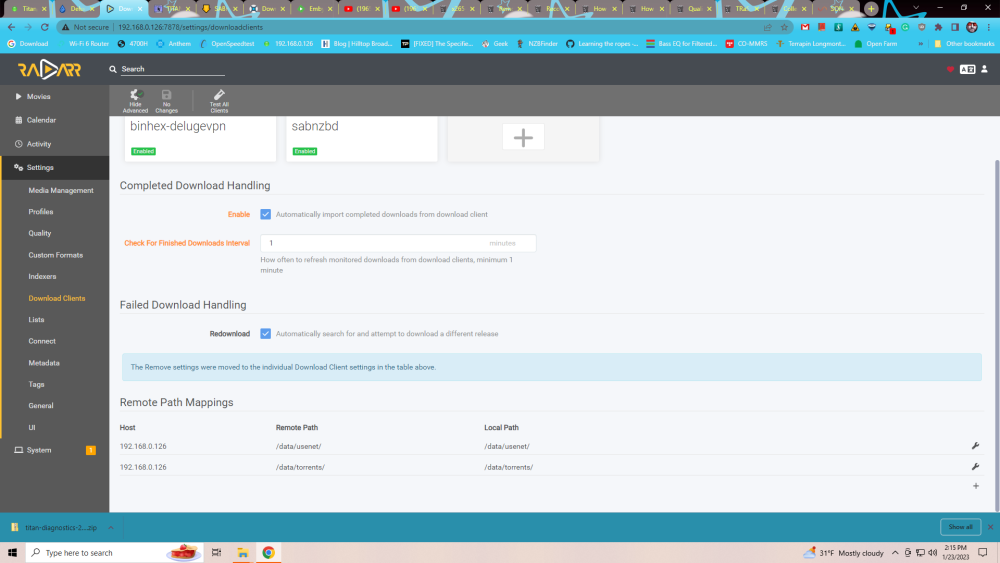
I thinking I need to setup remote mappings in sonarr!? Radarr--->Settings-->Media Management--> Root Paths are "/data/media/movies and /data" Radarr-->Settings-->Download Clients-->Root Paths are Host Remote Path Local Path 192.168.0.126 /data/usenet/ /data/usenet/ 192.168.0.126 /data/torrents/ /data/torrents/ Sonarr--->Settings-->Media Management--> Root Paths are "/data/media/tv and /data" Sonarr-->Settings-->Download Clients-->Root Paths are Host Remote Path Local Path 192.168.0.126 /data/usenet/ /data/usenet/ 192.168.0.126 /data/torrents/ /data/torrents/
-
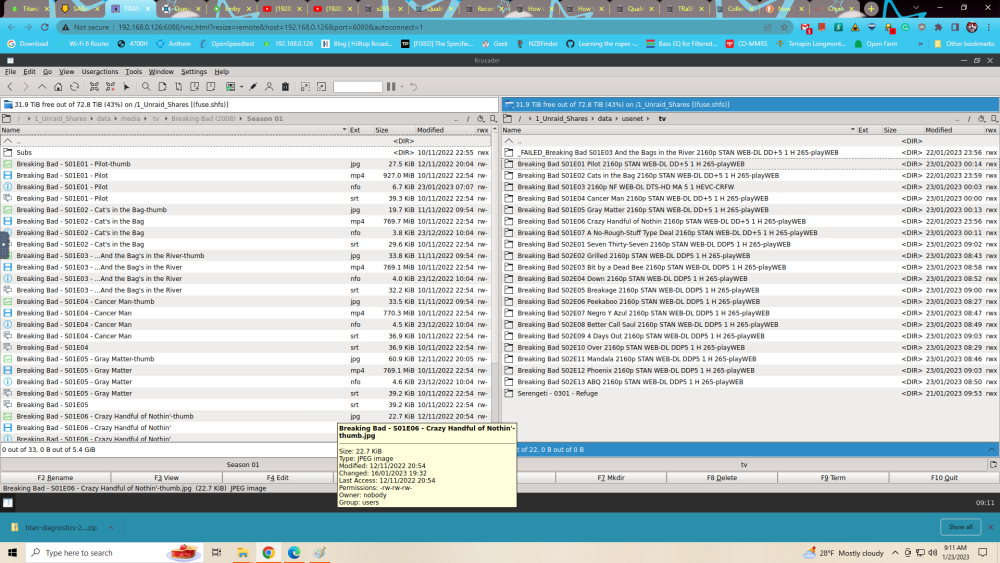
I recently migrated my Unraid installation to a new server based on TRaSH's Guide. Movies are being downloaded and moved to the array, but not TV series. Any help would be appreciated. Thank you titan-diagnostics-20230123-0901.zip
-
rofl. Had to be something this simple. thank you
-
Sabnzb warning API key incorrect I've checked and cant figure how my desktop (192.168.0.119) has anything to do with SABNZB. Just a warning and app is working. Please any help would be appreciated titan-diagnostics-20221231-1441.zip


