majorspawn
Members
-
Joined
-
Last visited
Everything posted by majorspawn
-
noted and will delete the redundant cfg files, again thanks very much for the help.
-
I changed it to "1838655" can write to the share now, after I changed it, it automatically changed the value in the box to "1,8GB" no longer a percentage expression very weird. I've done that to all the shares now. I think we can call this resolved other that a potential bug, providing its back to write state I am ok. Again, thanks very much for you chiming in and the assist.
-
thanks so much for the help so far this has been doing my OCD mind in for months now, so is it ok just to update that filed from 10% to 48838655 for example? is that expressed in kb? BTW across all my shares this is set to 10%, i never changed this might bean inherent oddity with this version of unraid?
-
Where about is this setting? in the share settings on both shares its set to 10% and all disks included,
-
done
-
attached logs tower-diagnostics-20250112-2321.zip
-
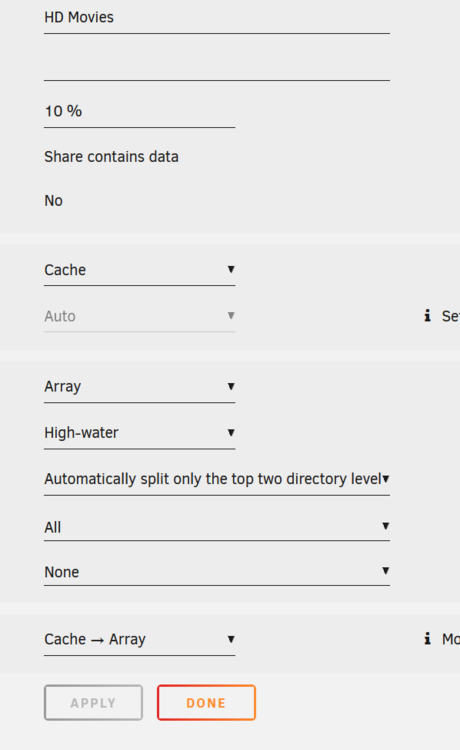
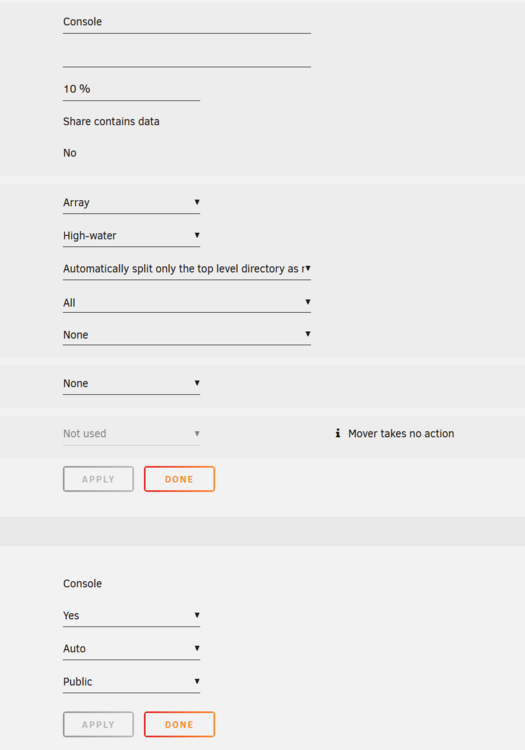
Hi All, Been using unraid for many years, on version 6.12.3 currently. Stable. I have a few shares setup know my space is getting low however lets compare the 2 shares setup here "HD Movies" and "Consoles" pictures attached. The only difference I see between these 2 share settings is that HD movies writes to cache first and console writes to array directly. When I write to console share I get an error that I have no space left, I do not get the same error when writing to the HD Movies share. Settings attached. Any ideas? or leads? Thanks in advance