





faulksy
Members
-
Joined
-
Last visited
Everything posted by faulksy
-
It worked for me. Removed "--stats 9999m" and used "-P", "-vvv" did not work for me. Thank you
-
Thank you both. I'm used to the older upload script where I could see the progress. I will disable the scheduling. I really appreciate the help
-
It goes to add things and then deletes
-
Just a typo here. My upload script is ok. I'm not knowledgeable enough so I have to keep things simple
-
Video files ranging from 2-8gb size. After Kalzac helped me delete the checker file I manually ran the script. log was Scheduled hourly script occurred and same issue No files uploaded at all in that time. 4 media folders were created in mount_rclone but no files. Storage used on my gdrive hasn't changed since last night
-
It seemed to get going again but same error in log again. I have the script to run hourly which is the 1st and 3rd events. 4 new empty folders were added to mount_rclone, no files.
-
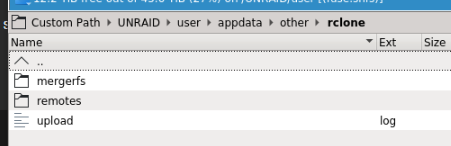
mergerfs: empty remotes/gdrive_vsf: "dockers_started" and "upload_running_daily_upload"
-
Am I in the right place 😐 There doesn't seem to be anything here
-
Big thank you for all the hard work into this container and the scripts. Posts here have helped me a lot understand and resolve issues I have had previously on mount_unionfs and mount_mergerfs. Last night I got mount_mergerfs up and running 5 folders/files uploaded successfully to mount_rclone. There is a couple hundred gb waiting in the local mount. A further 5 but empty folders uploaded but keep receiving this in the upload log. I did a couple of shutdowns last night and not sure if this error is a result of any unclean shutdowns. I have a stock upload scripts besides changing RcloneUploadRemoteName="gdrive_vfs" to match the RcloneRemoteName What should I be doing to fix it? Thanks
-
Anyone having issues with the Sonarr container after the latest docker update? Updated the docker and it installed as an orphan docker. Have had no luck fixing it so far. Have tried the following: Deleted orphan docker. Container reinstall Deleted orphan docker and appdata folder. Container reinstall Delete and created a new docker image. Container reinstall In the last couple of days I also upgraded plugin Unraid OS 6.1.9 I have had no issues with any other container. While watching the containers install progress there is a warning: "Warning: mkdir(): File exists in /usr/local/emhttp/plugins/dynamix.docker.manager/include/CreateDocker.php on line 23" EDIT: I'm back in. Hope this helps someone in the future Noticed a Dynamix webGui update. After updating the reinstall of Sonarr worked ok. Still get the above warning but everything appears to be working ok
