





hayleraid
Members
-
Joined
-
Last visited
Everything posted by hayleraid
-
My main reason to log into my server is to check docker updates. I do this about twice a week. Would there be any possibility of adding "update checking" and "updating of dockers"?
-
not just me then. Same issues, fixes with reboot but doesn't last long before playing up again.
-
You Sir are a wonderful person! Changed my folder to one string name and followed your instructions. Working fine. Thank you.
-
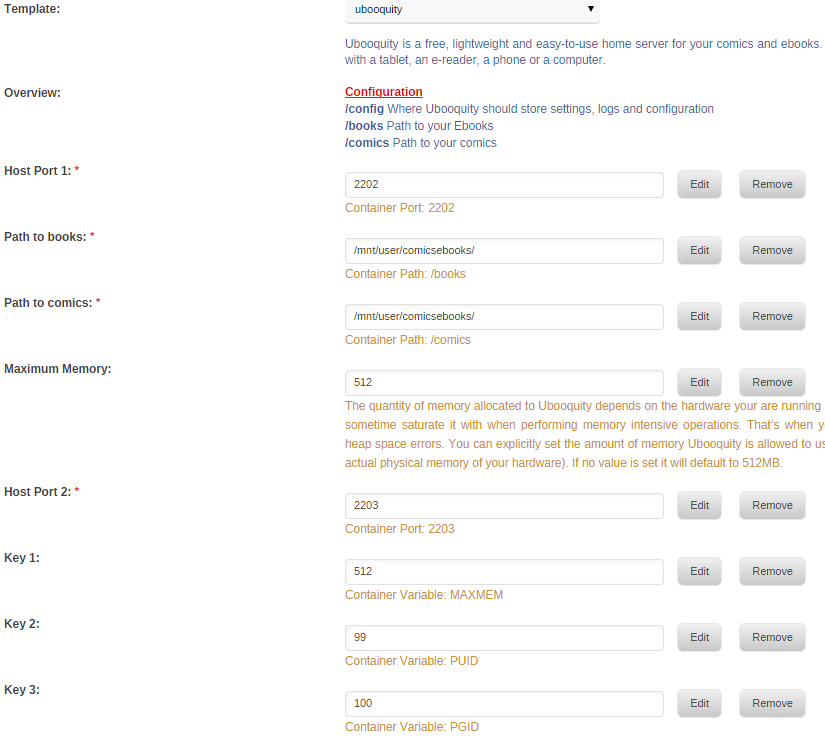
I've deleted the old Ubooquity folder, installed from the 'linuxserverio' default template. I've added a screen grab of the books and comics folders I'm pointing at. Not had trouble installing a docker in years...Am I missing something?
-
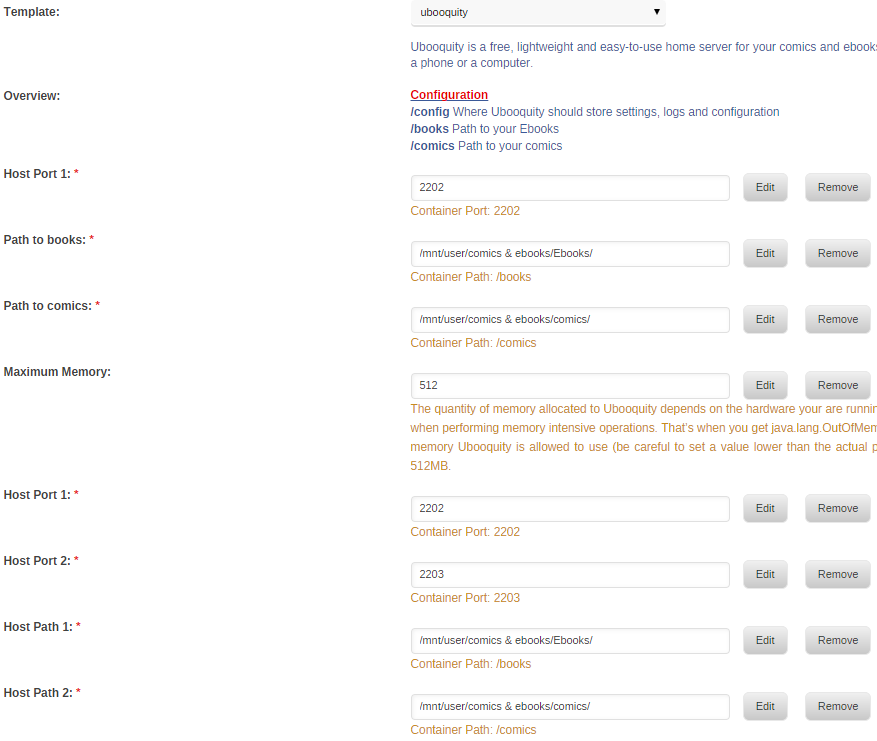
starting fresh, pointed to ebooks and comics folders but getting the following error and an orphaned docker. I'm using Unraid 6.3.5 Warning: SimpleXMLElement::addChild(): unterminated entity reference EBooks/ in /usr/local/emhttp/plugins/dynamix.docker.manager/include/CreateDocker.php on line 211 Warning: SimpleXMLElement::addChild(): unterminated entity reference EBooks/comics/ in /usr/local/emhttp/plugins/dynamix.docker.manager/include/CreateDocker.php on line 211 Warning: SimpleXMLElement::addChild(): unterminated entity reference EBooks/ in /usr/local/emhttp/plugins/dynamix.docker.manager/include/CreateDocker.php on line 211 Warning: SimpleXMLElement::addChild(): unterminated entity reference EBooks/comics/ in /usr/local/emhttp/plugins/dynamix.docker.manager/include/CreateDocker.php on line 211 Docker output: root@localhost:# /usr/local/emhttp/plugins/dynamix.docker.manager/scripts/docker run -d --name="ubooquity" --net="bridge" -e TZ="Europe/London" -e HOST_OS="unRAID" -e "MAXMEM"="512" -e "MAXMEM"="512" -e "PUID"="99" -e "PGID"="100" -e "PUID"="99" -e "PGID"="100" -p 2202:2202/tcp -p 2202:2202/tcp -p 2203:2203/tcp -v "":"/books":ro -v "":"/comics":ro -v "":"/books":ro -v "":"/comics":ro -v "/mnt/user/appdata/ubooquity":"/config":rw -v "/mnt/user/appdata/ubooquity":"/config":rw linuxserver/ubooquity /usr/bin/docker: Error response from daemon: Invalid volume spec ":/books:ro": Invalid volume specification: ':/books:ro'. Tried different folders, safe naming conventions, updating OS to 6.3.5 but no luck. Had it working fine with old versions. Any ideas guys?
-
Updated to v2.1 July 2017
-
Thought I was going mad after having days of trying to get it working with Purevpn, I'd read every page of the thread, tried every port/server ip configuration. then decided to give PIA a go for a month. Bang! within seconds it was going full speed.
-
quick sanity check, you do only have a single ovpn file in /config/openvpn/ on the host right, you dont by any chance have two files in there? Any possibility it's a hidden file?
-
Do you have two versions of the openvpn file in the folder, one with a . in the front? Saw that was a problem for someone earlier in the thread.
-
So close... I Forest Gumped my way into getting Delugevpn working 6 months ago and recently it stopped. 1. I changed Lan_network correctly and can access GUI. 2. I can connect to Purevpn openvpn servers on tcp/80 and udp/53 but nothing happens after that. 3. I've checked my Username/password and a variety of servers. VPN_ENABLED yes VPN_USER myusername VPN_PASS mypassword VPN_REMOTE ie1-ovpn-tcp.pointtoserver.com VPN_PORT 80 VPN_PROTOCOL tcp VPN_PROV custom ENABLE_PRIVOXY no LAN_NETWORK 192.168.1.0/24 (server is on 192.168.1.100 and subnet is 255.255.255.0) I've attached my Supervisor log. Thanks for any help Supervisior.txt
