windlok1010
Members
-
Joined
-
Last visited
Everything posted by windlok1010
-
Is it possible to attach a webcam to unraid and passthrough it to zoneminder? Thanks!
-
YOU ARE THE BEST! I put the IP address on Unraid in the whitelist of the firewall setting on the synology and now UD can successfully mounted the shares.
-
It is strange. UD can find the server when searching but think it is offline. I can mount the share using command line (this method). May I have some suggestions that where should I look into first?
-
1 packets transmitted, 0 received, 100% packet loss, time 0ms I guess it is my issue then..?
-
Here you are. Hope the log can help. unassigned.devices.log
-
I managed to mount the share using command line for now. Will try to set up a smb server soon.
-
The server did show up if I click "search for servers in WORKGROUP" but no share can be find after clicking "Load Shares". I will try to set up another working smb server to see if there is a bug in the plugin or anything else.
-
I did not type those slash. All I did was type the IP/Host (192.168.11.30), Username and Password and select the correct share after clicking "Load Shares". May I know how to change the "auto generated" slash? Thanks.
-
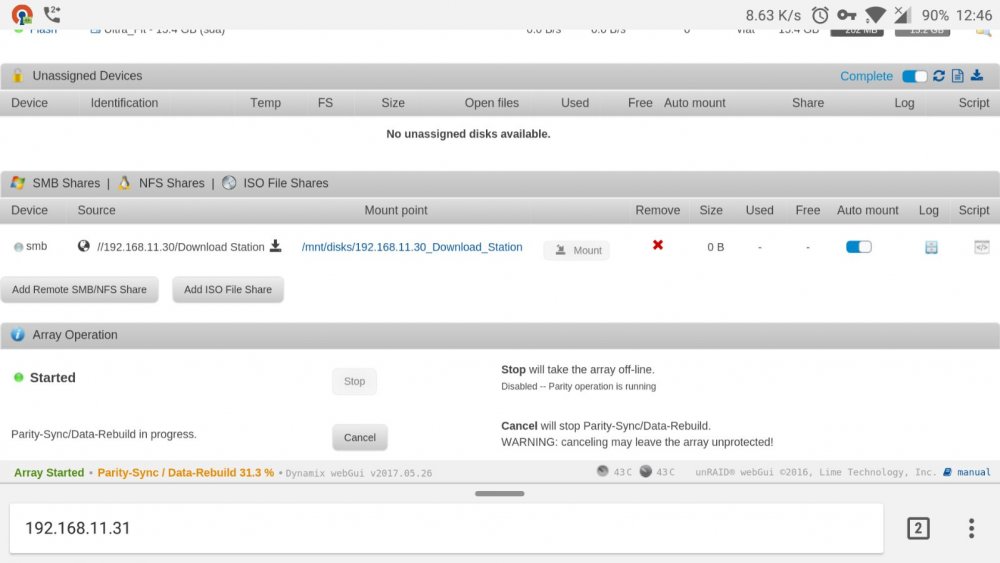
Thanks for your help. It said the remote server is offline but I can still access the remote server via SMB on other computers.
-
Hi all, Newbie here. I would like to mount a SMB share (Synology) on Unraid. I can choose the Share (Download Station in this case) from "Add Remote SMB/NFS Share" so I am pretty sure the Username and Password are correct. However I cannot mount it. Any Insight? Thanks.