





dmk
Members
-
Joined
-
Last visited
Everything posted by dmk
-
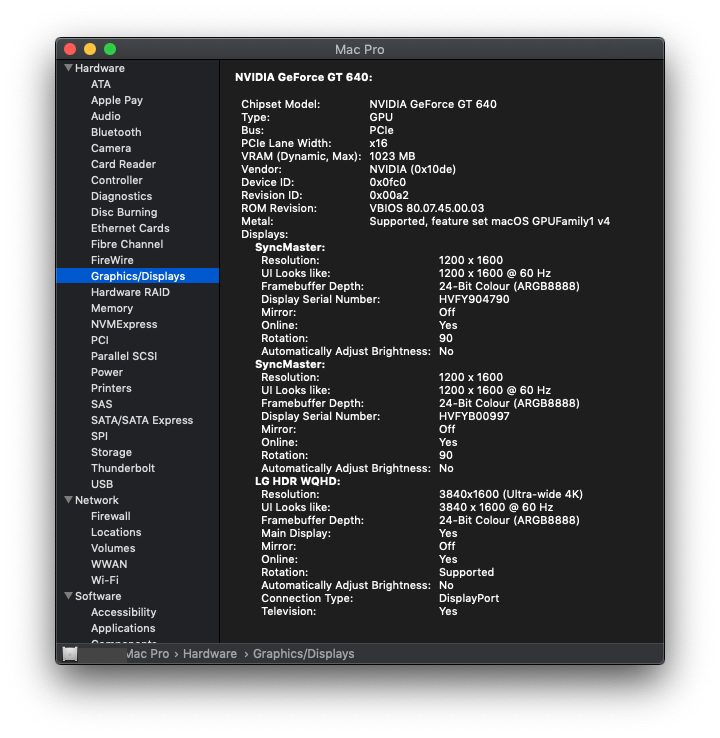
Yeah, the GT 640 isn't fully supported (no boot screen) but it does boot to login and Metal is supported!
-
FWIW: I'm using a $30 NVIDIA GT 640 1GB (the one with a Display Port on it) passed through in Mojave with native Metal support. Not the fastest GPU out there but it works until the webdrivers are published.
-
What error are you getting installing it. As an alternative to installing with installer,you can just open the efi partition with EFI mounter and manually put the clover files into it. My orginal video on installing sierra has those files in description (but not 3974) i cant link you 3974 to manually paste in as not at home Sorry about that, user error. All fine. Thanks for the video. Clover Configurator had an update so I went that route and configured it that way, mainly to ensure Nvidia drivers would stick. I also used Apple Remote Desktop instead of your solution, which works perfectly fine, no installs on guest required (just a share setting) and doesn't require me to register with a 3rd party. Note that I already had an ARD license otherwise it would have been a $80 expense.
-
@gridrunner FYI: Clover 3974 (regular and patched version) fails to install on 10.12.3. Anyone else having this issue?
