





jhnyswng
Members
-
Joined
-
Last visited
Everything posted by jhnyswng
-
Making progress! i can access the GUI, and I have all my disks present, now just missing plugins and apps.
-
Stock install works, and I'm able to load in to the GUI. As soon as I add the config folder, I'm not able to access it.
-
Sorry, forgot to mention it did not boot with a stock install
-
Im at a complete losshere. I recreated the flash with the creator and replaced my /config but still no boot into Unraid OS. It boots into Unraid OS GUI mode, and I'm able to rebuild data, but no web access.
-
Should I rebuild the flash drive?
-
I just did a manual backup. I see all the FSCK files
-
The 12TB disk was the original disk. But it was an older parity drive I repurposed. I have a new 14TB ready to replace it These are the steps I took. Start the array in Maintenance Mode. Run the following command: xfs_repair -v /dev/md6p1 Now it gives me the error Next step was xfs_repair -L /dev/md6p1 That seemed to fix the issue. Now the only issue I have is that I'm not able to access the GUI when Unraid finishes booting. I can choose Unraid OS GUI at startup, but this doesn't start the Docker
-
I had a drive start to fail and had to reboot before I could swap in a new drive. I'm not sure if I attempted xfs_repair correctly. Any help would be appreciated! tower-diagnostics-20260228-0555.zip
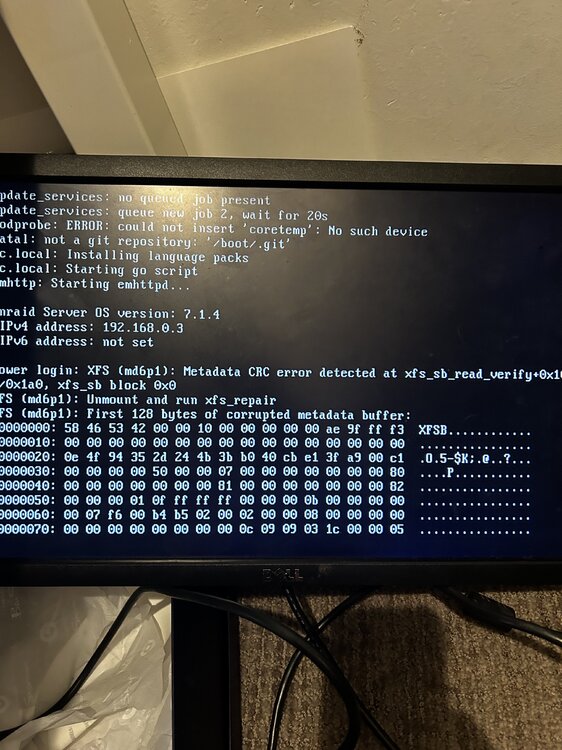
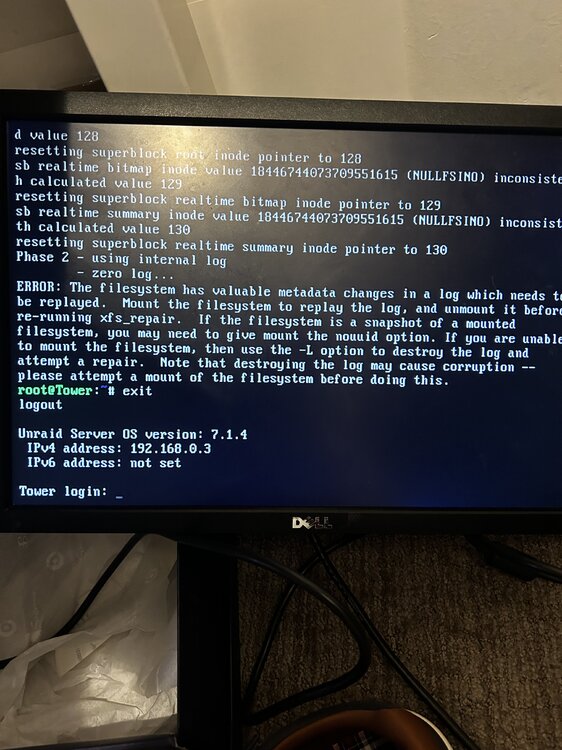
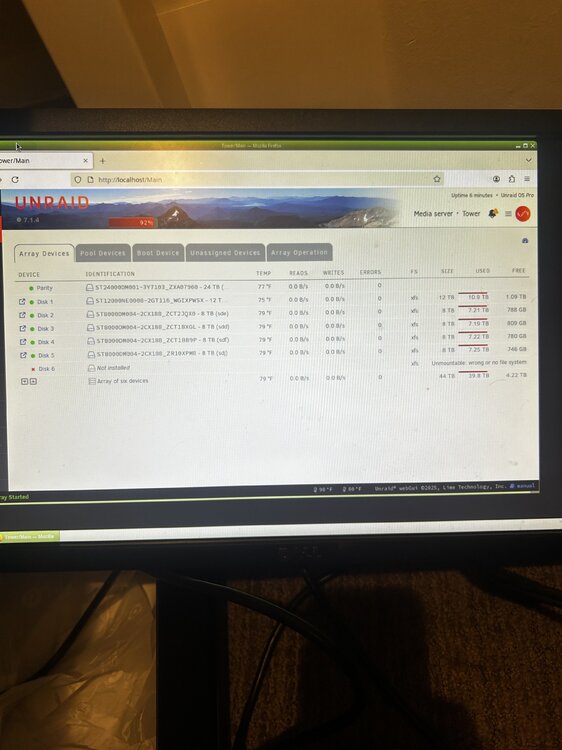
-
When my server starts up it is automatically redirected to the (.unraid.net) I'm assuming it wants me to log into the Unraid.net but I'm redirected to a site that can't be reached. How do I remove this redirect? tower-diagnostics-20230130-2136.zip


