christofferm
Members
-
Joined
-
Last visited
-
Yes I increased the docker image to troubleshooting "image filling" in the past and I'm just lazy not recreating a smaller image It seems to be my unifi-video container thats gets out of hand. Just trying to understand what changed in the docker engine between 18.09.2 and 19.03.5 that I need adapt to. Thanks for the support! I guess we can consider this issue closed for now as it is a docker issue and not an unraid issue.
-
Wrong conclusion from my part. I'm having this issue in safe mode. Checking docker containers now... srv01-diagnostics-20191215-0123.zip
-
Ok your right, seems to be an plugin issue (working ok in safe mode) Trying to hunt down what plugin causes this...
-
Ok got it!.. sorry for that. Rebooting in safe mode now...
-
Here comes a fresh set of diagnostic data. No I have not try "safe mode" Isn't this the place to report bugs related to upgrading to 6.8.0? I can reproduce that this issue does not exist in 6.7.3-rc4. Is there an easy way to move this issue to the general support section? srv01-diagnostics-20191214-1429.zip
-
Ok I change it to minor... When I say its not responding at all, thats including pressing the chassis power button to turn off the server resulting in that I need make a force shutdown. Rolling back to 6.7.3-rc4 all work ok. I get back with the diagnostic soon
-
Changed Priority to Minor
-
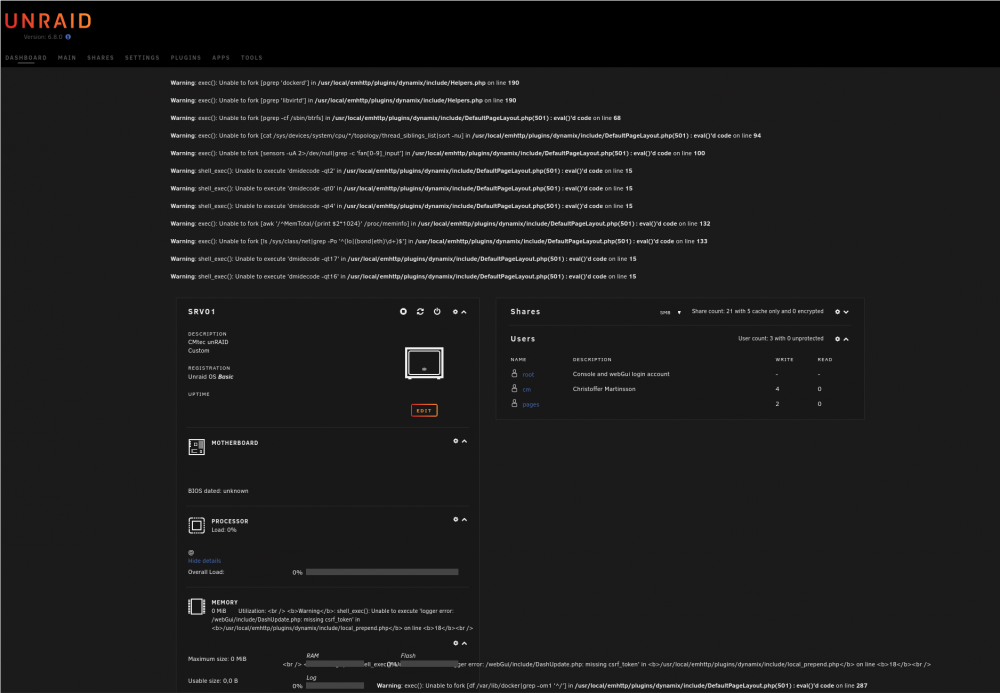
Gets gradually more and more unresponsive. Please see attached picture. After approx one our the server is not responding at all. Intel based platform.
-
Gets gradually more and more unresponsive. Please see attached picture. After approx one our the server is not responding at all. Intel based platform.