GalliumDragon
Members
-
Joined
-
Last visited
-
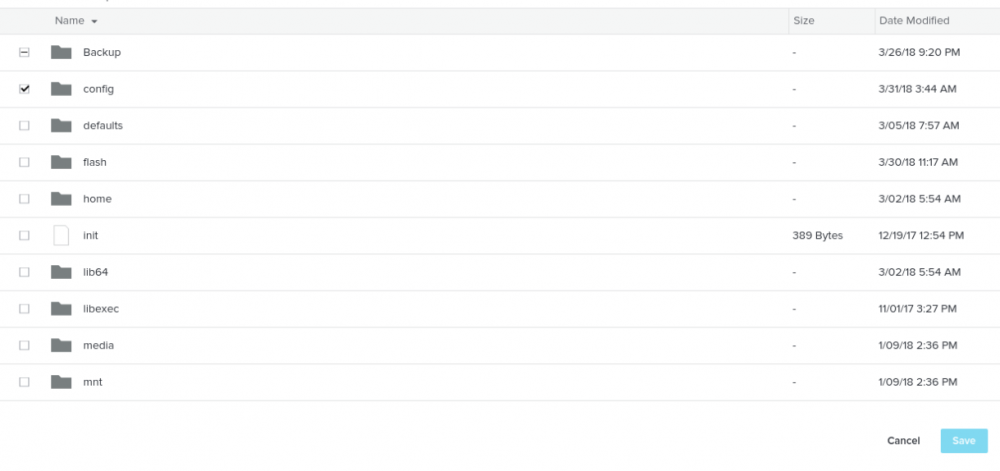
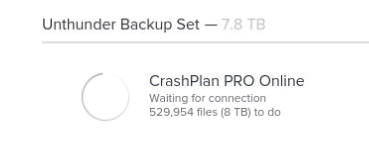
Hey everyone, I started on the Crashplan Home version of the container from almost the beginning, then was upgraded to the pro version without issue, but for the life of me have been unable to get it working since the change to the HTML pro client version back at the end of last year. One of the first problems I remember was a "waiting for connection" message which clearing the caches folder, as specified in the troubleshooting steps, helped, but then it constantly cycled a "Routine Maintenance" message or other issues. I let this go for over a week each time but it never changed. I have deleted the container many times making sure to clear old folders using the "cleanup appdata" plugin each time but had the same or similar results. This latest time I finally decided to deleted and deactivated all my devices on Crashplans server, essentially deleting my entire backup, and started fresh from unraid. The first problem I encountered was the storage path would not show up in the container no matter who many times I reinstalled fresh, so I manually added another path to the /mnt/user path and called it /Backup in the container, which at least gave me access to my files to select as part of the backup. On Crashplans end, I can see my new device listed on the site with no files backup, but on my end, it just constantly says "waiting for connection", but this time clearing the cache only restarts the cycle. Since I have started fresh with the exception of my unraid server, is there something I can clear out to get the new backup set going again? thank you