





drallred
Members
-
Joined
-
Last visited
Everything posted by drallred
-
Solved
-
Solved
-
I have this issue with my server, see Well, I will be getting a new USB drive in the next few days, same size as the old and need assistance to manually move the files/license/configs to the new and make it boot-able. That is unless someone can help me recover the old. I have do not have a backup of the system just the original USB. I want to do this to keep the configurations of the Dockers I have installed. note: I will be better at keeping hard copies of the settings and backups.
-
I understand this, I work in a Datacenter, I only deal with Windows programs and thus need help with Umraid. My Linux is very rusty.
-
Unfortunatly, no
-
After removing the USB and letting Windows fix the drive, No Errors Found, I checked the syslinux.cfg and it looked identical to the one posted except for the mitigations=off. Just for giggles I plugged the USB into different USB ports on the server and got the same boot errors. I have copied the USB drive files to my laptop but 2 did not. ncurses-5.9-x86-64-4.Txz and perl-5.18.1-x86_64-1.Txz. I know there might be a few hidden files/folders. I will be buying a new USB for possible new install. I know that my storage drives are good. I am a windows guy and UnRAID was easy to setup and get going 5 years ago, it has been running great and has been updated when new versions come out. I am at a loss as all searches on the internet say to make sure the boot order is correct, and it is.
-
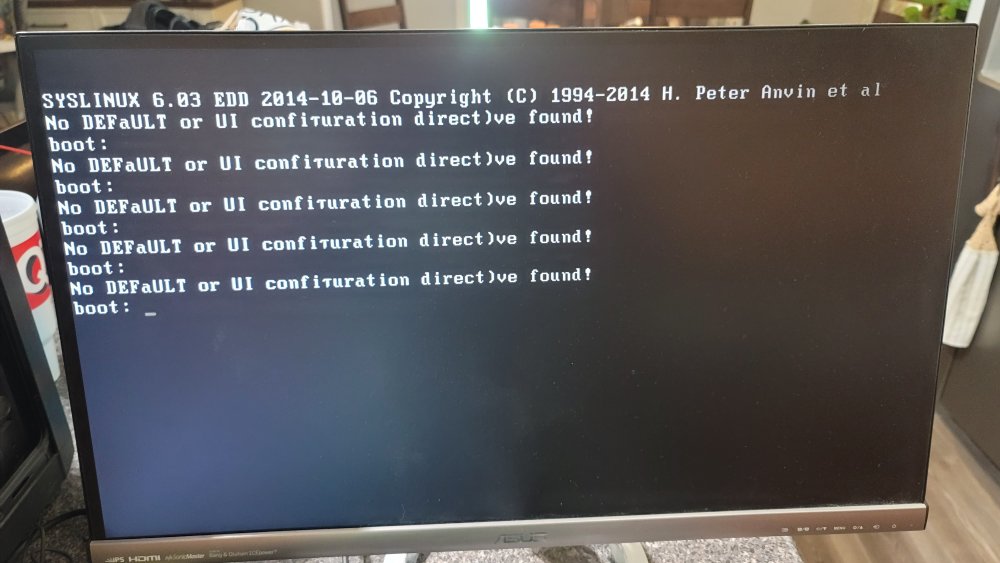
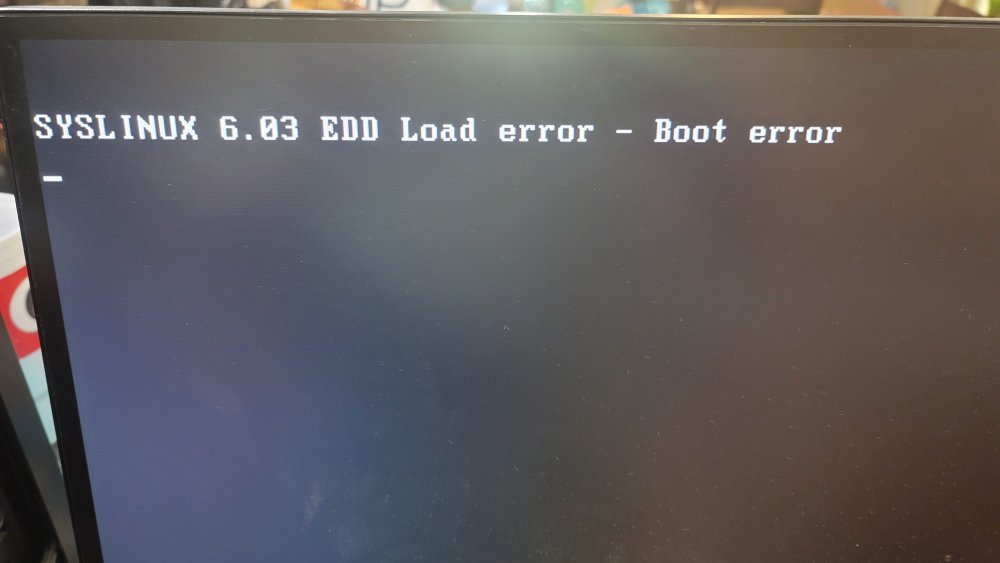
My Unraid is not booting and it has be confused. After a power outage, my system in on a UPS the system shut down when power in the UPS hits 25%, that is how it is setup. I was out and the system was not turned on until I got home a week later. I powered it up and it did not come up. Hooked up a monitor and this is what is displayed. No DEFaULT or UI configuration direct)ive found! boot: It repeats this over and over. Once I got this message. SYSLINUX 6.03 EDD Load error - Boot error Any help would be greatly appreciated. I have all photos, videos and movies on this server, also setup for virtual systems. Can't really loose any of this. Thanks David
-
Restart the docker and it'll pull the latest version. Thanks
-
The people at Sonarr have made a new update, When can we expect it?
-
Thanks for the link, I looked at it and the newer versions don't have Primary and Backup designations.
-
I just installed this Docker and started to configure the service. I noticed that while setting up the servers that there is no way to make a backup server. I have multiple servers and one of them is a capacity limited server that I use only for backup, repair and other issues that occur when a download fails at the primary server. This capability is in the version I am running on my desktop, any chance that the system can be updated to provide this or how can this be done in the current settings? Thanks David

