





unJim
Members
-
Joined
-
Last visited
-
Thanks, I was hoping you might elaborate a bit on how keeping them separated helps with security but that's probably a discussion for another thread.
-
Is there any reason for this? I would try and get this working but I'm not sure I can mess with my configuration that much, most of the dockers I have interact with another in one way or another and giving them all separate static ip addresses and changing all my firewall and port forwarding rules to match may be to much of a hassle.
-
Thank you alturismo, I had given up with it but it's good to know there is a solution.
-
I'm trying to get tvhproxy working but Plex doesn't find it, makes no difference if I supply it with the IP address of the docker. If I go to http://192.168.1.159:5004 (the IP address I have assigned to tvhproxy) with a web browser it returns a 404 error which the tvhproxy docker logs show so it's kind of running but something isn't right. Does anybody have this working?
-
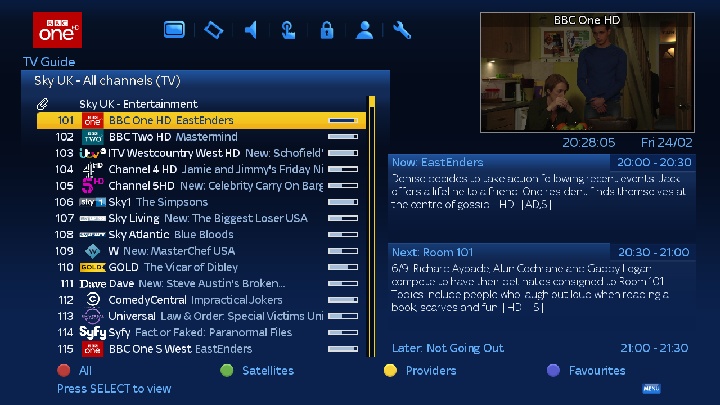
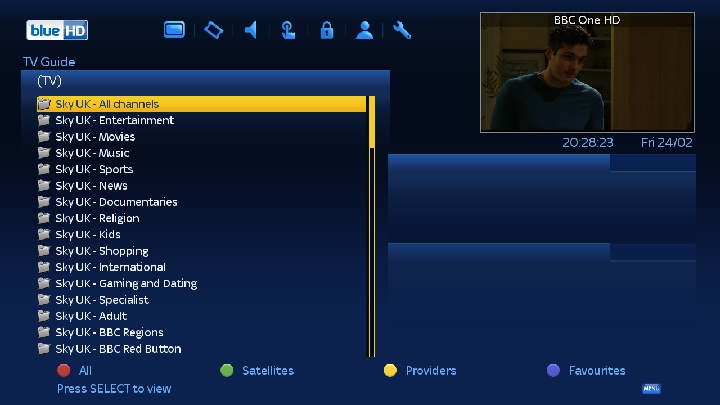
They're especially useful when having multiple satellite feeds, without them I'd have a list of 3500 random channels to scroll through!
-
Basically yep; channel numbers are automatically assigned to be the same as the provider and it updates itself when numbers get changed around. everything is categorised and easy to find and it's all automated. When I first started playing around with this stuff it took too much babysitting, when providers moved channels around things broke. This I just set and forget.
-
I've considered it, they do look nice . Can't tear myself away from the dreambox at the moment though, I can't find anything that handles bouquets as well as it does (AutoBouquetMaker), it "just works".
-
Yeah, I've now had tvheadend running sat>ip on port 554, it did allow me to tune into a few channels intermittently, sometimes it would work, sometimes it wouldn't, when it wouldn't it would flood the logs with; 2017-02-24 19:11:32.352 http: 192.168.1.5: RTSP/1.0 SETUP rtsp://192.168.1.10:554/?pids=0 -- 400 and pretty much kill the tvheadend web interface, it doesn't look like it is always asking for the correct stream. Has to be a problem with the sat>ip client on the dreambox. Guess I'll have to find another way.
-
It's quit possible when I get tvheadend listening on port 554 I'll have the same issue, although I'm hoping not. That Digibit R1 looks nice, probably should have bought one of them instead
-
Thanks, I wasn't aware of that, I currently have it set up to record to unRAID using NFS but that might actually be better, I'll look into it.
-
Tried that, it doesn't work with the dreambox for some reason, I don't know why as it works with everything else but the dreambox doesn't get the correct frequencies from minisatip (I'm thinking the DiSEqC commands aren't getting passed through) so I gave up on that idea
-
Thanks I'll give that a go, if I can get things working correctly with tvheadend running sat>ip on port 554 then I'll be one step closer to getting things working how I want
-
My setup is a bit more complex than the norm, I have a 90cm dish with 4 quattro LNB's connected to a 17x8 multiswitch, 1 output is connected to a dreambox (it only has a single tuner), it can be set up with 2 additional sat<ip based tuners for which I'd like to use tvheadend, I'd then be able to watch 1 channel and record 2 others. I would also like to set up a couple of kodi boxes using tvheadend as the PVR back end.
-
No error in tvheadend as it is running on port 9983, the error is related to getting it running on port 554, it just doesn't work. I think satip needs multicast, which needs host mode, so I need to run it as root to use port 554. The minisatip docker runs in host mode and uses port 554, is it running as root? how can I make tvheadend do it?
-
Have already tried, didn't help. I think it needs to be run in host mode for multicast to work.
