





vhalik
Members
-
Joined
-
Last visited
-
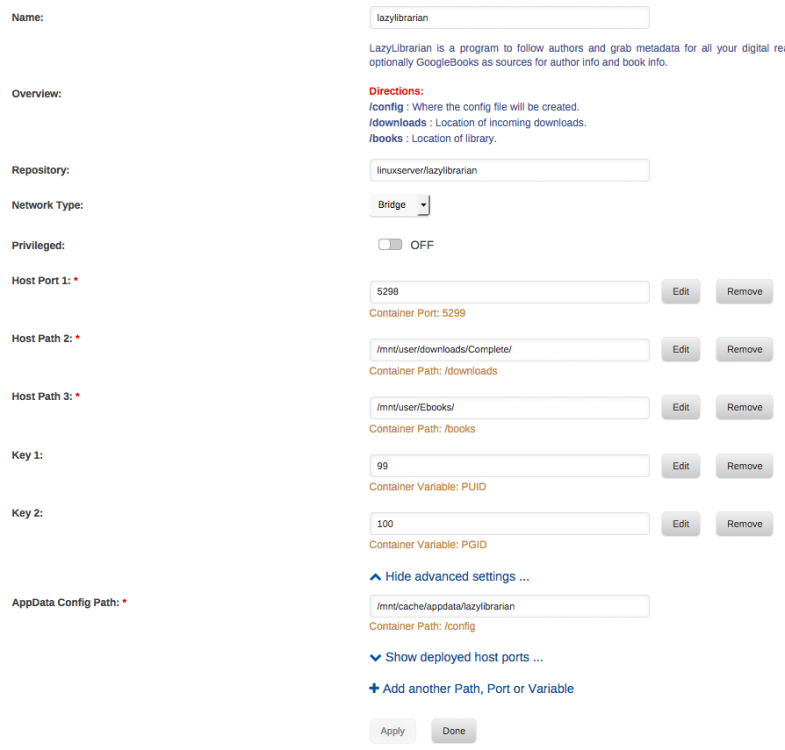
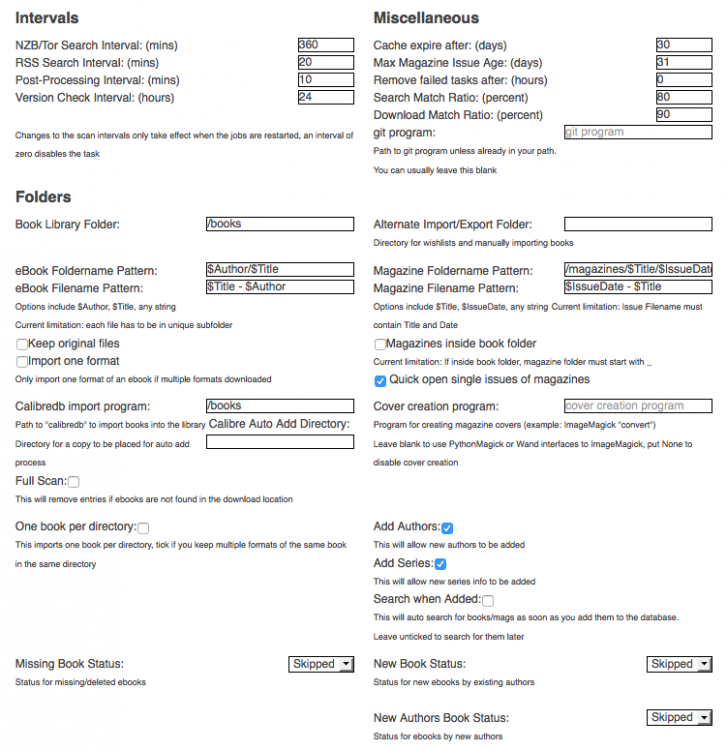
When doing a library scan I receive this error Missing parameters: library Traceback (most recent call last): File "/app/lazylibrarian/cherrypy/_cprequest.py", line 670, in respond response.body = self.handler() File "/app/lazylibrarian/cherrypy/lib/encoding.py", line 217, in __call__ self.body = self.oldhandler(*args, **kwargs) File "/app/lazylibrarian/cherrypy/_cpdispatch.py", line 67, in __call__ raise sys.exc_info()[1] HTTPError: (404, 'Missing parameters: library')
-
I also ran into this error when trying to do a library scan Missing parameters: library Traceback (most recent call last): File "/app/lazylibrarian/cherrypy/_cprequest.py", line 670, in respond response.body = self.handler() File "/app/lazylibrarian/cherrypy/lib/encoding.py", line 217, in __call__ self.body = self.oldhandler(*args, **kwargs) File "/app/lazylibrarian/cherrypy/_cpdispatch.py", line 67, in __call__ raise sys.exc_info()[1] HTTPError: (404, 'Missing parameters: library')
-
I accidentally updated lazylibrarian from within and not through docker. I know, it was one of those days where I thought I clicked no and ended up clicking yes. I can no longer access the webui of the container. I have deleted it and removed the folder from appdata and reinstalled it with no luck. I am at wits end trying to get this to work. Anyone have any ideas? UPDATE: 06-12-2017 After deleting the folders and installing a different lazylibrarian app, I was able to get this working again.

