




Skip to content
View in the app

A better way to browse. Learn more.

Unraid

A full-screen app on your home screen with push notifications, badges and more.

To install this app on iOS and iPadOS
  1. Tap the Share icon in Safari
  2. Scroll the menu and tap Add to Home Screen.
  3. Tap Add in the top-right corner.
To install this app on Android
  1. Tap the 3-dot menu (⋮) in the top-right corner of the browser.
  2. Tap Add to Home screen or Install app.
  3. Confirm by tapping Install.

buggex

Members
  • Joined

  1. Did some digging, so corsairmi use the HID protocol to communicate with the PSU see, since rm and hx psu are HID's see: https://forum.corsair.com/forums/showthread.php?p=663107&p=663107 my ax1600i does not report as a HID, so corsairmi will unfortunately not work. corsairmi would need to be rewritten to support what ever communication protocol the ax psu's uses.
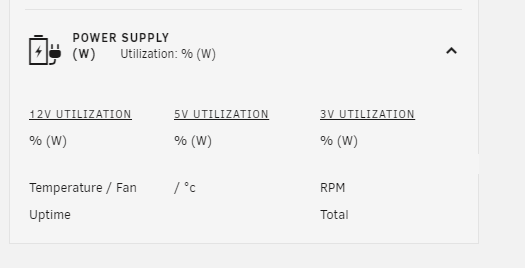
  2. unfortunately the test build does not seam to work with my ax1600i, no data is shown on the dashboard.
  3. Corsair homepage say that it is "Compatible with CORSAIR iCUE" so hopefully it should work: 0x1c11 AX1600i
  4. nice plugin, any chance it will get AX support?nice plugin, any chance it will get AX support?
Account

Navigation

Search

Search

Configure browser push notifications

Chrome (Android)
  1. Tap the lock icon next to the address bar.
  2. Tap Permissions → Notifications.
  3. Adjust your preference.
Chrome (Desktop)
  1. Click the padlock icon in the address bar.
  2. Select Site settings.
  3. Find Notifications and adjust your preference.